
What's New
- Four additional fields: Archive Start, Finish, Workdays, and Duration
- Two additional URL fields
- Minor enhancements
Please migrate "QuickPlan for macOS", "QuickPlan for iPad", and "QuickPlan for iPhone" to the latest
version.
Fields to Archive Date and Duration
Four fields have been added to archive task Start, Finish, Workdays, and Duration. You can use these archived fields as a baseline to compare with active dates and durations, which can be displayed in different colors.
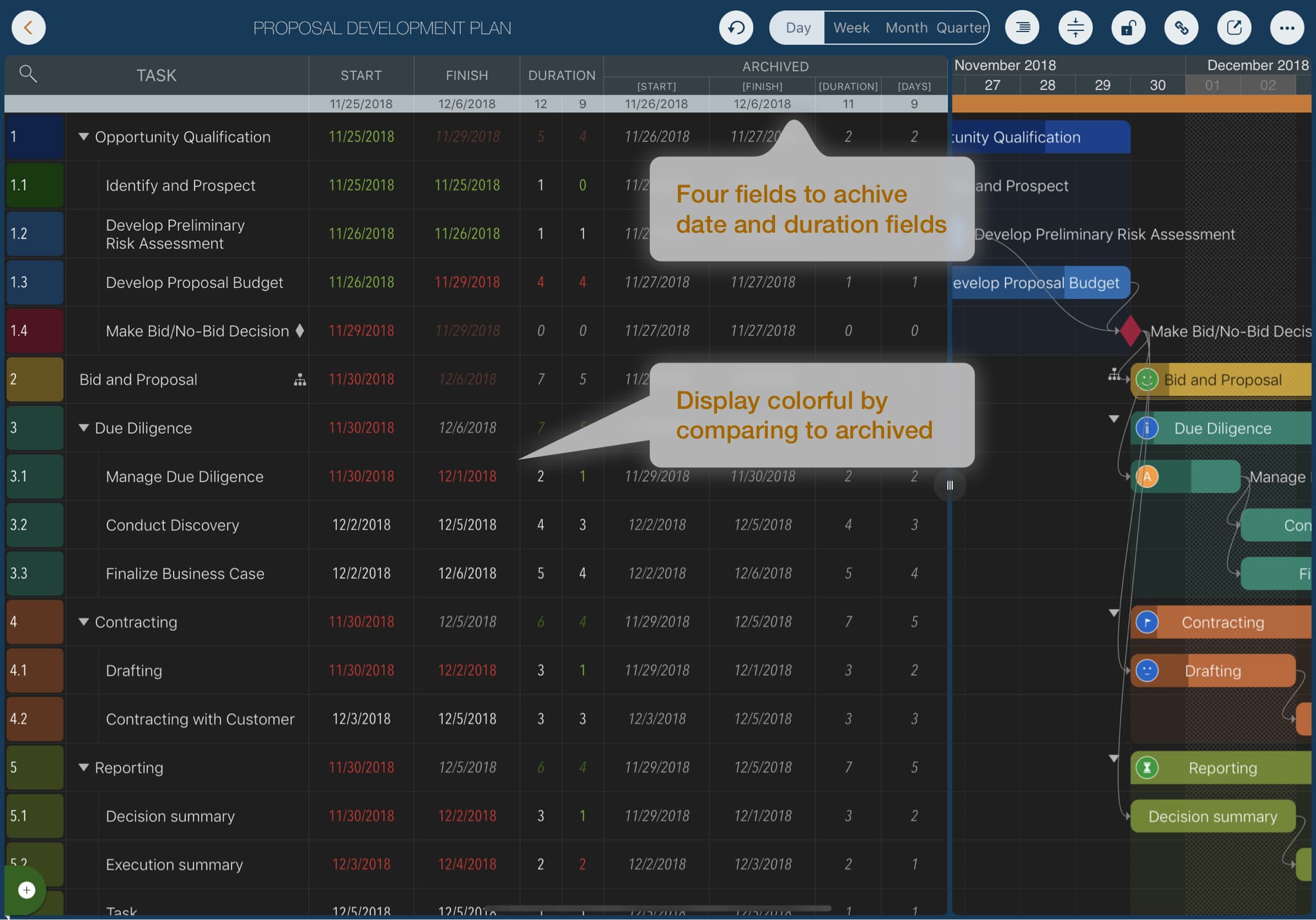
The following animation demonstrates:
- Show the new archive fields (hidden by default)
- Archive active dates and durations (copying active fields to archive fields). QuickPlan supports batch archiving for all tasks. Note that individual archive field cells cannot be edited directly.
- Change the display options for active date and duration fields to highlight differences from archived data using colors.
Two URL fields
Two additional fields have been added for URLs, allowing you to link tasks to external resources like web pages or files. QuickPlan supports any URL format.
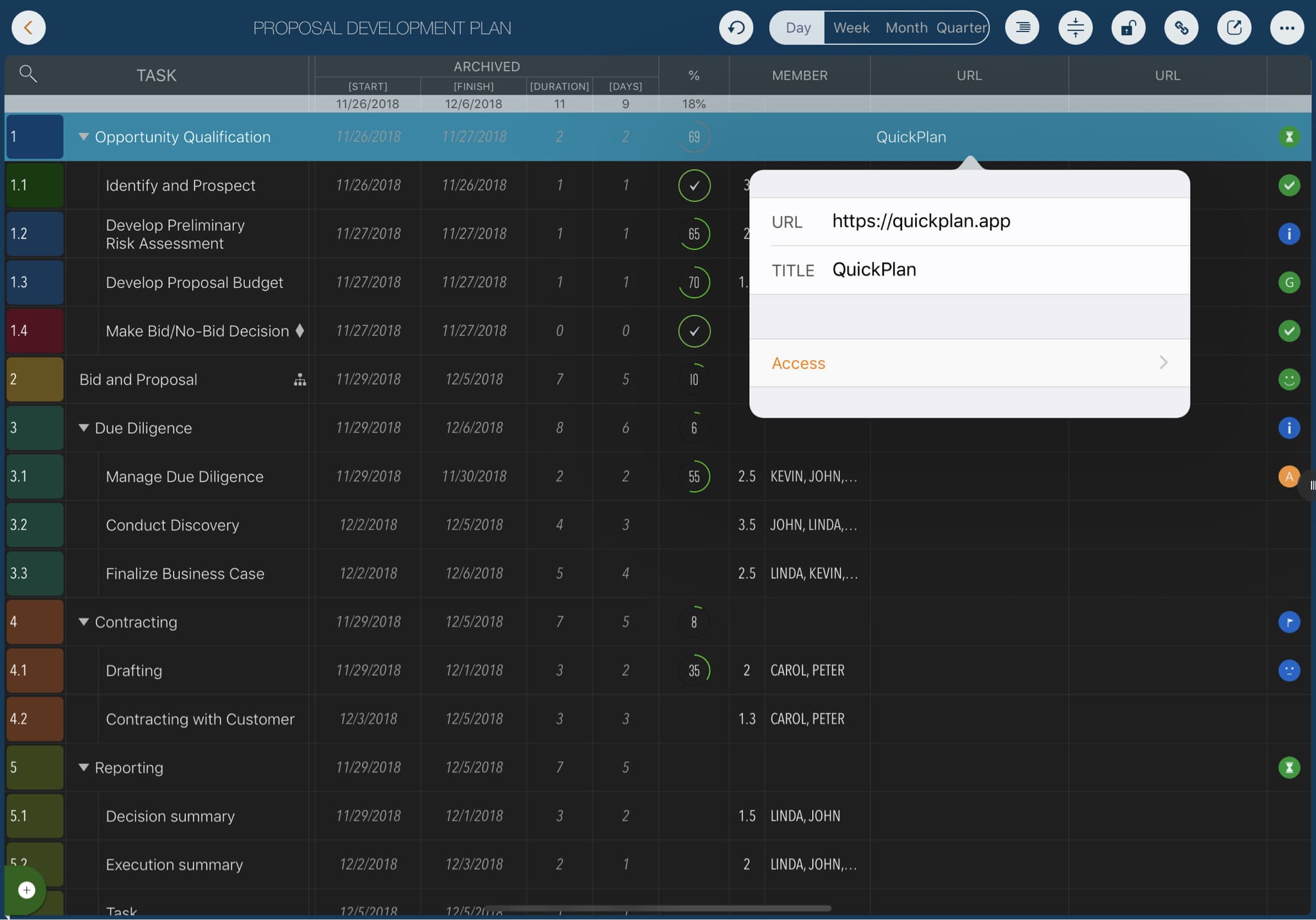
- A valid URL on one device may be invalid on another. For example, a file path on a Mac may not work on other devices.
- On Mac, QuickPlan supports updating URLs by dragging links from other apps. (Managing URLs on Mac and syncing to iOS is often more efficient.)