
What's New
- Four New Fields to Archive Task Start, Finish, Workdays, and Duration
- Two Additional URL Fields
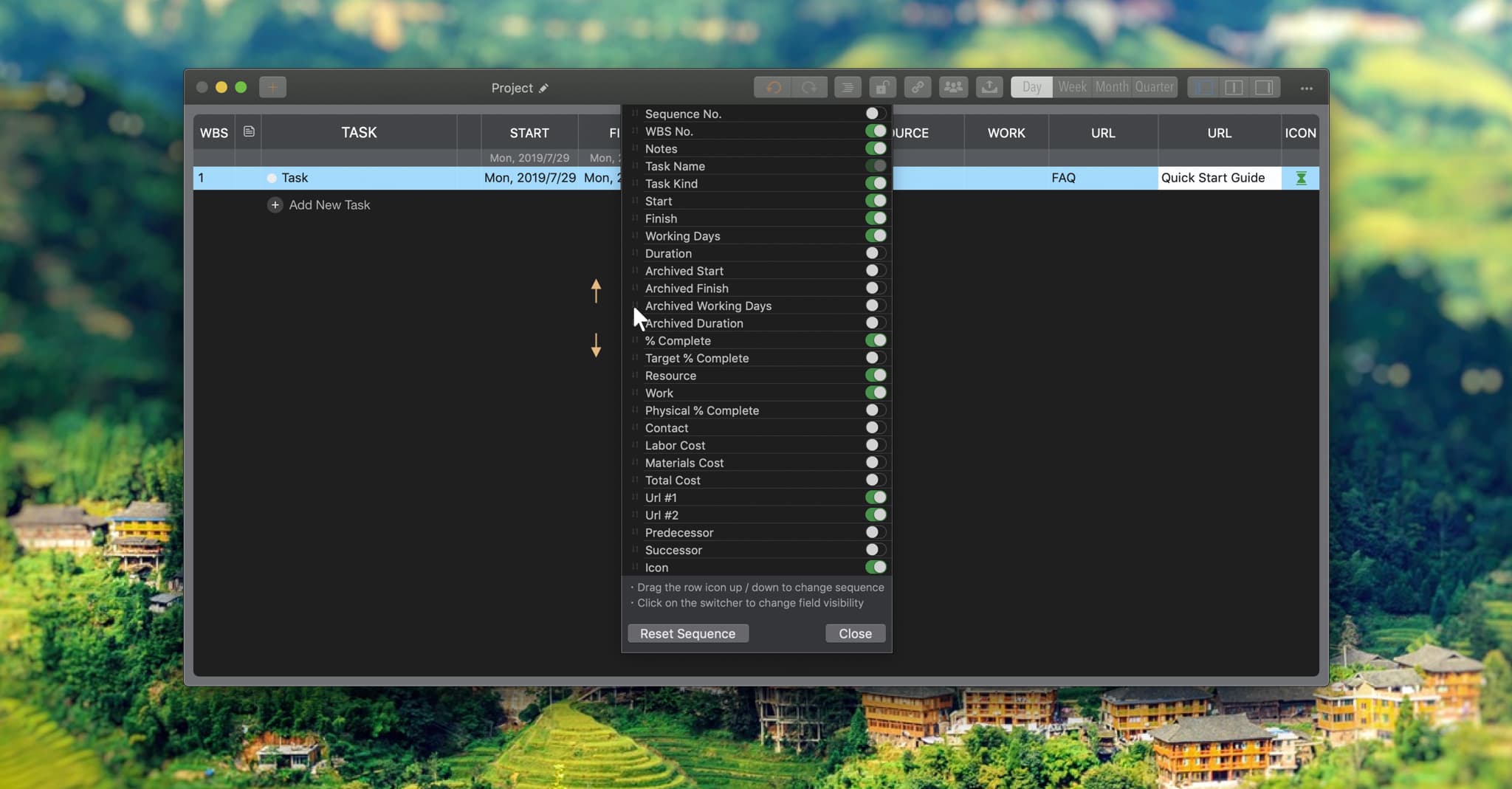
- Reorder Task Fields in the Outline List
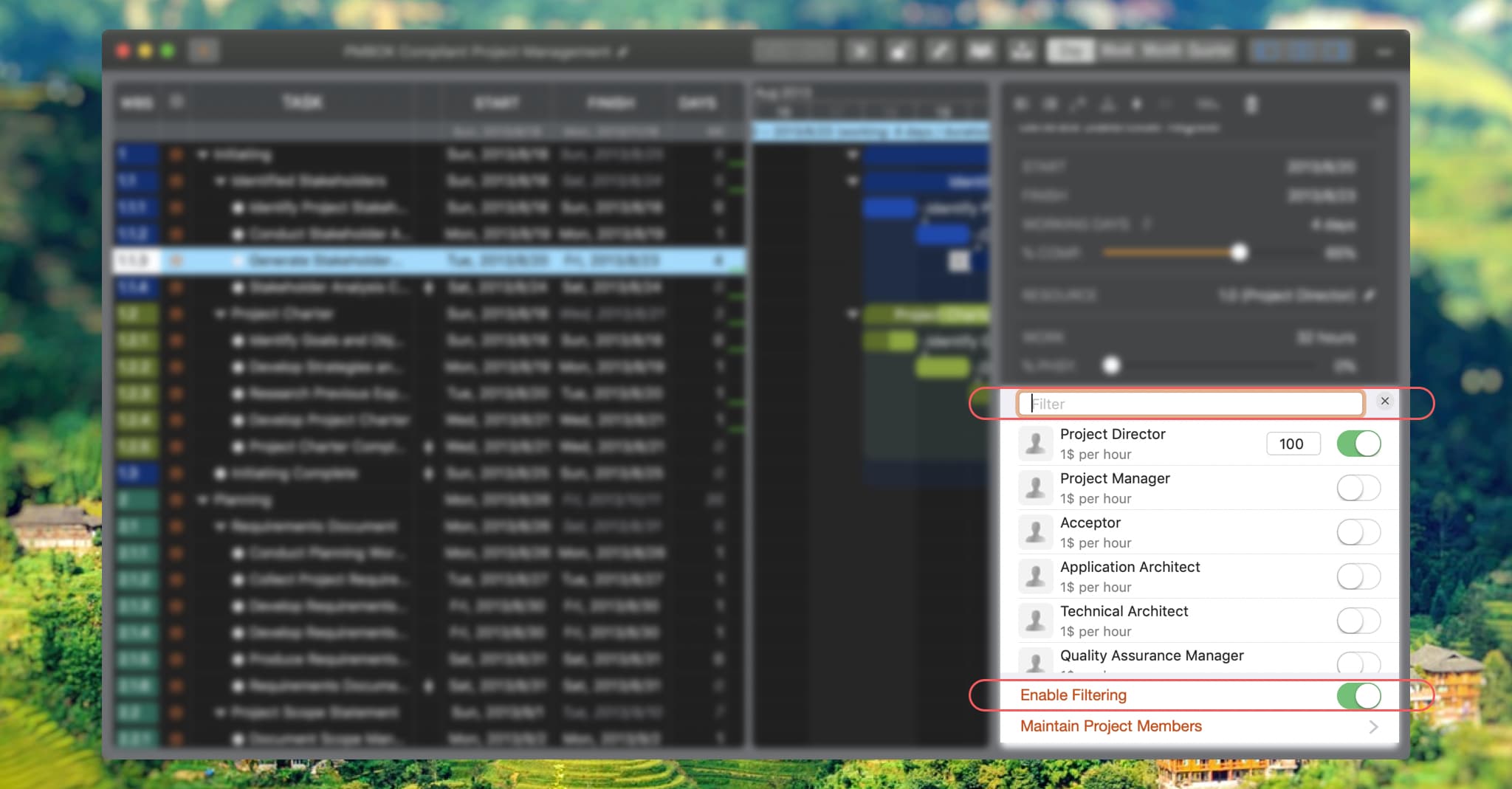
- Filter Members in the Inspector
- Enhanced Direct Task Name Editing on Chart
Fields to Archive Date and Duration
Four fields have been added to archive task start, finish, workdays, and duration. These archived fields serve as a baseline, allowing you to compare active dates and durations using different colors.
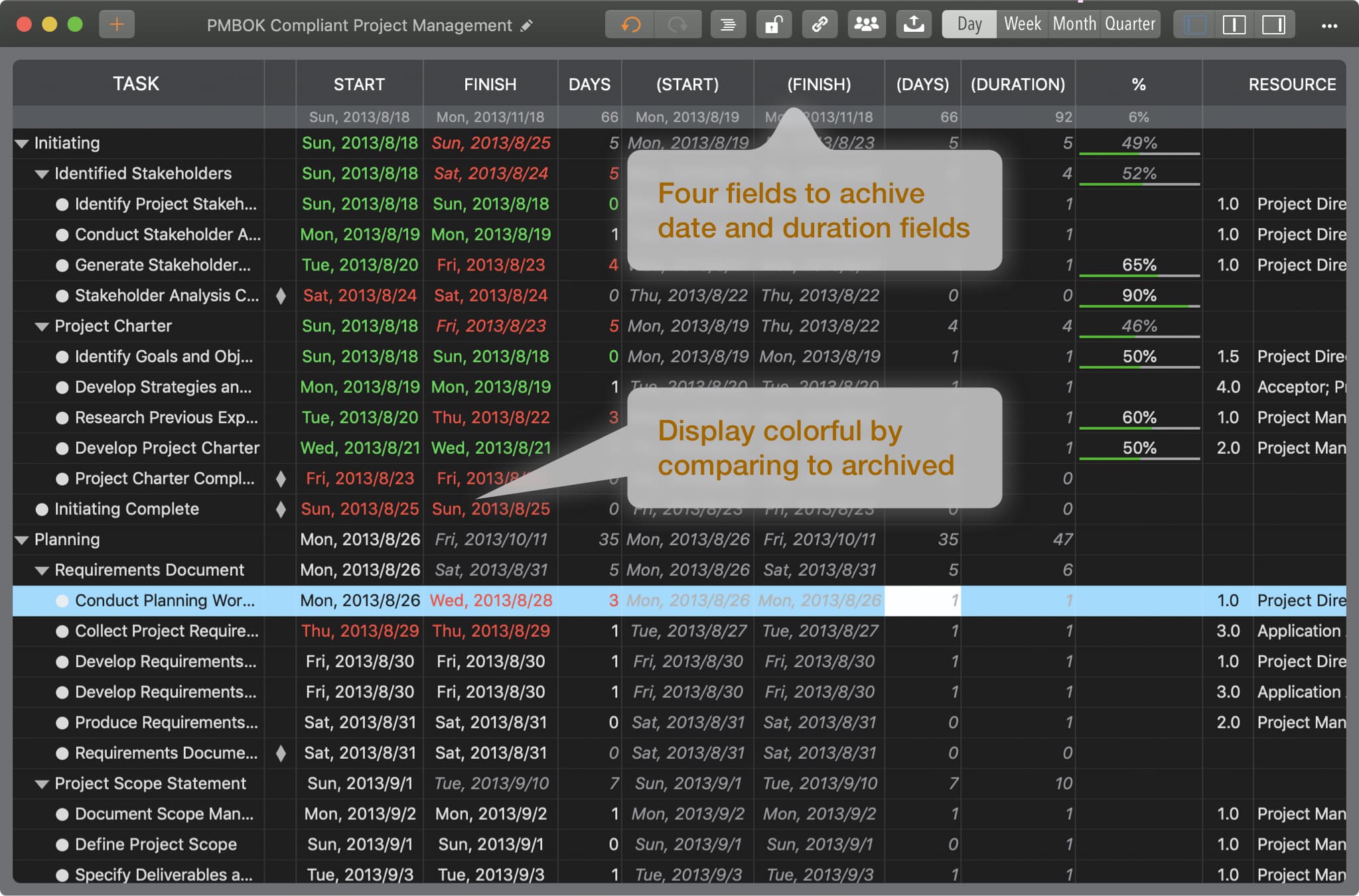
Following the animation demonstrates:
- Show the new archive fields (hidden by default).
- Archive active date and duration fields (copying active to archive). QuickPlan supports batch archiving for all tasks; specific archive cells cannot be edited.
- Adjust display options for active fields to highlight differences against archived data.
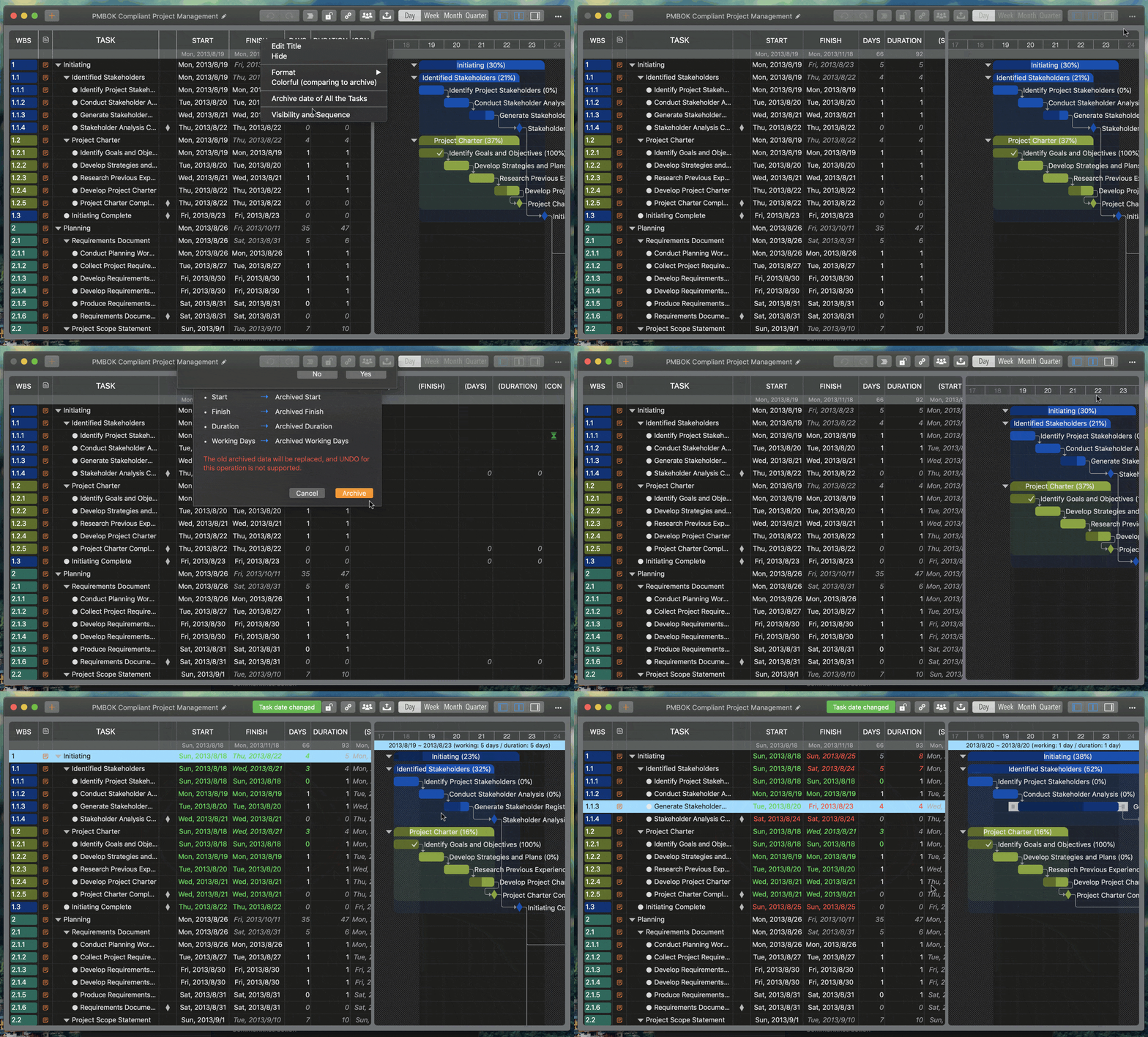
Two URL fields
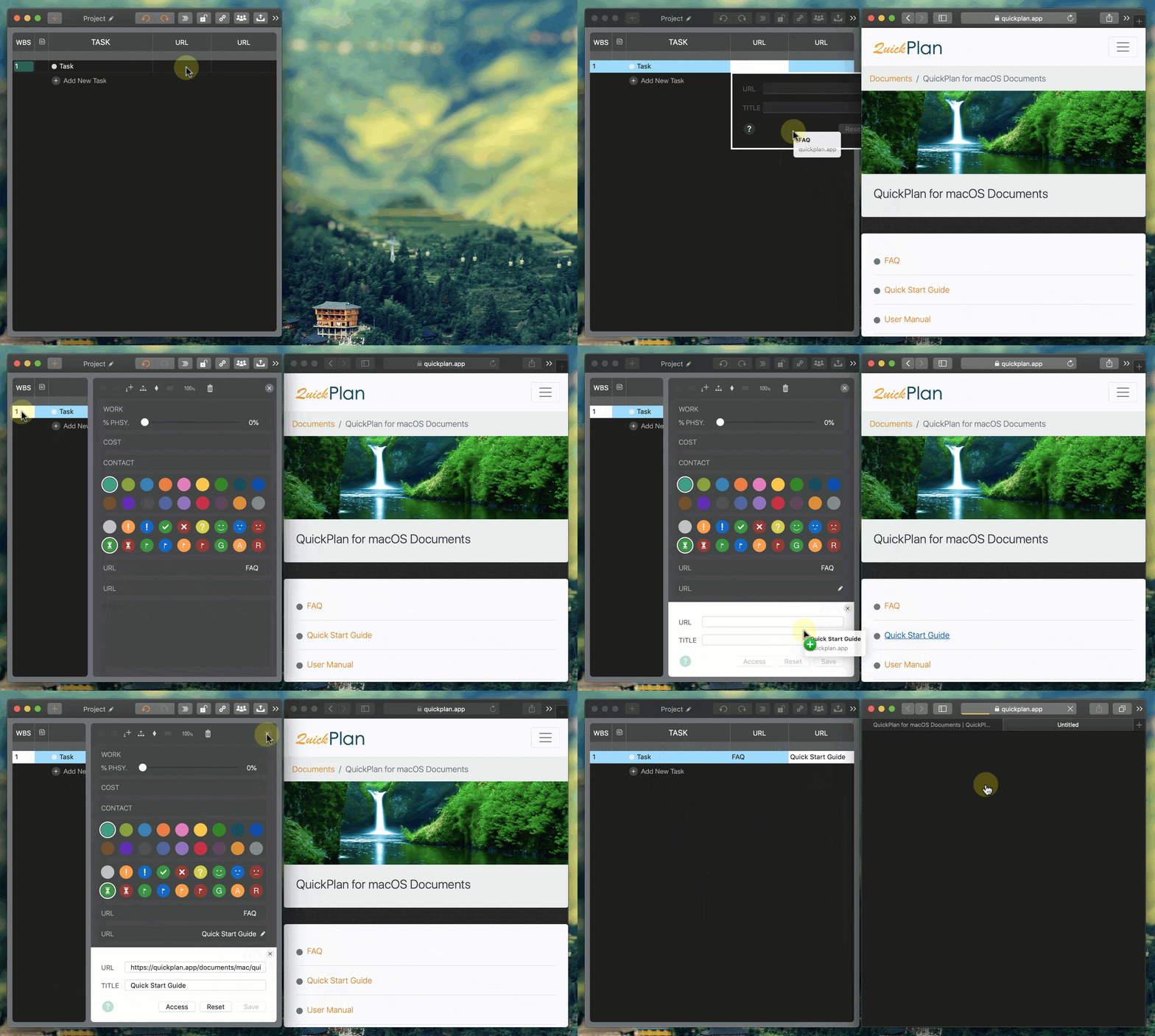
Two additional fields allow for URL input, linking tasks to external resources like web pages or files. QuickPlan accepts any string in the URL field. (A valid URL on one device may be invalid on another device. For example, a URL to a file on Mac is not acceptable on another device.)
- Maintain URLs via the Outline List or Inspector.
- Alternatively, input URLs by dragging links/files from other apps.
- ⌘ + Mouse Clicking on the cell directly to access the URL
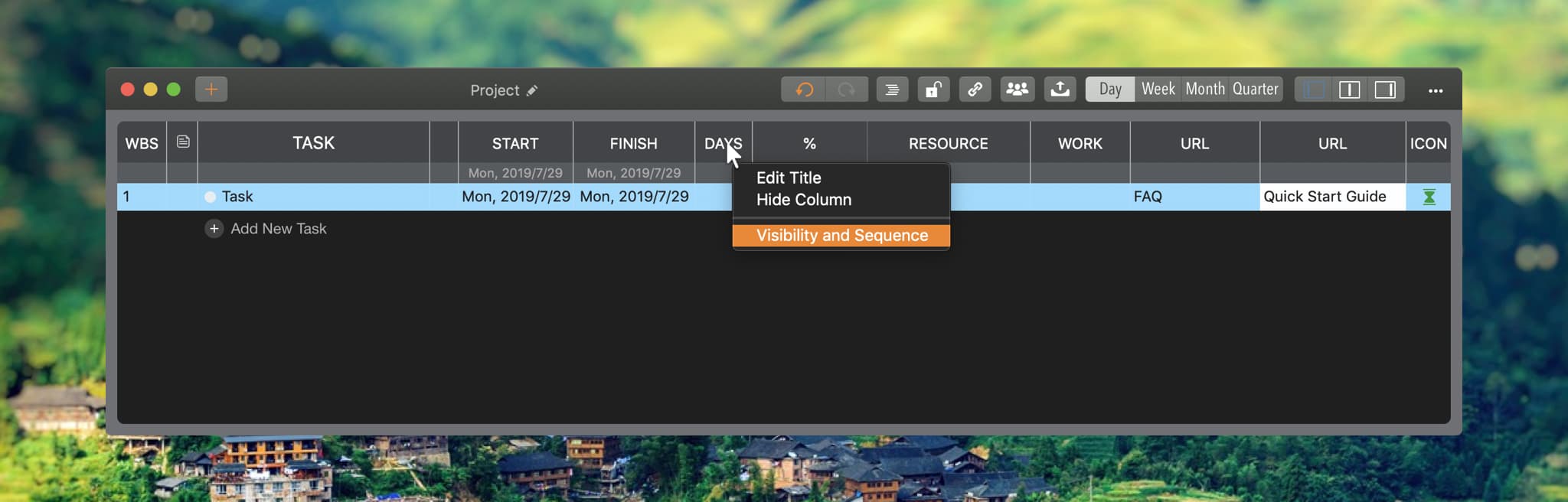
Task Fields Display Sequence
-
Right-click a header in the Outline List to reveal the context menu.
-
Pan up/down on the field row's left icon to reorder.
Filter Members When Assigning Tasks in the Inspector
For projects with many members, filtering simplifies task assignment. (This feature is currently available only in the Inspector's resource assignment form.)
Enhanced Direct Task Name Editing on Chart

By default, pressing "Return" on a selected taskbar opens the Inspector. Version 5.0 adds an option to edit the task name directly on the chart upon pressing "Return".

(Alternatively, we can directly edit the task name on the Gantt chart by "⇧ + Double-clicking" on a taskbar.)