
Visualize project work and costs using S-Curve and Bar charts, with options to customize values, chart types, units, and X-axis scaling.
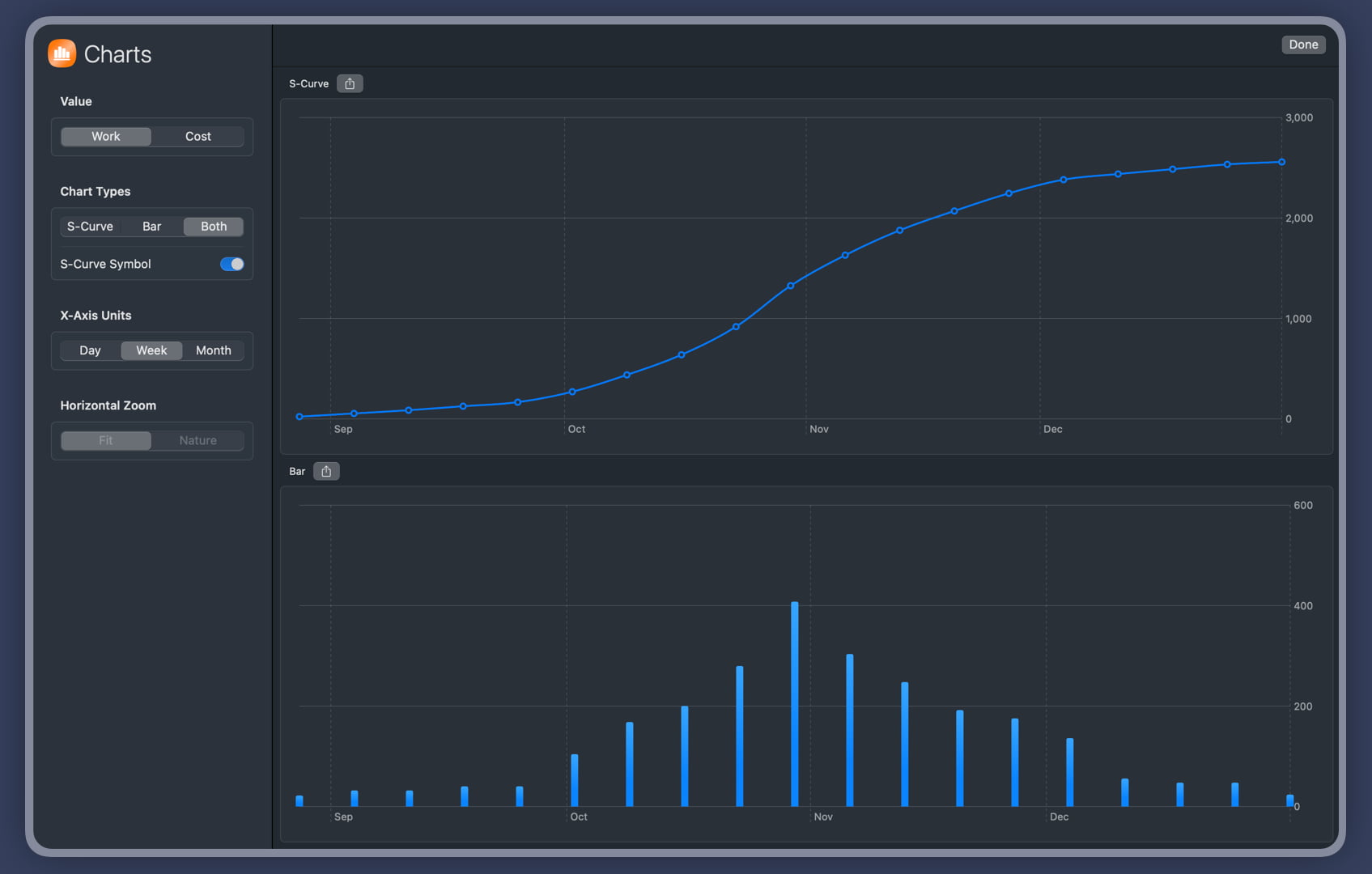
Toggle current workload or cost values, switch between S-Curve and Bar charts, and adjust the time scale (days, weeks, months). This provides an intuitive visualization of project progress and performance. Export charts as PNG images to share with team members, clients, or stakeholders. This facilitates easier communication of project status and results.
- Display S-Curve charts, Bar charts, or both simultaneously.
- Toggle the display of project work or cost data.
- Show or hide S-Curve symbols.
- Display date units in days, weeks, or months.
- For large datasets, set the chart width to its natural size and enable horizontal scrolling.
- Save the chart as a PNG image to share with your team or include in reports.
Compare to Baseline
QuickPlan allows you to archive the date, duration, work, and costs fields of your project and use them as the baseline data.
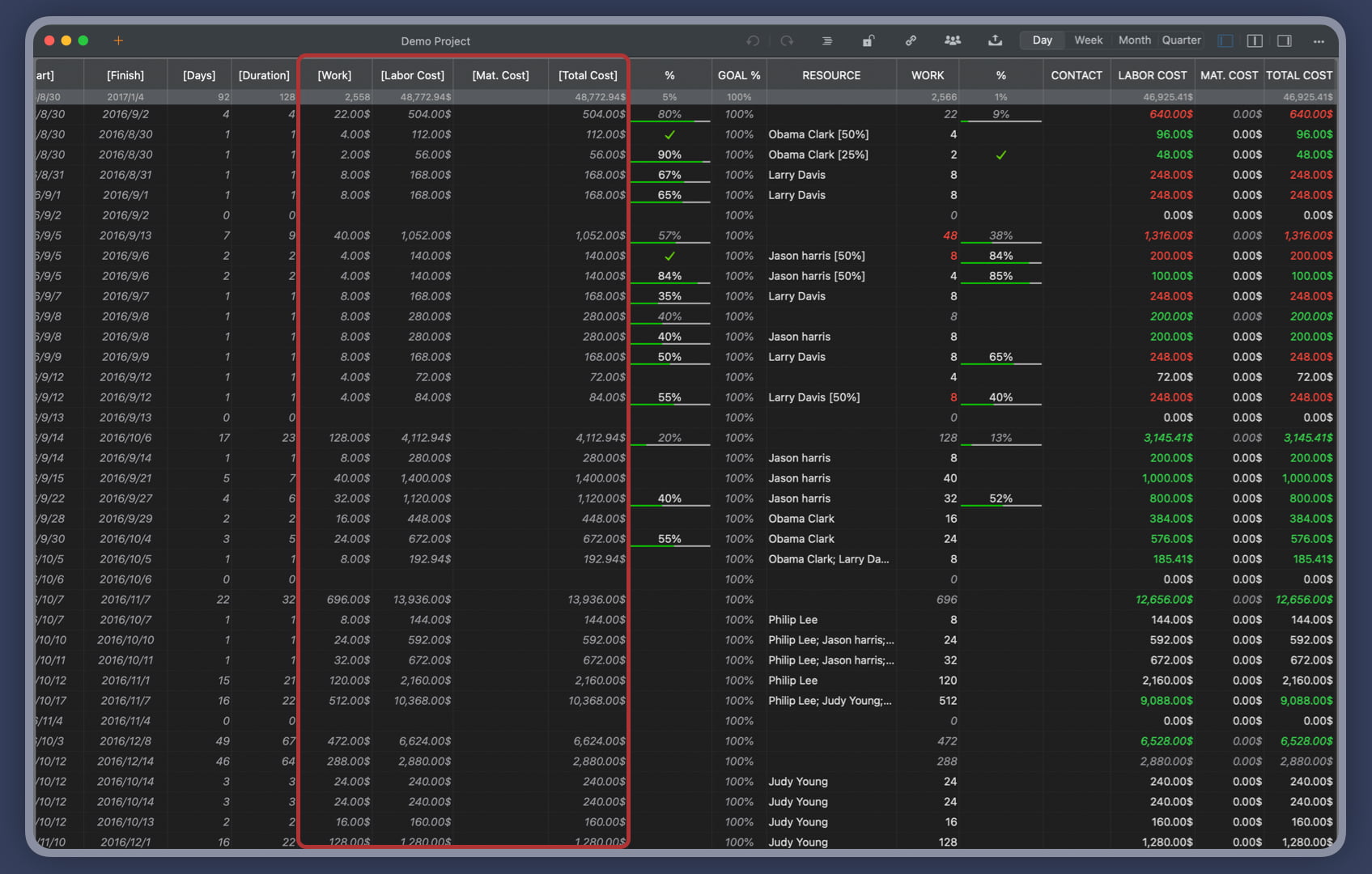
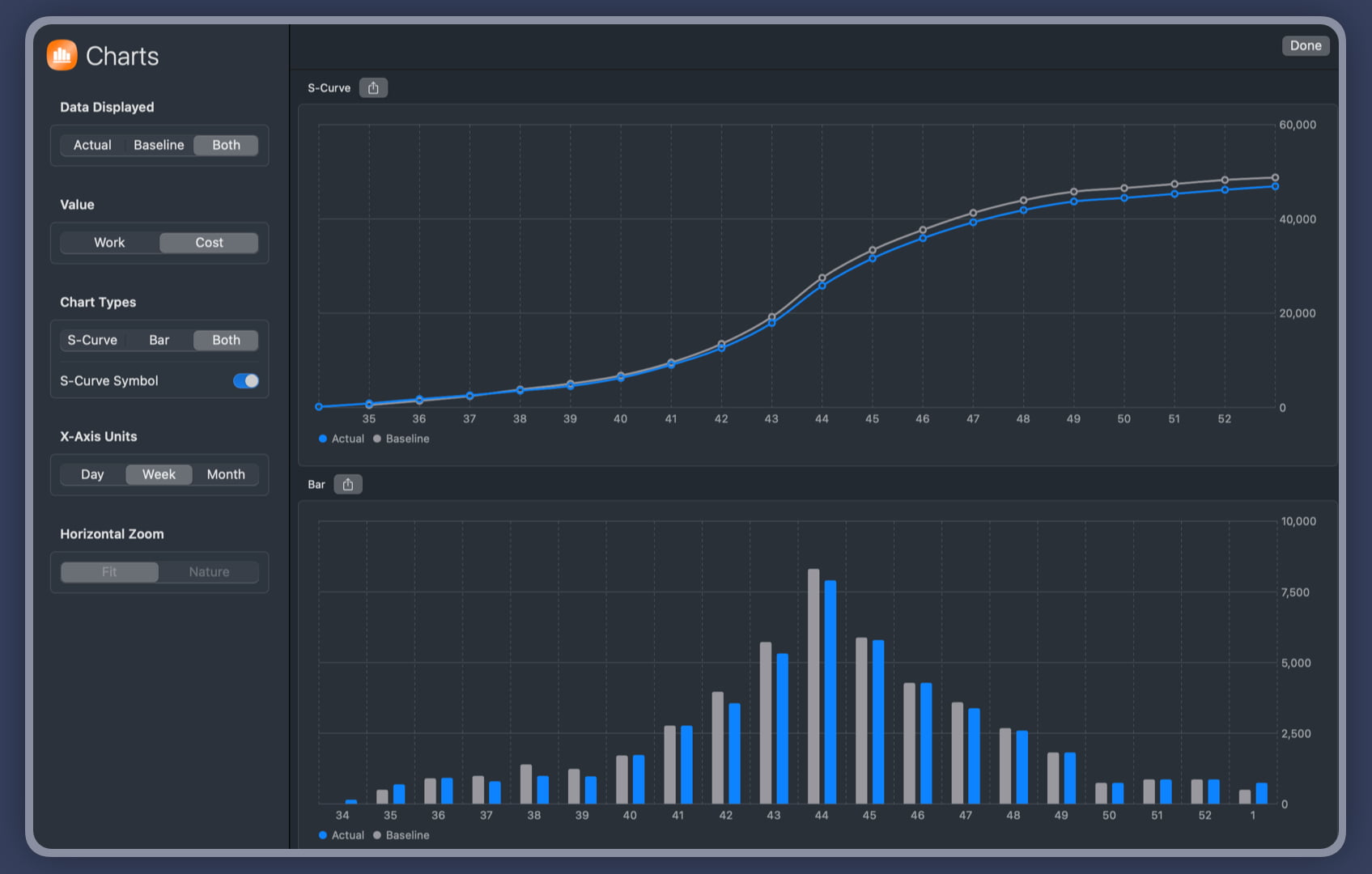
If the work or costs in the archived fields differ from the actual fields, QuickPlan charts can show the baseline and actual data together.
Project Operations
Project Properties
Task Maintenance
- Task Structure
- Task Fields
- Create Task
- Insert Task
- Remove Task
- Indent and Outdent
- Copy / Paste Task
- Repeat Task
- Split Task
- Maintain Properties on Gantt
- Maintain Properties on Outline
- Property Updating Panel
- Task Link Maintenance
- Task URL Maintenance
- Date, Work and Costs Baseline
- Critical Path
- Seach & Replace
Efficent Maintenance
Task Display
Customizations
Alarm
Synchronization
Team Collaboration
Partical Exporting