
On iPad, please enable Files integration in App Preferences.
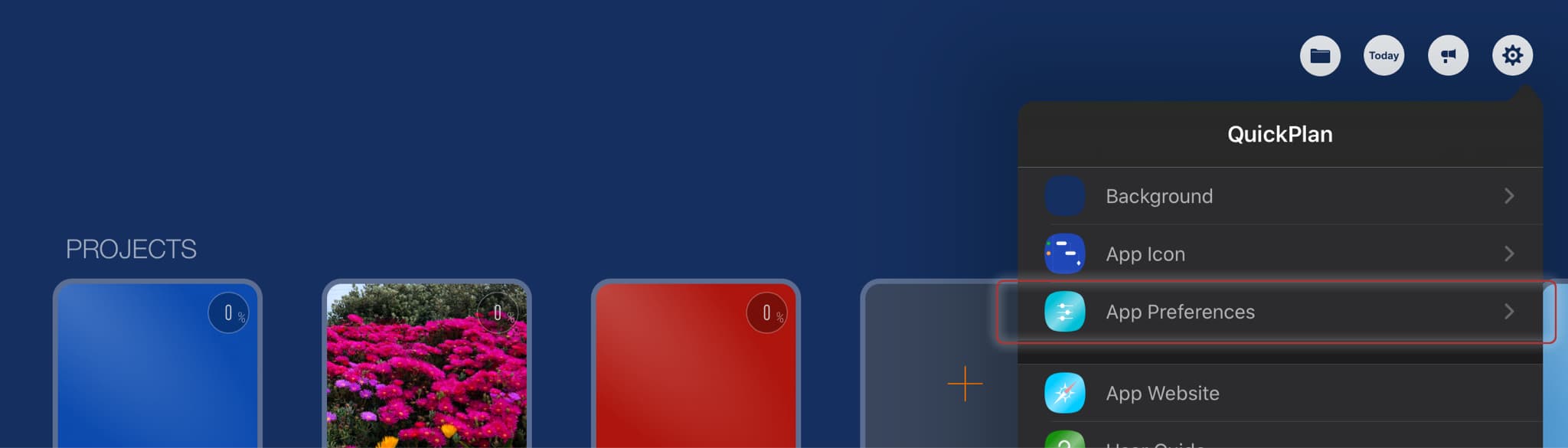
Sync via third-party cloud storages
"Files Integration" simplifies project syncing across devices via Dropbox, OneDrive, Google Drive, etc. The example below demonstrates syncing with OneDrive.
Troubleshooting
OneDrive controls file transfer; the app does not manage transfer timing or methods.
OneDrive syncing is typically fast and reliable. However, if sync delays occur:
- Ensure you are using the SAME OneDrive account on all devices.
- Verify on the OneDrive website that project files have transferred to the server.
- Verify sync completion by checking files in the Apple Files app or Microsoft OneDrive app on your iOS device.
- Check the file's last modification time on the device to confirm sync completion.
Notes:
Simultaneous editing of the same project on multiple devices via OneDrive is not supported. Changes will not automatically merge.
Project tasks exist in a dependency TREE structure, linked by date constraints and parent-child group hierarchies.
Simultaneous editing on multiple devices causes significant logical conflicts. Examples include:
- (On device A), add a task to a task group; (On device B), remove the same task group.
- (On device A), assign a project member to a task; (On device B), remove the project member from project resources.
- (On device A) move a task to the modification date; (On device B) move another task that is the successor to the moving task on device A.
- (On device A) we find that the project data has been changed unexpectedly. For example, the task work is "automatically" updated to an unexpected value. We are confused and think it is an error; (On device B) someone else has actually changed the task work on device B.
Project Operations
Project Properties
Task Maintenance
- Task Structure
- Task Fields
- Create Task
- Insert Task
- Remove Task
- Indent and Outdent
- Copy / Paste Task
- Repeat Task
- Split Task
- Maintain Properties on Gantt
- Maintain Properties on Outline
- Property Updating Panel
- Task Link Maintenance
- Task URL Maintenance
- Date, Work and Costs Baseline
- Critical Path
- Seach & Replace
Efficent Maintenance
Task Display
Customizations
Alarm
Synchronization
- Sync via iCloud Drive
- Sync via OneDrive
Team Collaboration
Partical Exporting