
Project Calendar Maintenance
QuickPlan allows you to configure the project calendar by toggling days between Workdays and Non-Workdays. Click the project name on the toolbar in an open project window to edit properties, including the calendar.
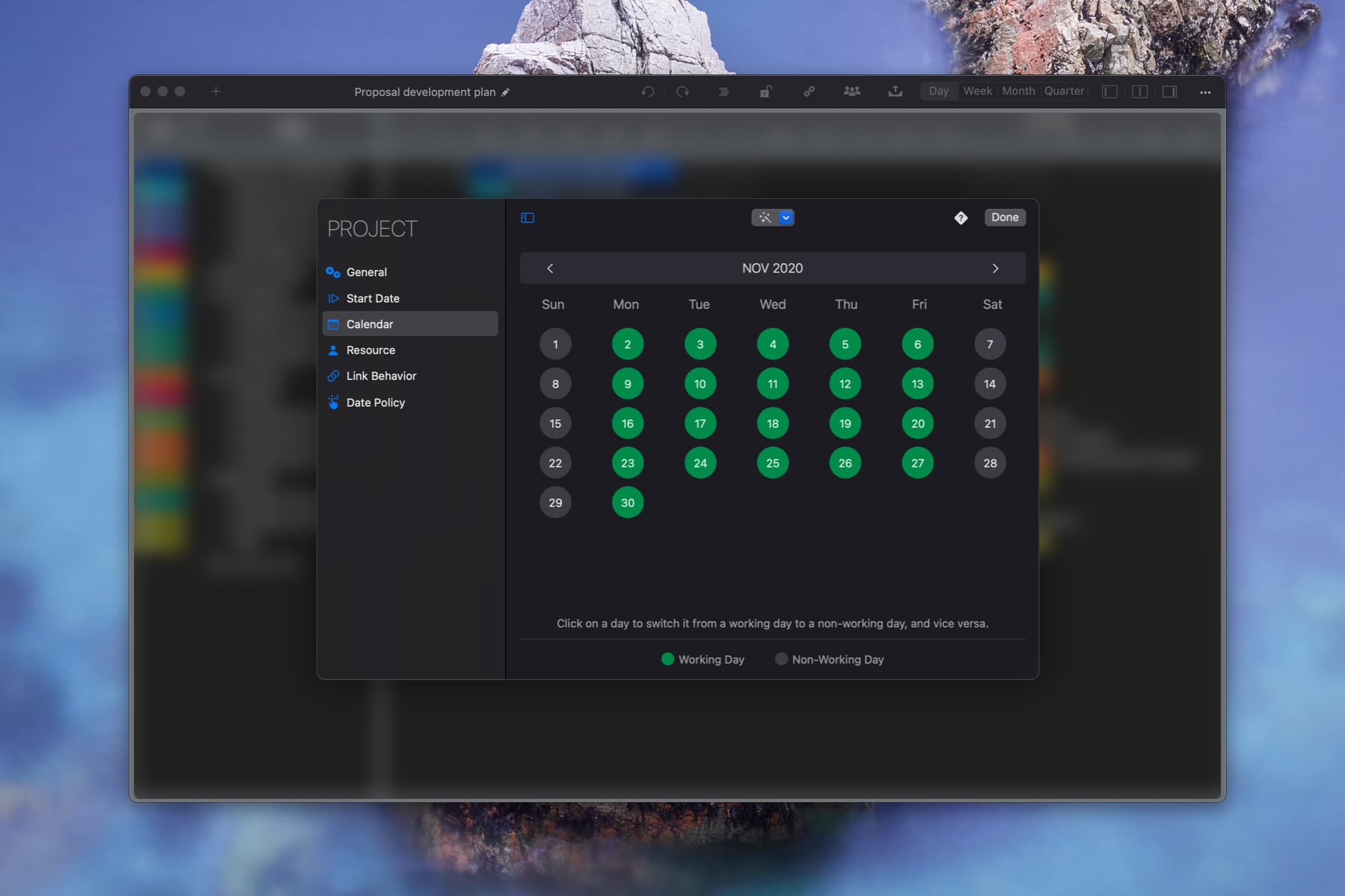
Click a day to toggle it between Workday and Non-Workday.
Copy Calendar Configuration from Another Project via Drag and Drop
QuickPlan Calendar File
You can save a project calendar as a QuickPlan Calendar file and import it later. We recommend storing calendar files to efficiently configure calendars for new projects.
Project Operations
Project Properties
Task Maintenance
- Task Structure
- Task Fields
- Create Task
- Insert Task
- Remove Task
- Indent and Outdent
- Copy / Paste Task
- Repeat Task
- Split Task
- Maintain Properties on Gantt
- Maintain Properties on Outline
- Property Updating Panel
- Task Link Maintenance
- Task URL Maintenance
- Date, Work and Costs Baseline
- Critical Path
- Seach & Replace
Efficent Maintenance
Task Display
Customizations
Alarm
Synchronization
Team Collaboration
Partical Exporting