
Today Widget
The QuickPlan Today Widget allows you to track today's active tasks in the Welcome Window and macOS Notification Center.
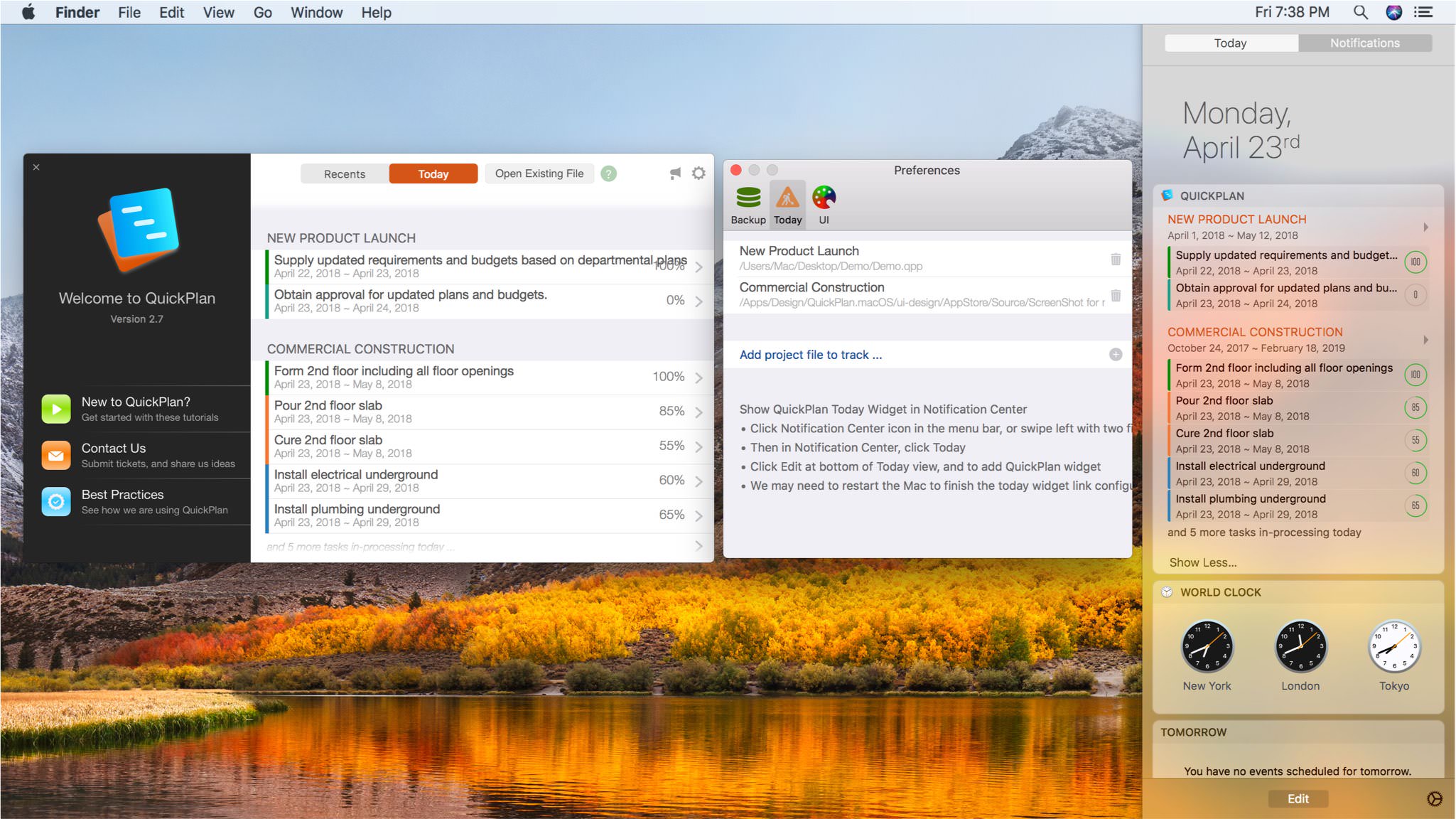
Configure "Today"
Select projects to track in the Today Widget via App Preferences.
macOS limits permissions for App Store apps. QuickPlan runs in a Sandbox and cannot automatically scan user-generated project files. Only manually selected files are accessible. If another app modifies a selected file, QuickPlan may lose access permission. This behavior is controlled by macOS access control, not the app.
Enable QuickPlan Today Widget in the System Notification Center
- Click the Notification Center icon in the menu bar (usually the last icon), or swipe left with two fingers from the right edge of the trackpad.
- Select "Today" in the Notification Center.
- Select "Edit" and add QuickPlan from the list of available applications.
- If the QuickPlan Today Widget behaves unexpectedly, try restarting your device.
Project Operations
Project Properties
Task Maintenance
- Task Structure
- Task Fields
- Create Task
- Insert Task
- Remove Task
- Indent and Outdent
- Copy / Paste Task
- Repeat Task
- Split Task
- Maintain Properties on Gantt
- Maintain Properties on Outline
- Property Updating Panel
- Task Link Maintenance
- Task URL Maintenance
- Date, Work and Costs Baseline
- Critical Path
- Seach & Replace
Efficent Maintenance
Task Display
Customizations
Widget
- Widget on macOS Big Sur
- Today Tasks (for macOS Catalina and before)
Alarm
- Today Tasks
Synchronization
Team Collaboration
Partical Exporting