
Two Task Link Behaviors
Task links define constraints between tasks, controlling how dates of linked tasks adjust when a task's date changes. QuickPlan supports two link types.
Please note the different conditions for moving successor tasks.
-
Finish to Start: The traditional "Finish to Start" link ensures a predecessor's finish date is not later than the successor's start date.
-
If moving a predecessor pushes its end date past the successor's start date, the successor moves to maintain the constraint.

-
Moving a successor does not affect the predecessor. Task links are typically used for rescheduling during execution, where completed (past) tasks remain unchanged.

- A task can have multiple predecessors and successors.
-
If moving a predecessor pushes its end date past the successor's start date, the successor moves to maintain the constraint.
-
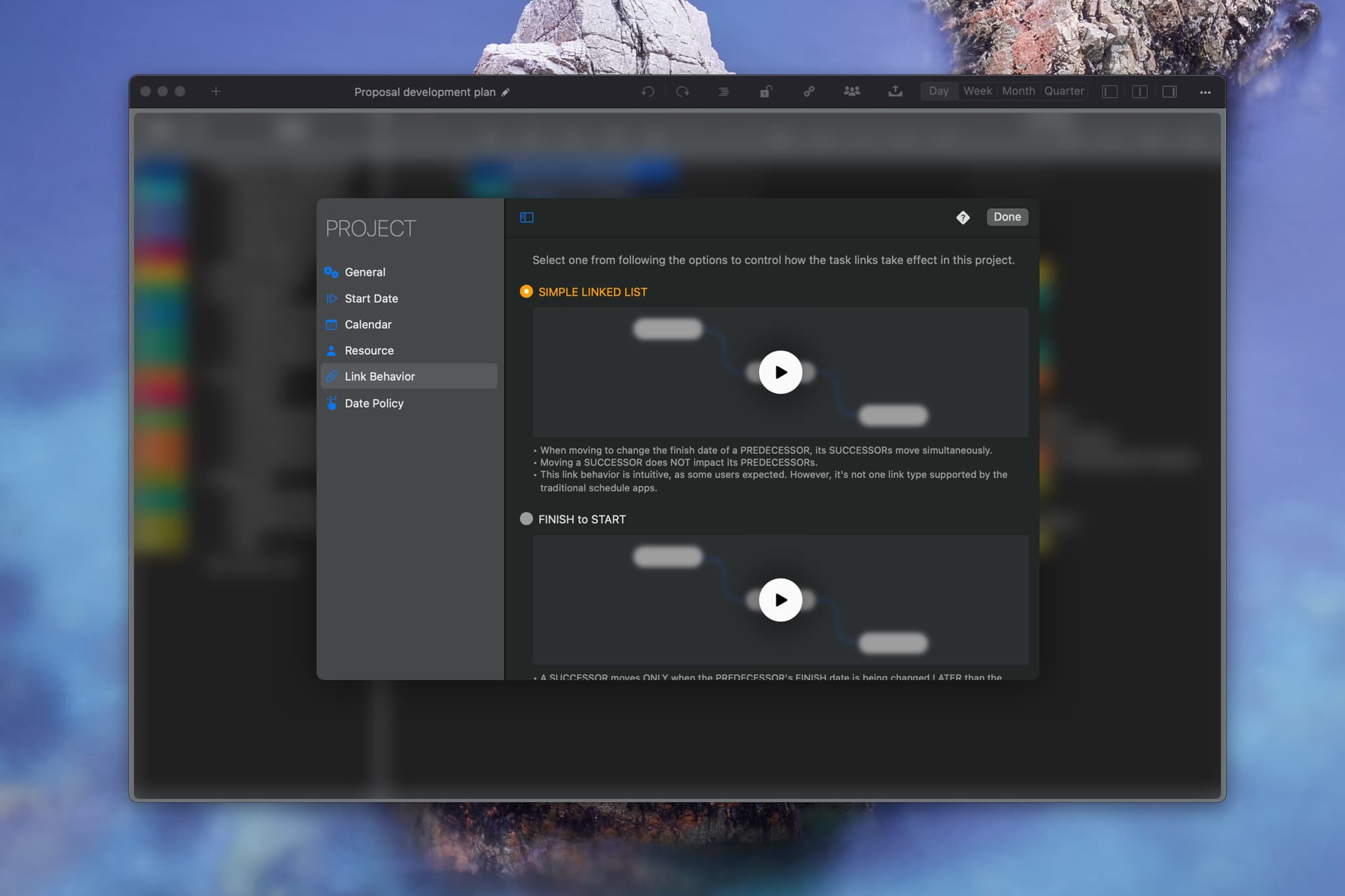
Simple Link: Tasks are linked like a chain. Moving a task simultaneously moves all its successors in the chain.
-
All successors move in sync with the predecessor.

-
Moving a successor does not affect the predecessor. Task links are typically used for rescheduling during execution, where completed (past) tasks remain unchanged.

- A task can have multiple predecessors and successors.
- Developed based on user feedback, this feature offers a more natural linking behaviors than traditional types, though it is not standard in other planning apps.
-
All successors move in sync with the predecessor.
Configure Project Task Link Behavior
Click the project name on the toolbar in an open project window to edit properties, including link behavior.
Best Practice
While mathematical constraints are precise, are they practical for large numbers of links? See our article on organizing tasks effectively.
Project Operations
Project Properties
Task Maintenance
- Task Structure
- Task Fields
- Create Task
- Insert Task
- Remove Task
- Indent and Outdent
- Copy / Paste Task
- Repeat Task
- Split Task
- Maintain Properties on Gantt
- Maintain Properties on Outline
- Property Updating Panel
- Task Link Maintenance
- Task URL Maintenance
- Date, Work and Costs Baseline
- Critical Path
- Seach & Replace
Efficent Maintenance
Task Display
Customizations
Alarm
Synchronization
Team Collaboration
Partical Exporting