
Manual Project Backup
QuickPlan supports manual backups of projects stored on the device.
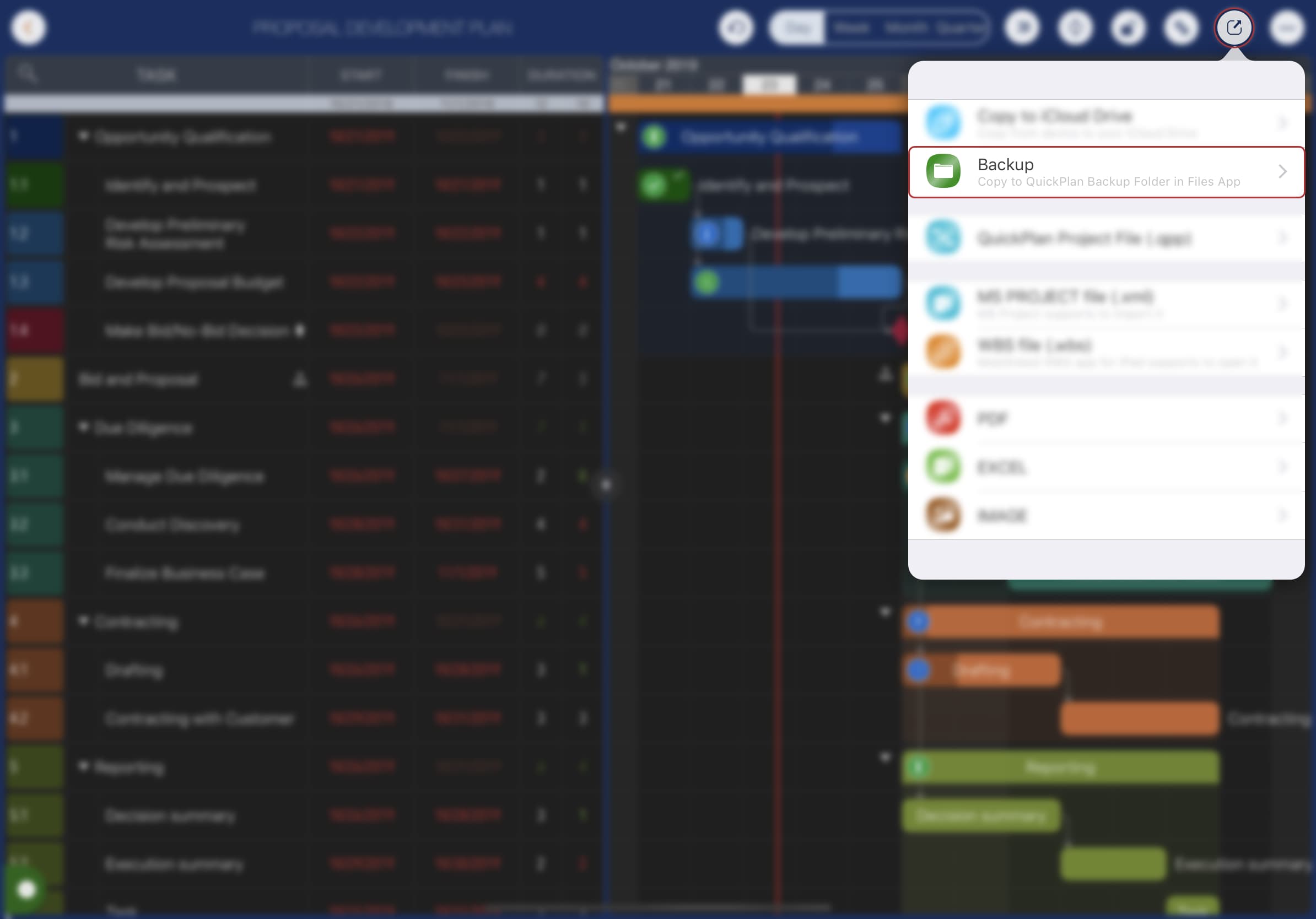
Backup files can be accessed via the iOS Files app (iOS Files App -> My iPad -> QuickPlan -> Backup). We strongly suggest copying backup files to other devices or third-party cloud storage.
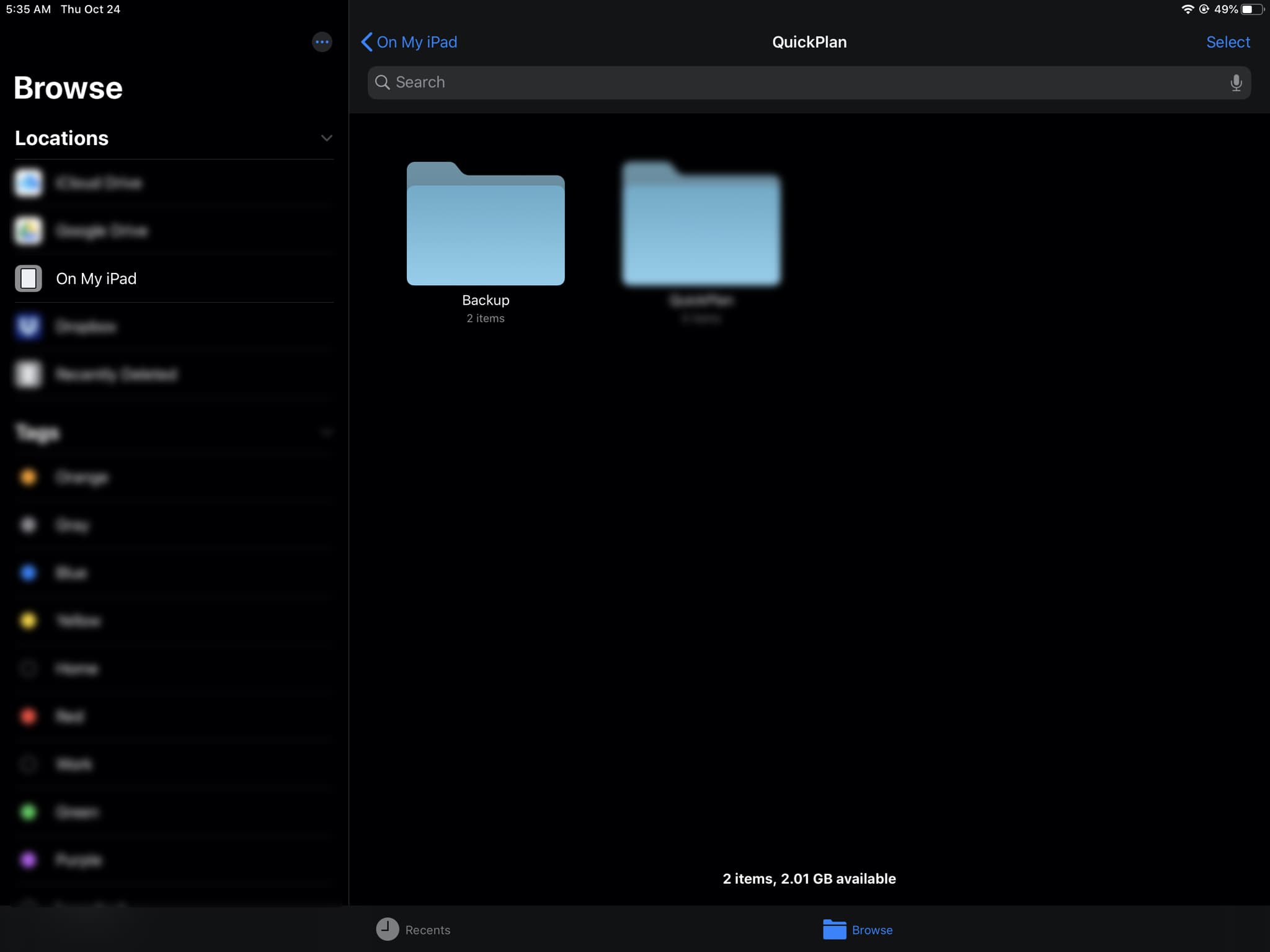
Multiple copies for the important projects
-
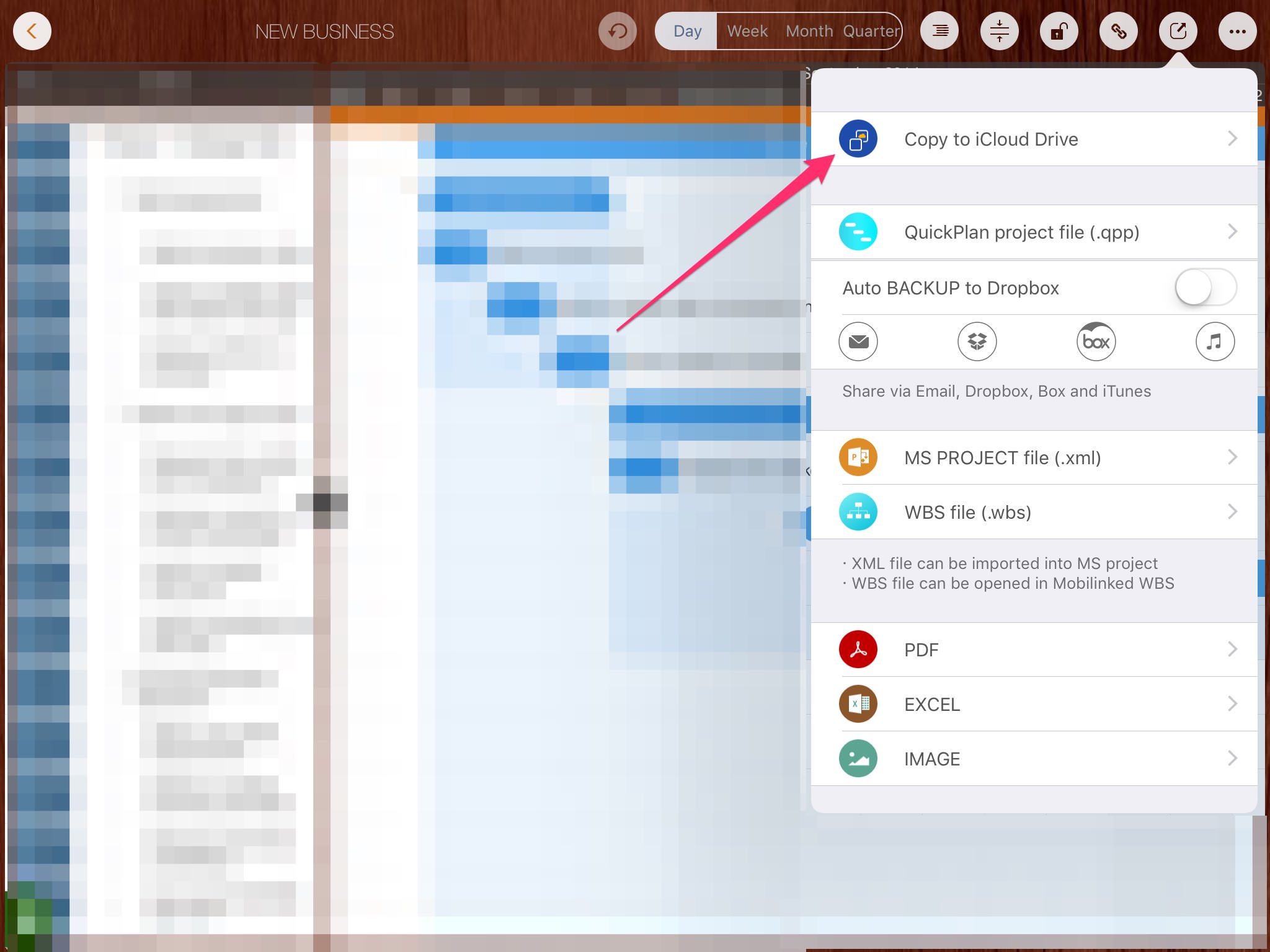
Copy to the iCloud Drive.
-
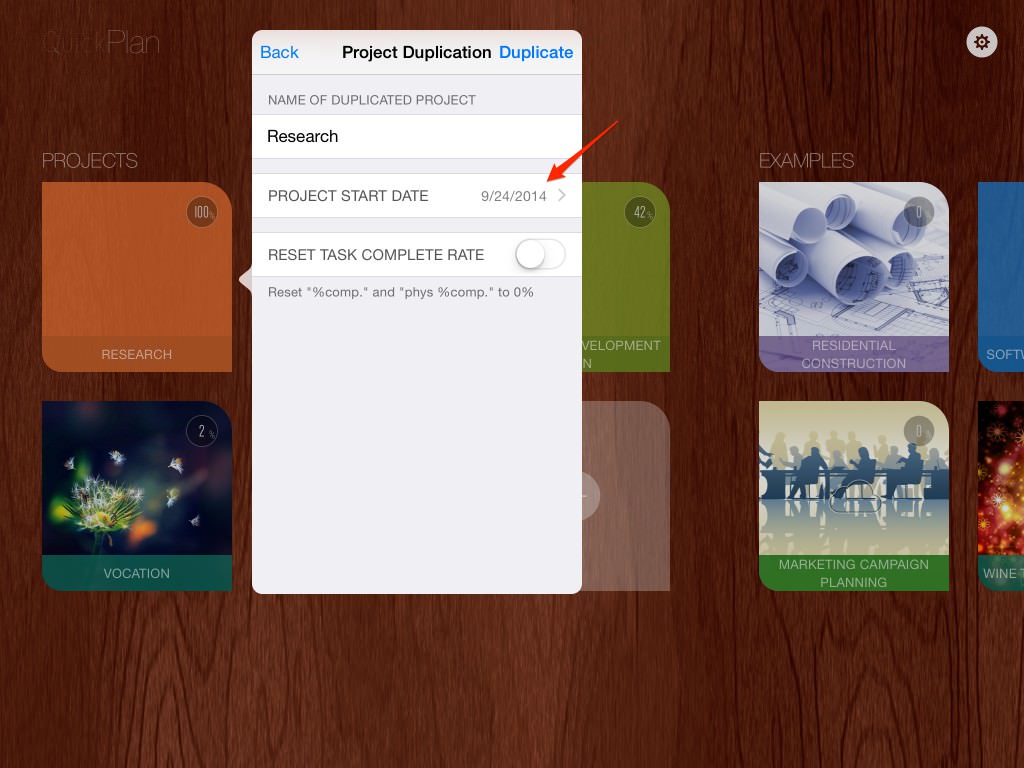
Duplicate to another project on the device.
A project is a file with the file extension "QPP." QuickPlan follows the latest best practices and has the highest privacy standards because it is not server-based. QuickPlan is a very privacy-focused app. We (Swift Apps) have no server to store the project files generated by the users. User-generated projects are stored directly on the device or the users' cloud storage at the user's discretion. Please check out the details about data safety practices
Projects Maintenance
Project Properties
Task Maintenance
Gestures & Keyboard Shortcuts
Customization
Synchronization
Team Collaboration
Project Sharing
- Sharing Project from iPad
- Import Project on iPad
- Sharing Project from iPhone
- Import Project on iPhone
- Sharing Project via AirDrop
- Sharing Project via Email
- Sharing Project via Dropbox
- Sharing Project via Google Drive
- Sharing Project via OneDrive
- Sharing Project via Box Cloud
- Sharing Project via 3rd Apps
Integrations
Others
- Backup