
QuickPlan provides robust customization features to tailor the user interface to your business needs, offering extensive options for the outline, chart, timeline display, and functions.
We strongly suggest exploring all available options to understand how customizations can benefit your project.
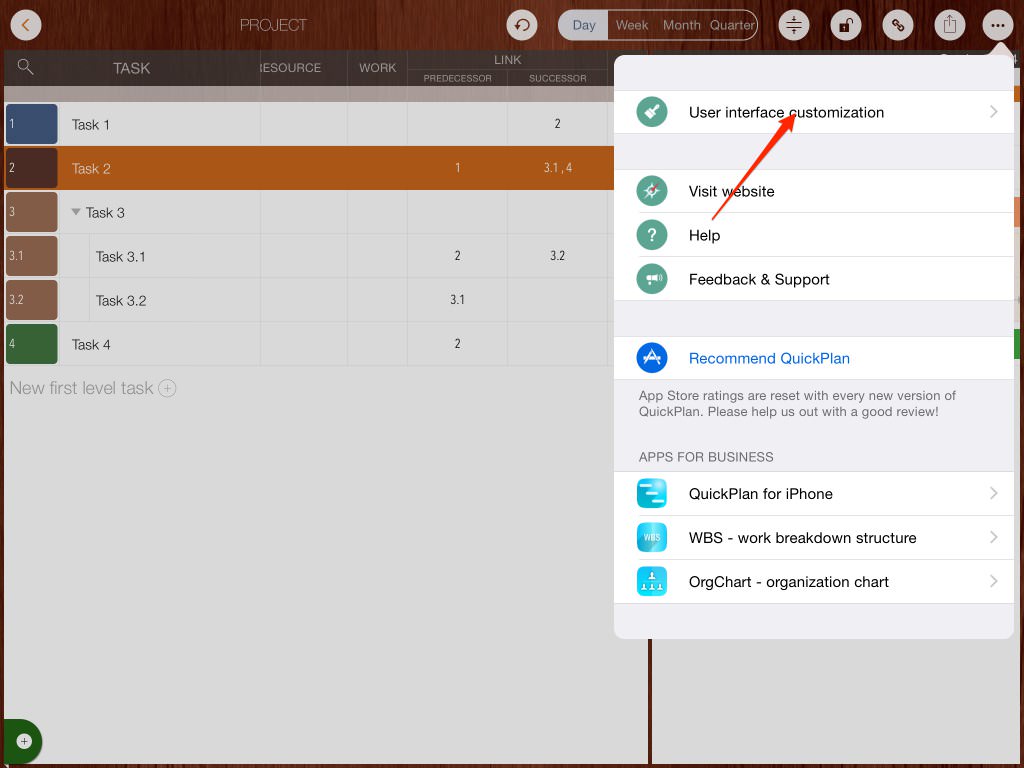
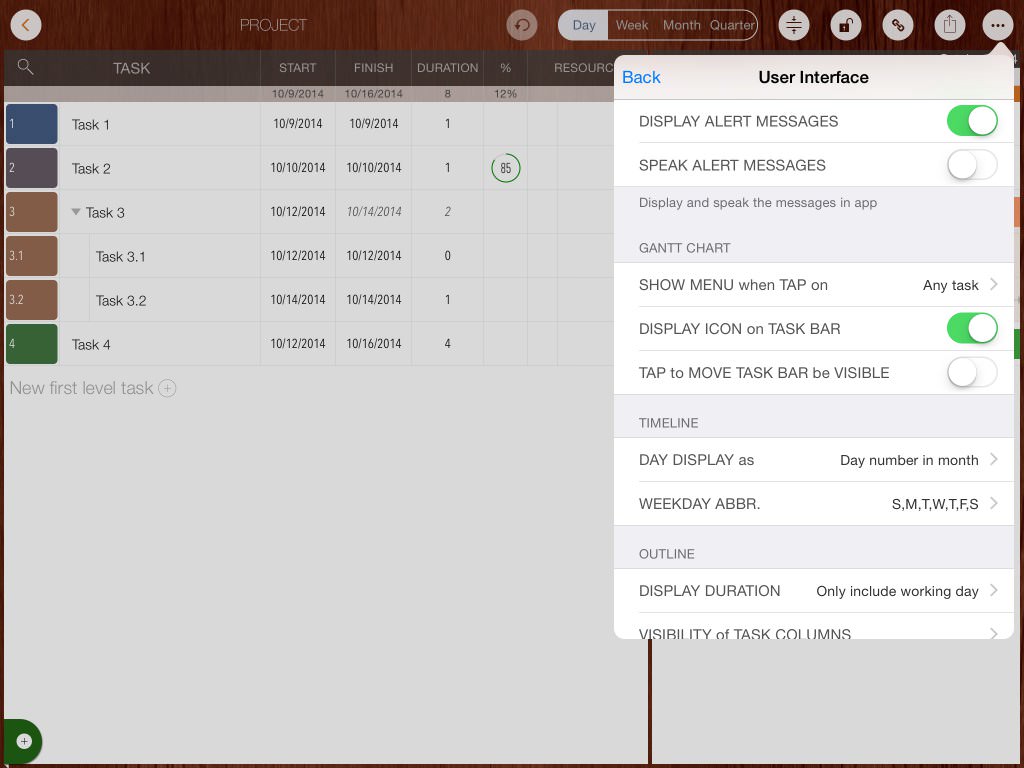
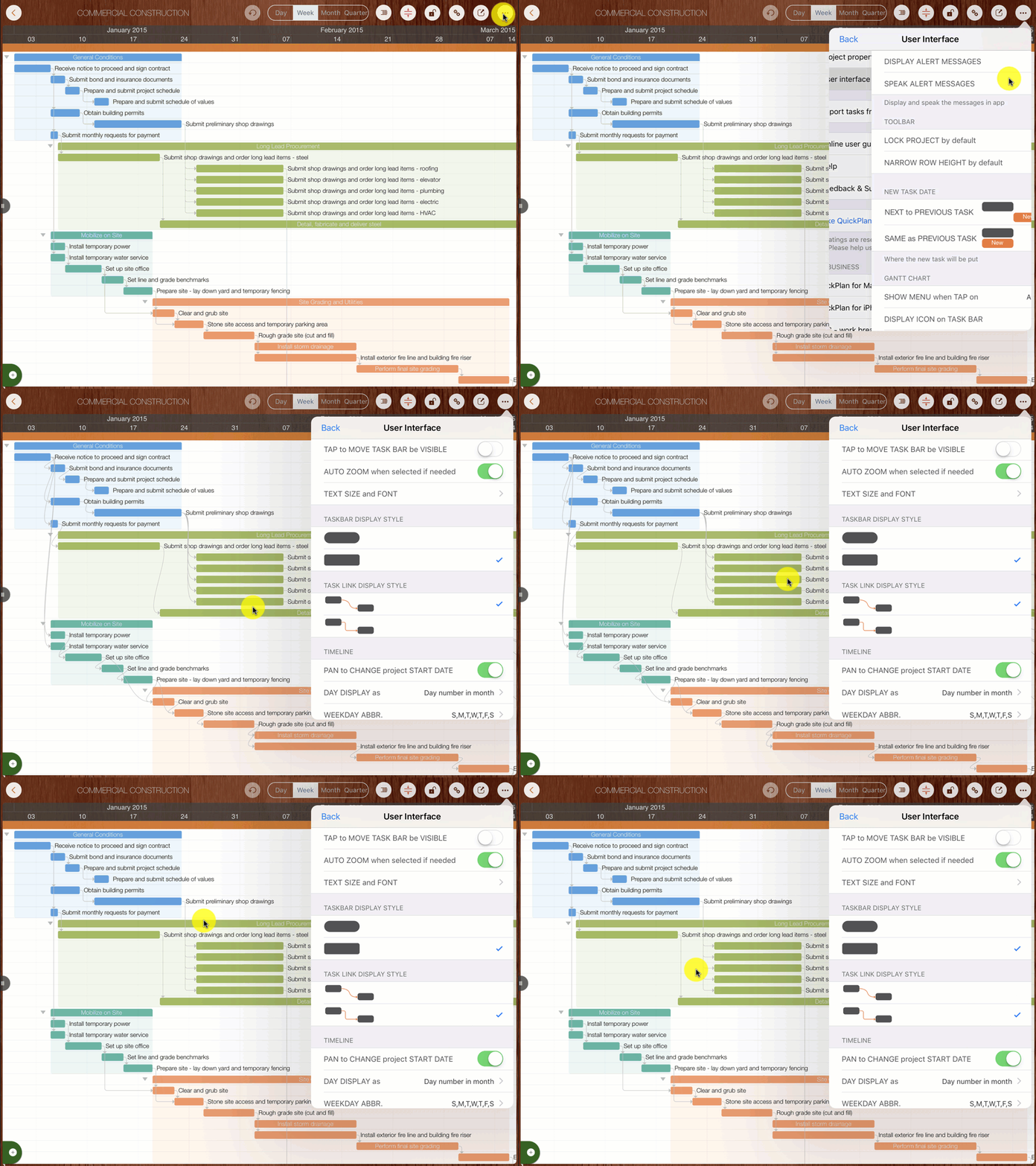
Update: Task link display style option (introduced in version 8.5)
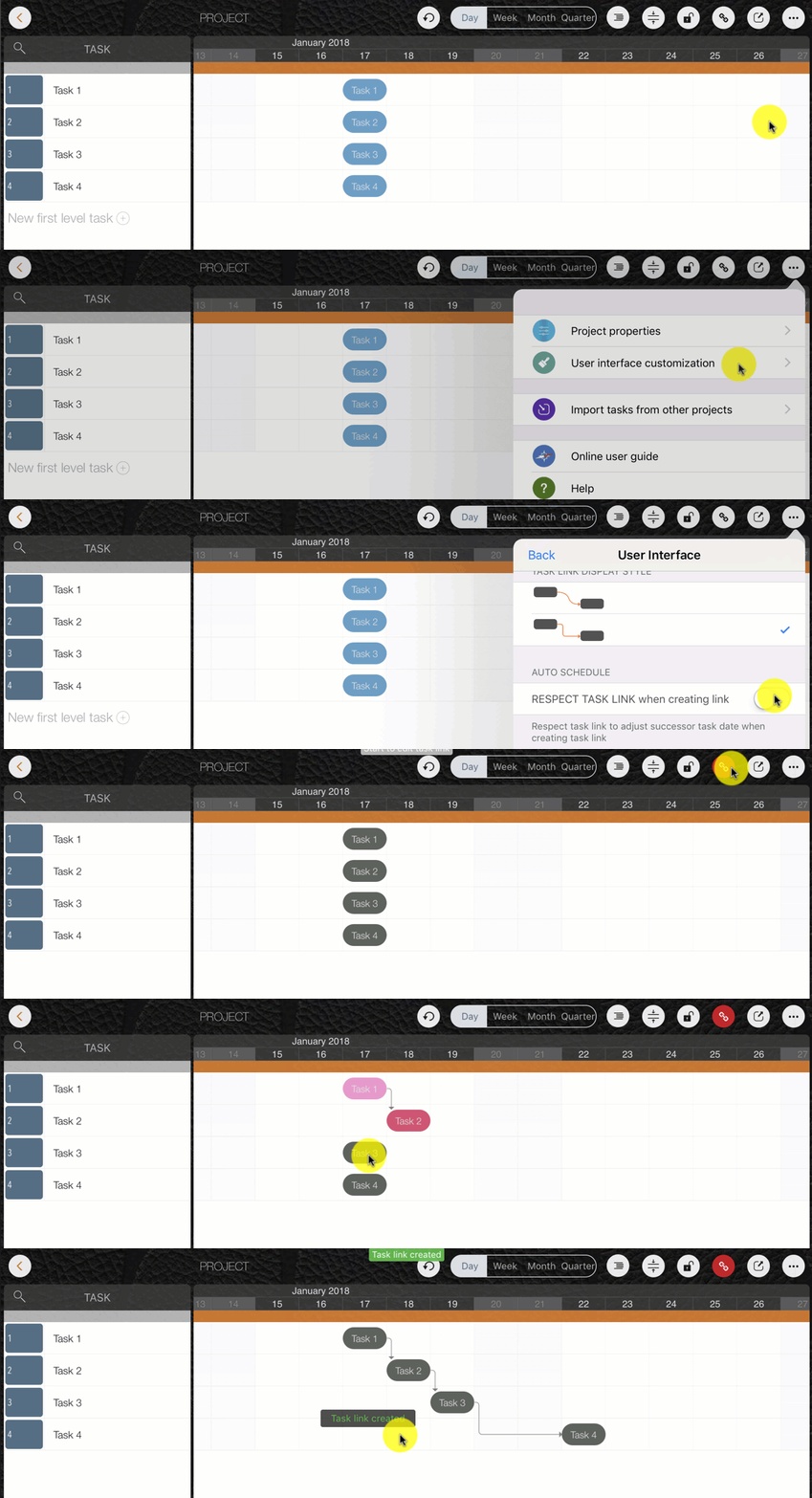
Update: Automatically change the date of successor task when creating task link (auto-schedule when linking) option (introduced in version 8.5)
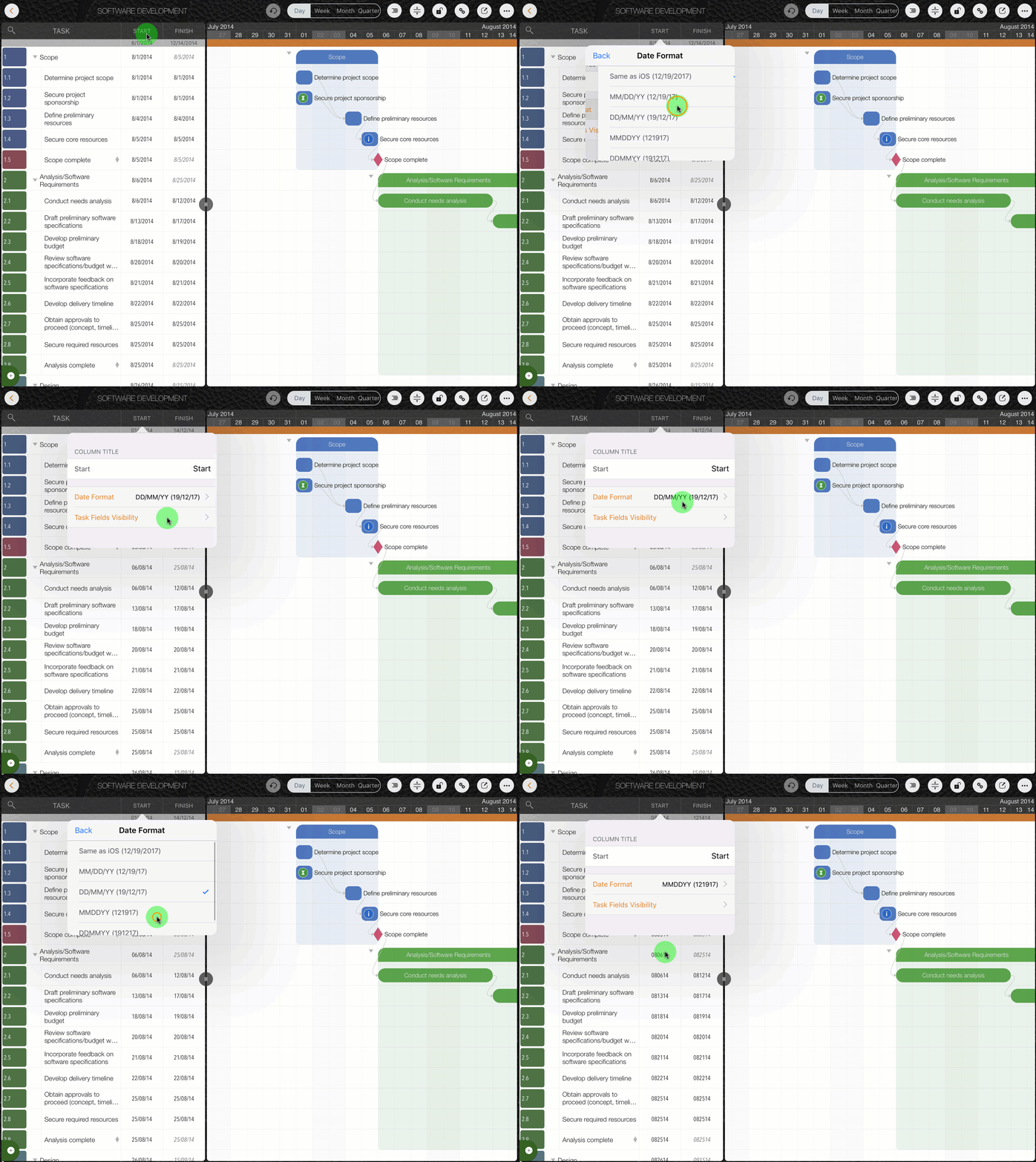
Update: Date display format options (introduced in version 8.5)
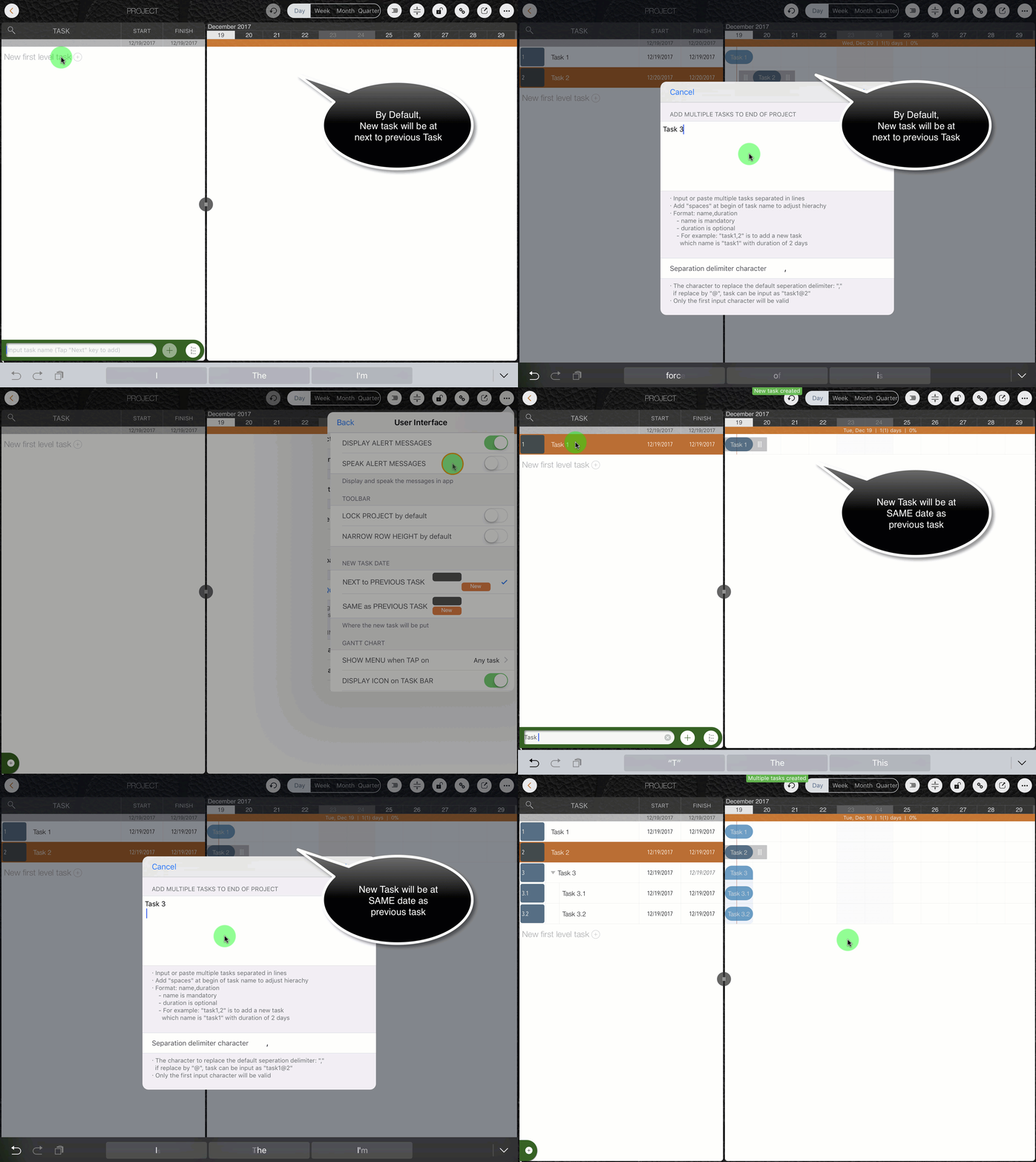
Update: Default date of new task options (introduced in version 8.5)
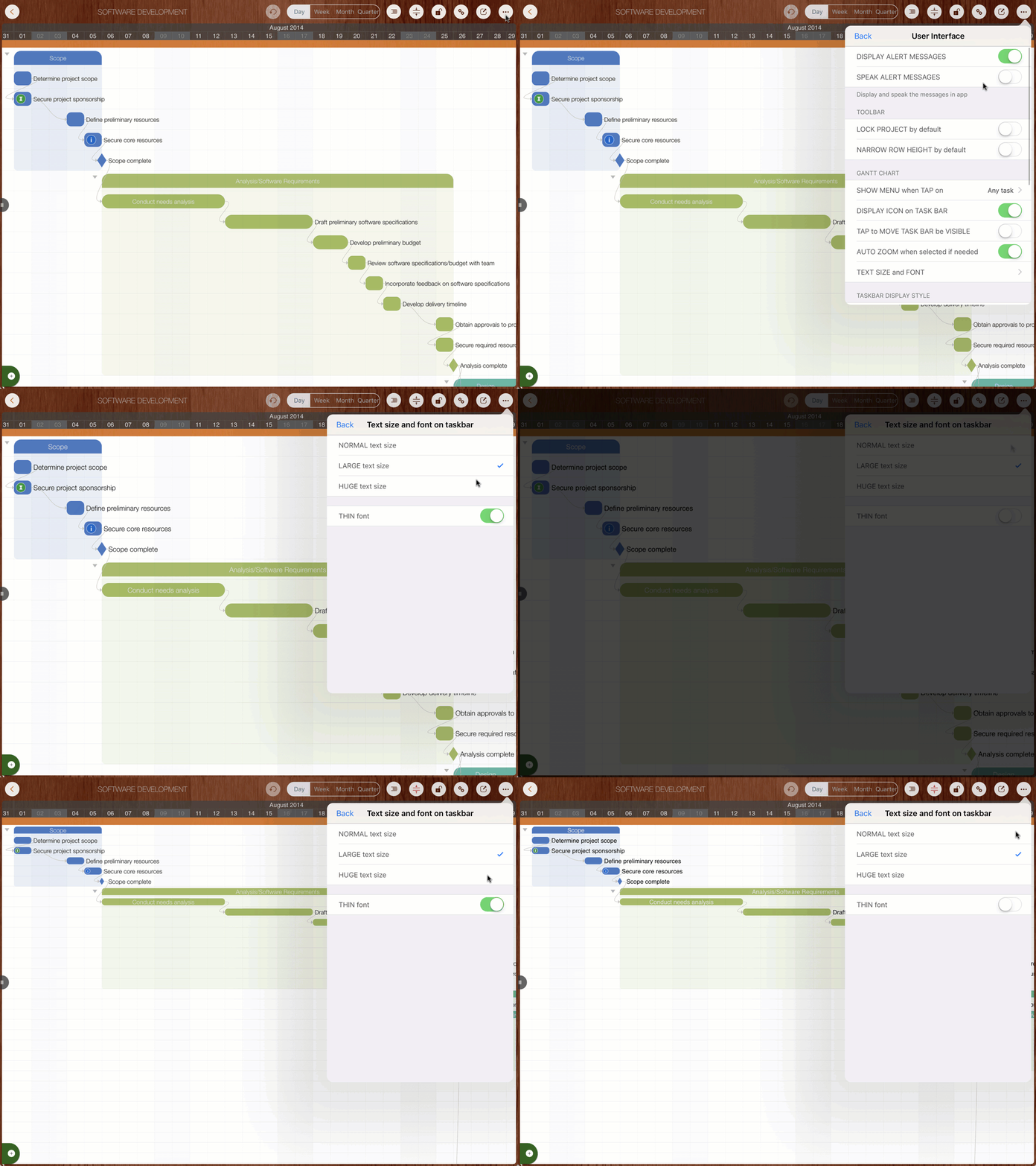
Update: Taskbar text display options (introduced in version 8.2)
Projects Maintenance
Project Properties
Task Maintenance
Gestures & Keyboard Shortcuts
Customization
- UI Customization
Synchronization
Team Collaboration
Project Sharing
- Sharing Project from iPad
- Import Project on iPad
- Sharing Project from iPhone
- Import Project on iPhone
- Sharing Project via AirDrop
- Sharing Project via Email
- Sharing Project via Dropbox
- Sharing Project via Google Drive
- Sharing Project via OneDrive
- Sharing Project via Box Cloud
- Sharing Project via 3rd Apps
Integrations
Others