
Continuously Input Tasks
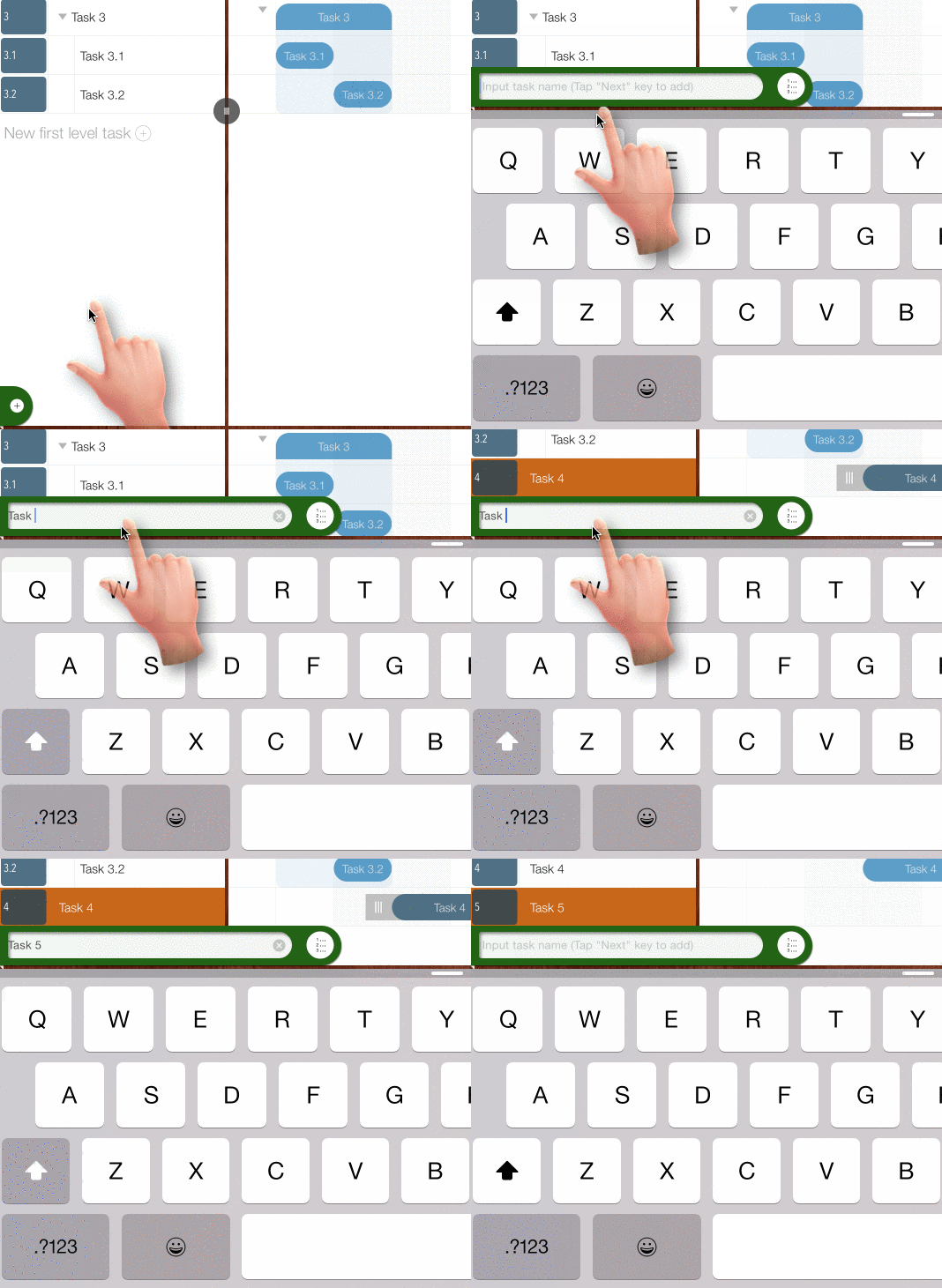
Tap the '+' button at left/bottom corner of the project view to input task name of the tobe created task. TAP "Next" key on the keyboard to create a new task at end of the task list, after new task created, we can continously input new tasks one by one
Bulk Input Tasks
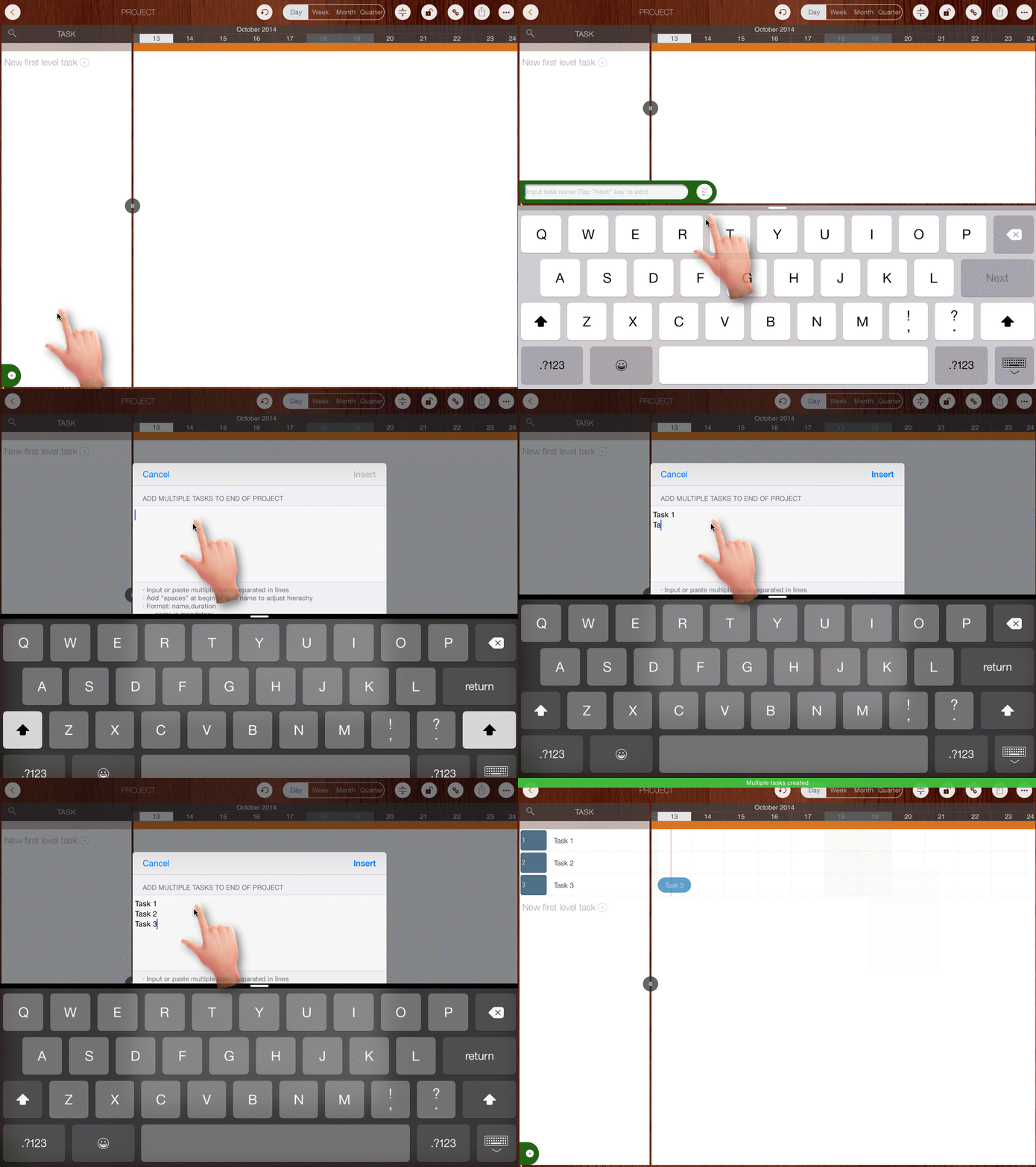
Create multiple tasks simultaneously by inputting multiple lines of text (one line per task). Add spaces at the beginning of a line to adjust the task's outline level.
To speed up input, you can prepare the text on a Mac or PC, transfer it to your iOS device, and paste it here.
Projects Maintenance
Project Properties
Task Maintenance
Gestures & Keyboard Shortcuts
Customization
Synchronization
Team Collaboration
Project Sharing
- Sharing Project from iPad
- Import Project on iPad
- Sharing Project from iPhone
- Import Project on iPhone
- Sharing Project via AirDrop
- Sharing Project via Email
- Sharing Project via Dropbox
- Sharing Project via Google Drive
- Sharing Project via OneDrive
- Sharing Project via Box Cloud
- Sharing Project via 3rd Apps
Integrations
Others