
Maintain Task in Updating Panel
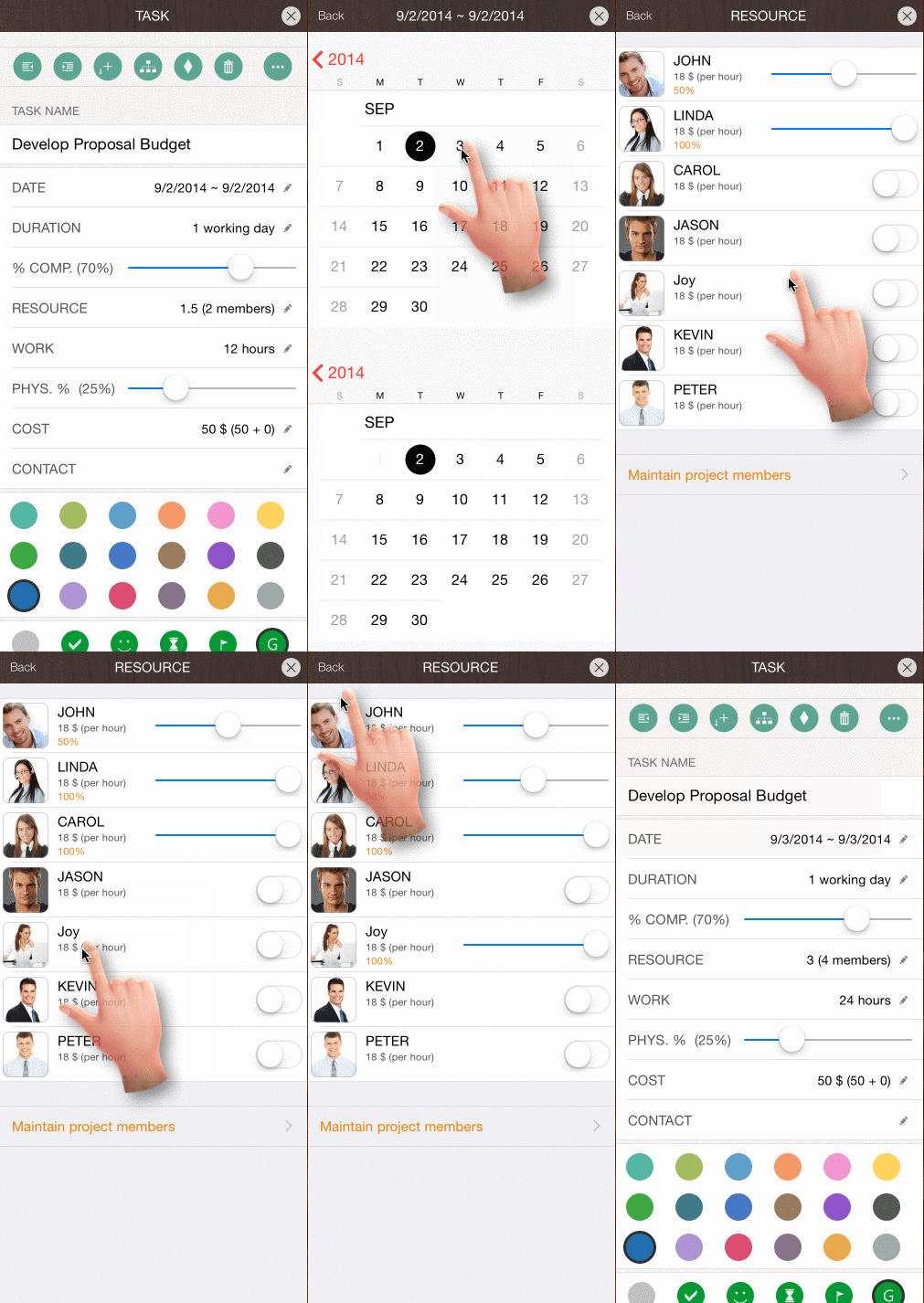
The Updating Panel is the main interface for editing task properties. To open it, double-tap a task bar in the Gantt Chart view or the Task No. column in the Outline View.
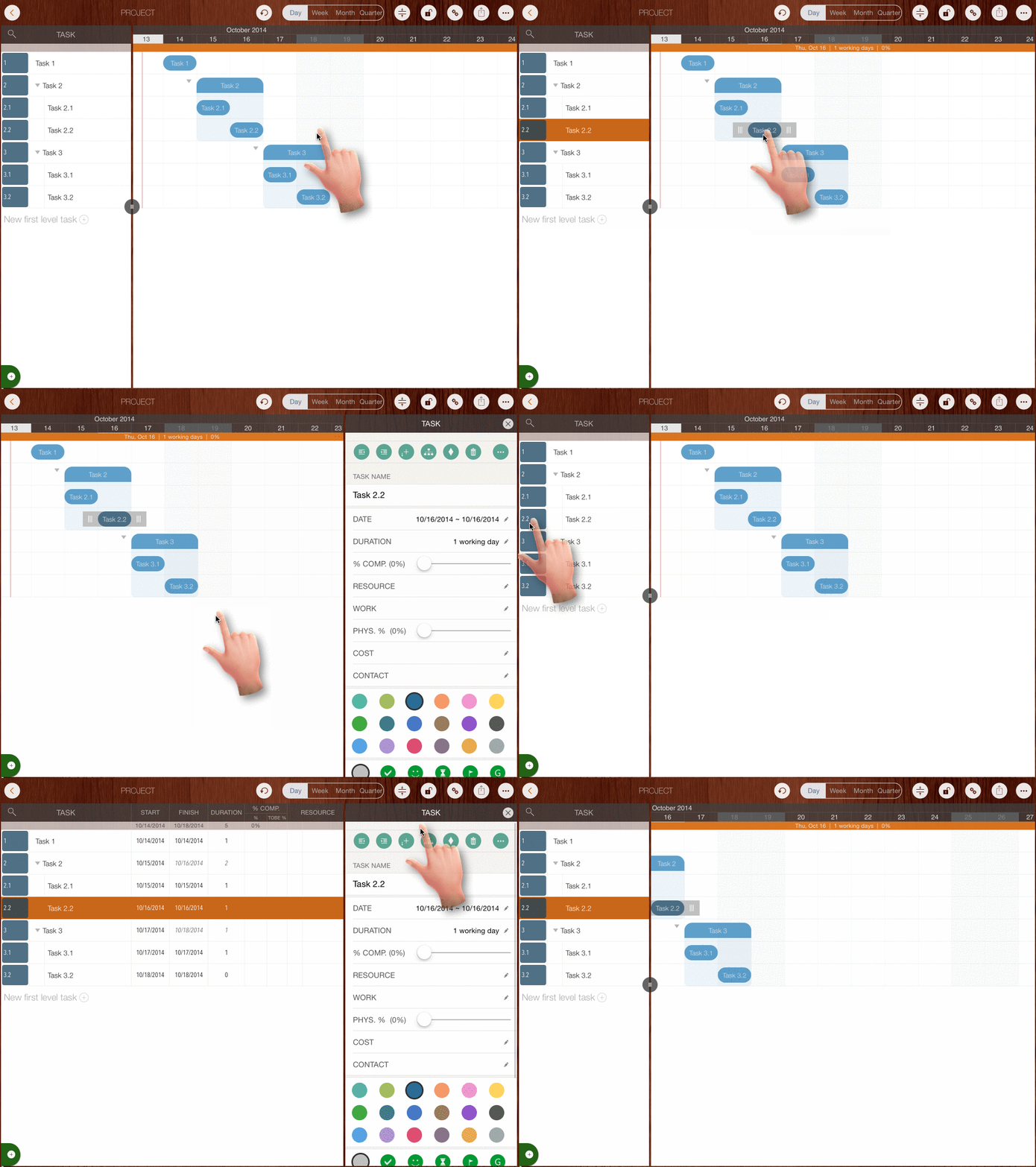
Edit Properties of the Selected Task
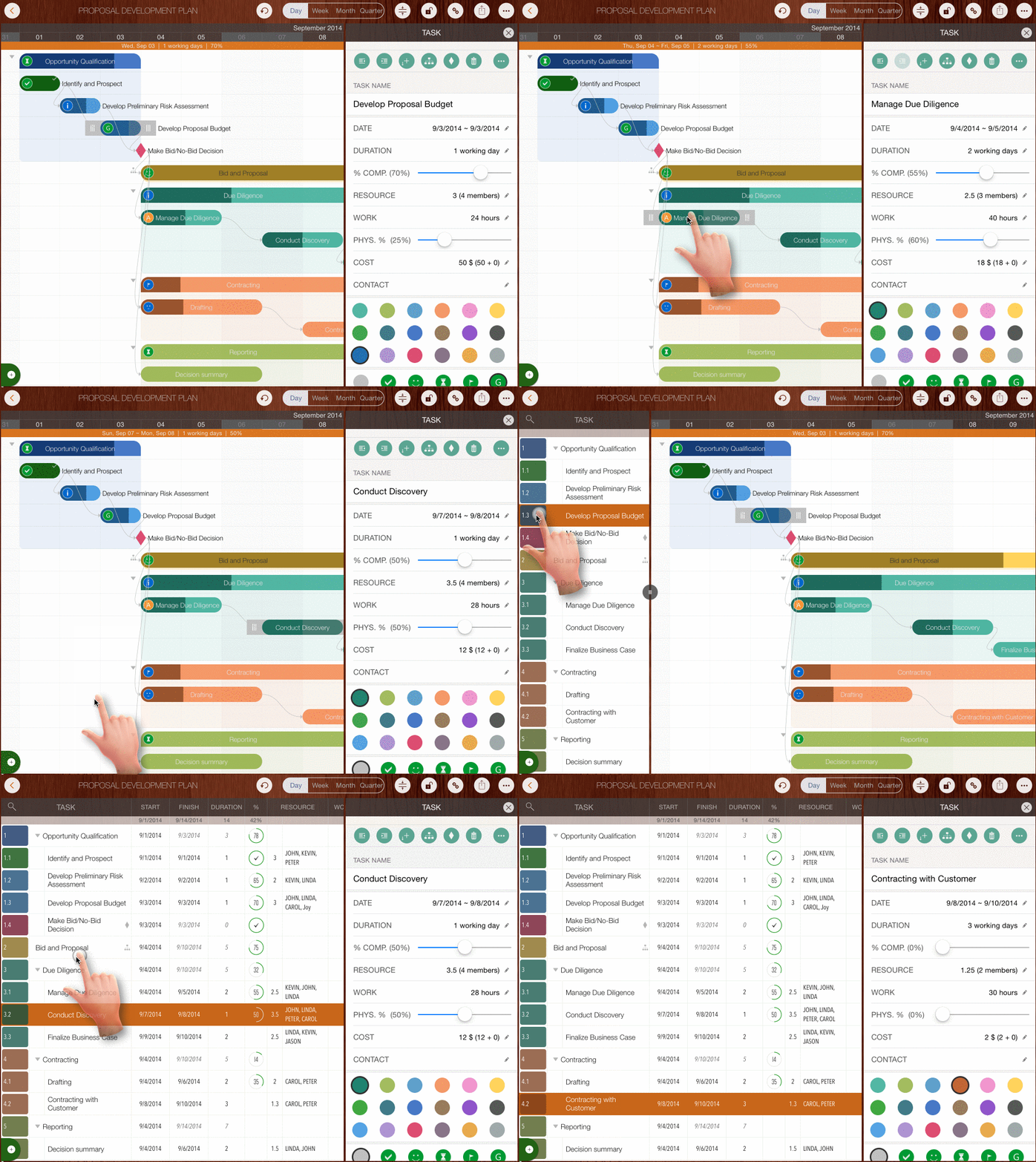
Select Another Task While Editing in Updating Panel
- Tap another task bar on the Gantt Chart.
- Tap to select another task in the Outline View.
- Double-tap an empty space in another task row to select that task.
Projects Maintenance
Project Properties
Task Maintenance
Gestures & Keyboard Shortcuts
Customization
Synchronization
Team Collaboration
Project Sharing
- Sharing Project from iPad
- Import Project on iPad
- Sharing Project from iPhone
- Import Project on iPhone
- Sharing Project via AirDrop
- Sharing Project via Email
- Sharing Project via Dropbox
- Sharing Project via Google Drive
- Sharing Project via OneDrive
- Sharing Project via Box Cloud
- Sharing Project via 3rd Apps
Integrations
Others