
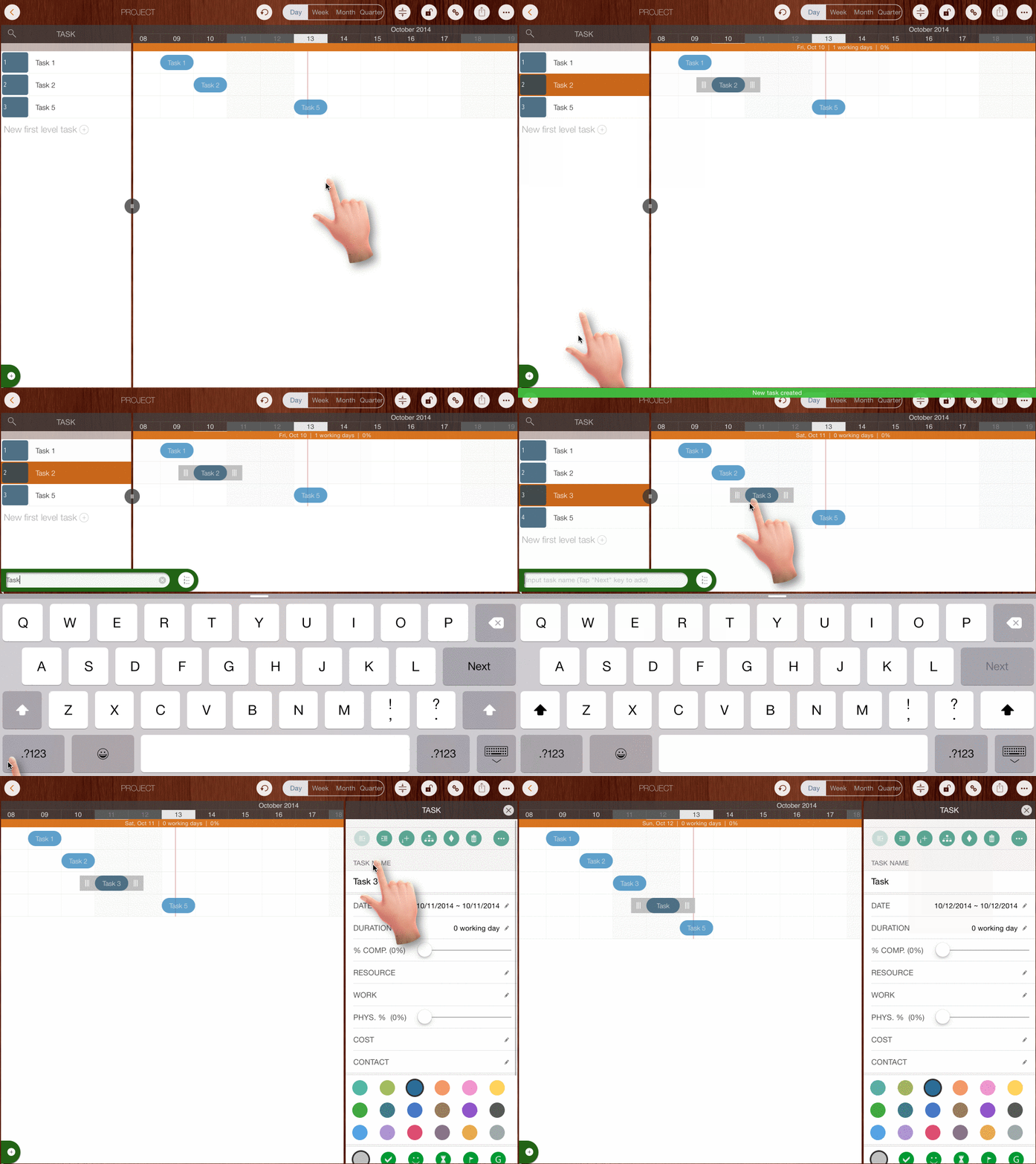
Insert a New Task Below the Selected Task
- Select a task, then tap the "+" button in the bottom-left corner of the project view.
- Alternatively, double-tap a task (to open the Updating Panel), then tap the "+" button on the panel's toolbar.
How to Insert a Task ABOVE the Selected Task
- Insert a New Task Below the Selected Task first
- Long-press the newly created task and drag it up/down to change its sequence.
Projects Maintenance
Project Properties
Task Maintenance
Gestures & Keyboard Shortcuts
Customization
Synchronization
Team Collaboration
Project Sharing
- Sharing Project from iPad
- Import Project on iPad
- Sharing Project from iPhone
- Import Project on iPhone
- Sharing Project via AirDrop
- Sharing Project via Email
- Sharing Project via Dropbox
- Sharing Project via Google Drive
- Sharing Project via OneDrive
- Sharing Project via Box Cloud
- Sharing Project via 3rd Apps
Integrations
Others