
Skip Non-Workdays?
Most professional projects schedule tasks on workdays, skipping non-workdays. However, personal or special projects may require scheduling without date restrictions.
Tap the project name on the toolbar in an open project view to edit project properties, including the task date policy.
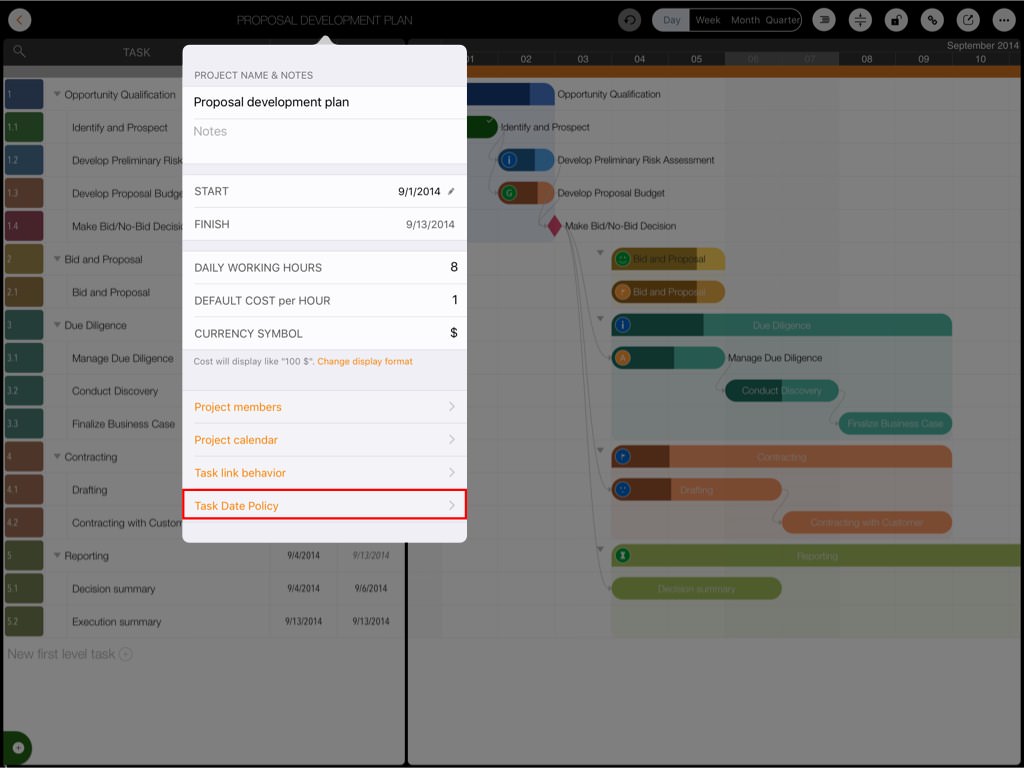
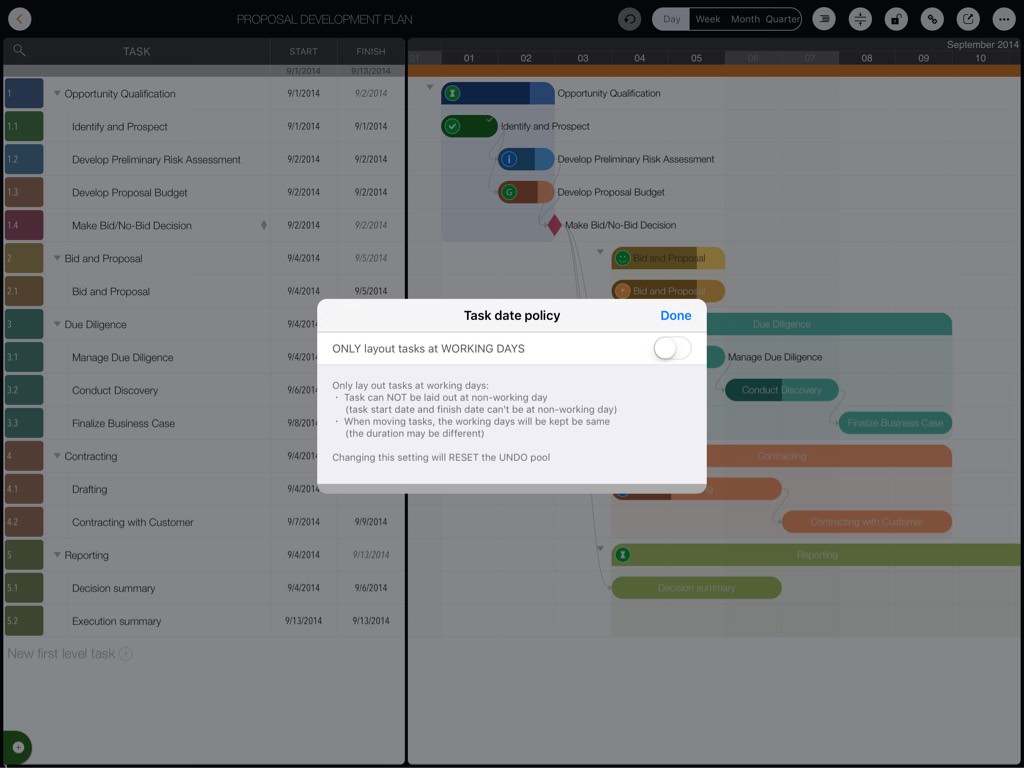
"ONLY lay out tasks at Workdays"
- Tasks CANNOT be scheduled on a non-workday (start and finish dates cannot fall on non-workdays).
- When moving a task (changing the start date), the number of workdays remains constant (total duration may vary, as it includes all calendar days).
- Impacted linked tasks will also maintain their workday duration.
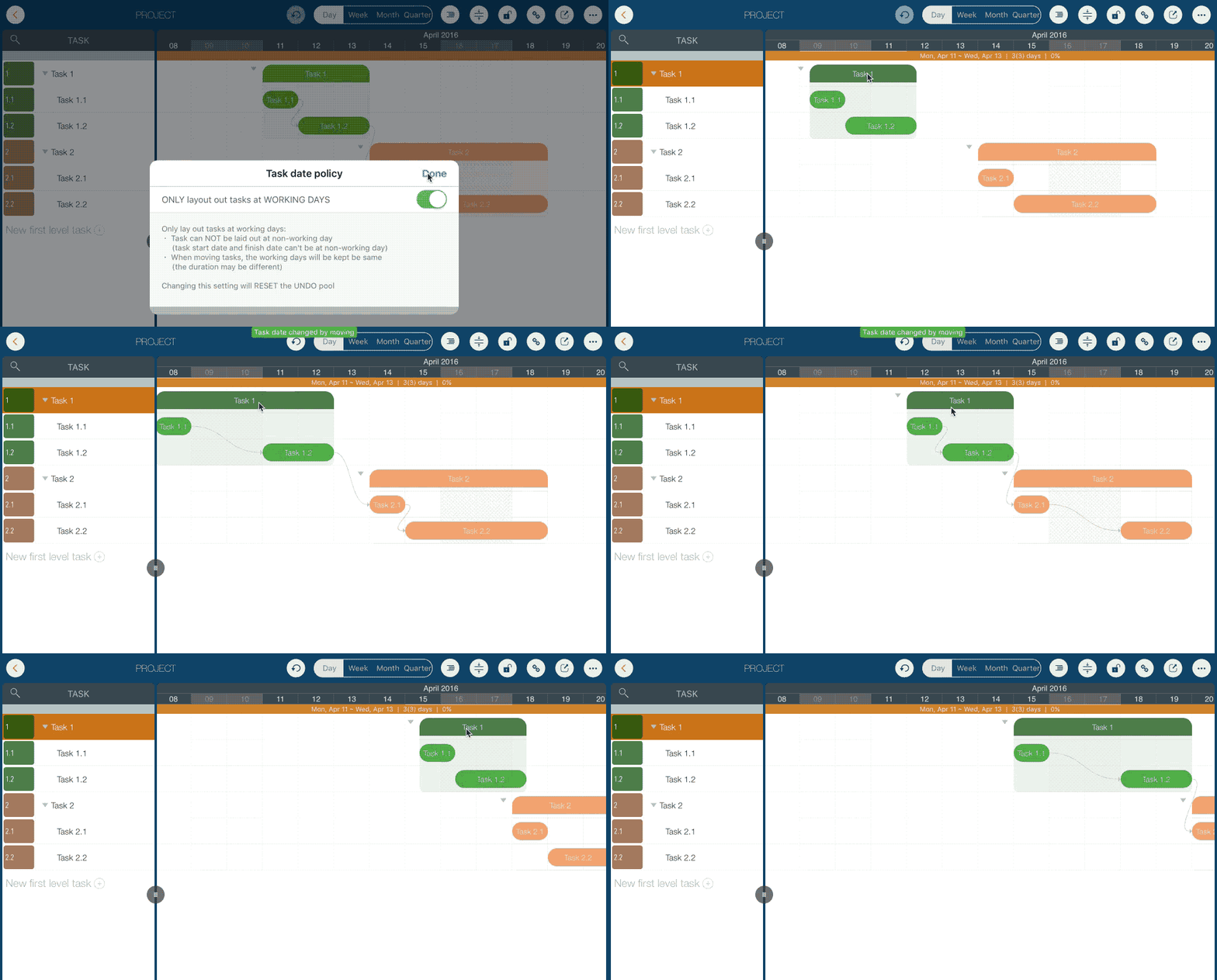
Impacts & Best Practices
-
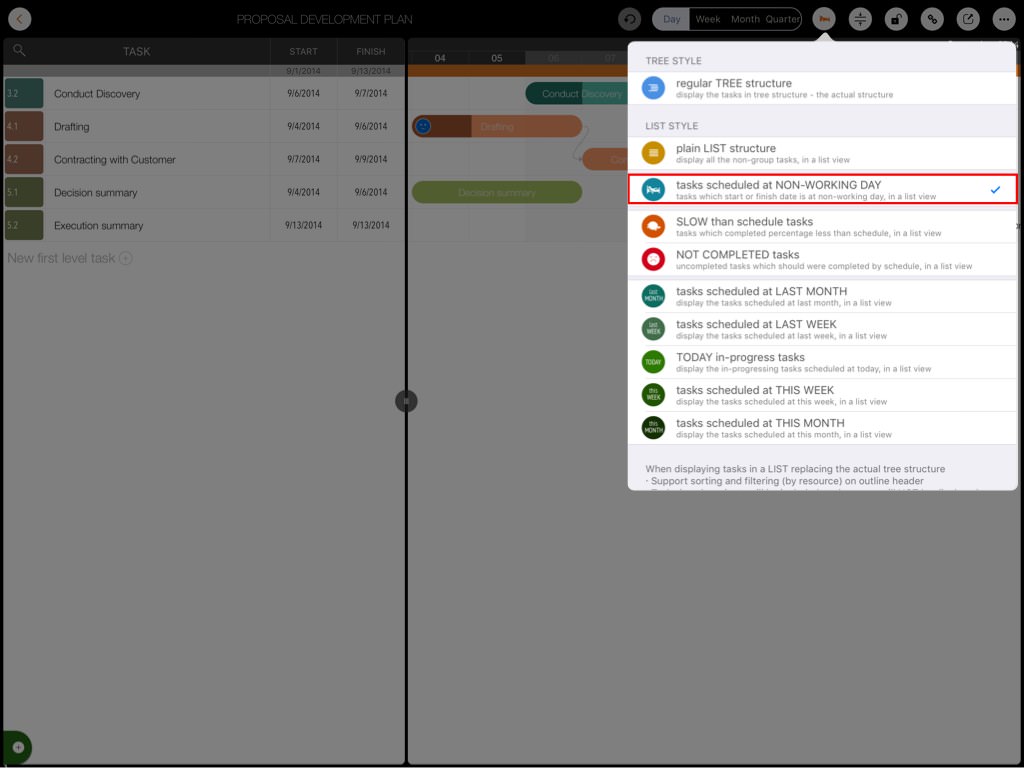
To enable the "ONLY lay out tasks on Workdays" option, all existing tasks must be on workdays. If tasks exist on non-workdays, fix them by switching to LIST style and selecting the pre-defined list "Tasks scheduled on NON-Workdays"
- If "ONLY lay out tasks on Workdays" is enabled, you cannot switch a day from Workday to Non-Workday if any tasks are scheduled on that day (start or finish date) when changing the project calendar
- History will be reset (you cannot undo operations performed before changing this option)
Projects Maintenance
Project Properties
Task Maintenance
Gestures & Keyboard Shortcuts
Customization
Synchronization
Team Collaboration
Project Sharing
- Sharing Project from iPad
- Import Project on iPad
- Sharing Project from iPhone
- Import Project on iPhone
- Sharing Project via AirDrop
- Sharing Project via Email
- Sharing Project via Dropbox
- Sharing Project via Google Drive
- Sharing Project via OneDrive
- Sharing Project via Box Cloud
- Sharing Project via 3rd Apps
Integrations
Others