
You can also use third-party cloud storage apps to share (not sync) .qpp files across devices and with team members. Sharing is managed by the respective cloud storage apps.
-
Export the project as a .qpp file
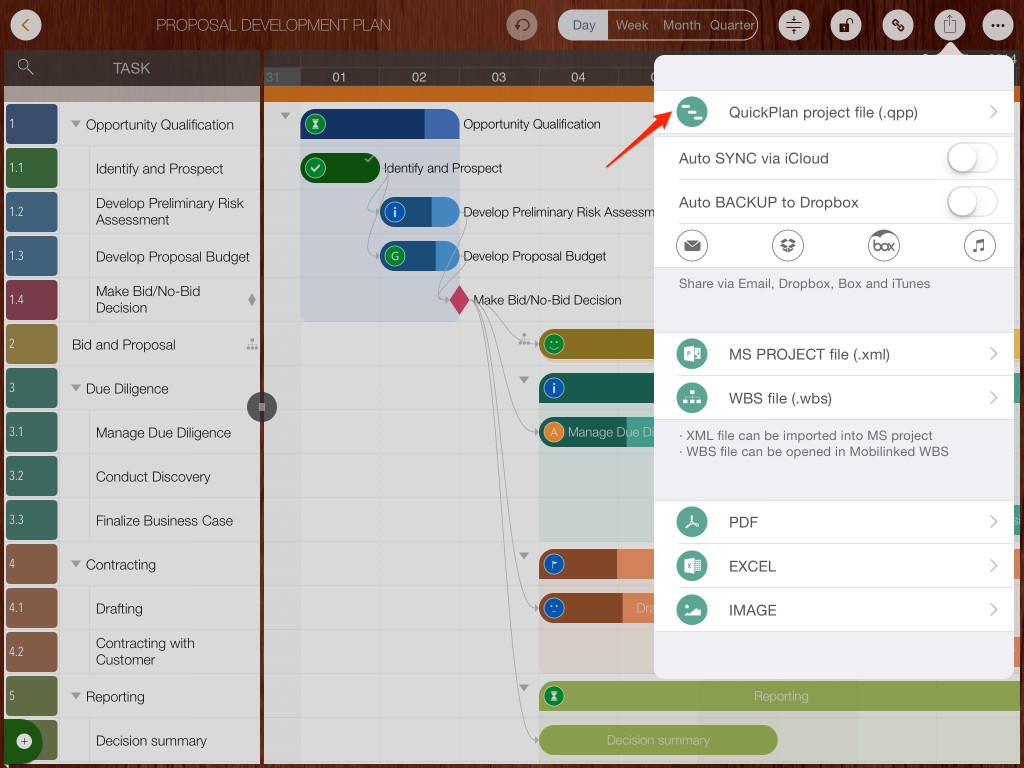
-
Tap "Open In"
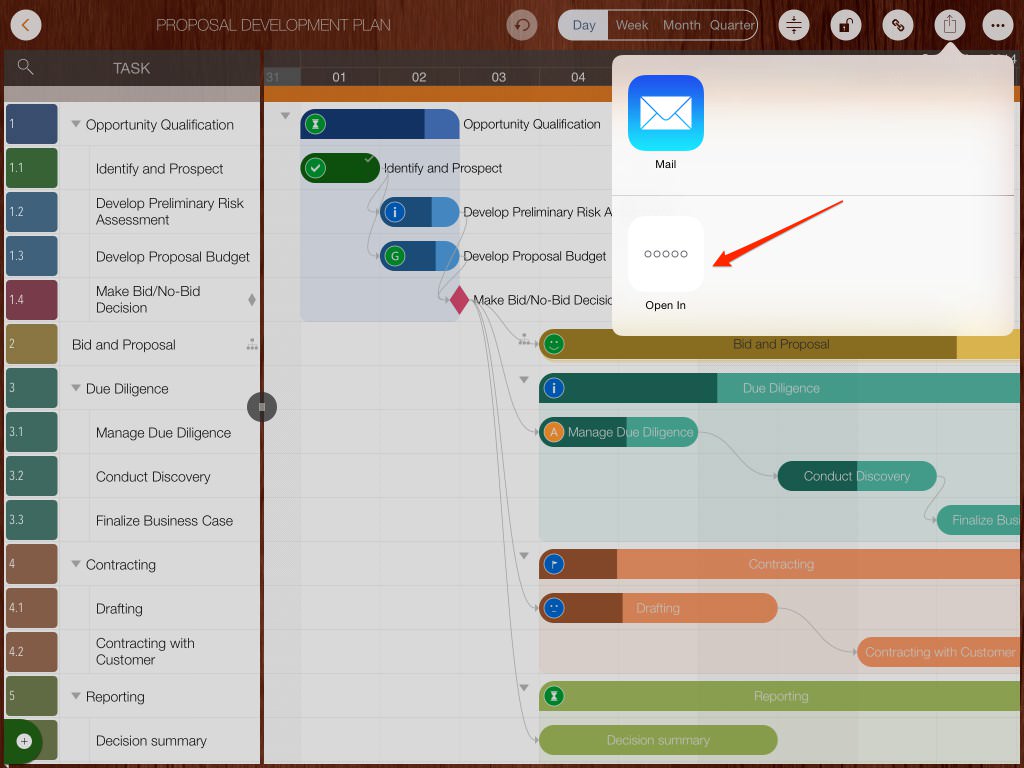
- Select the third-party app to open the file.
Exporting to 3rd Party Cloud Apps
- Open the third-party cloud app, select a .qpp file, and choose "Copy to QuickPlan" to import it as a new project.
Importing from 3rd Party Cloud Apps
Projects Maintenance
Project Properties
Task Maintenance
Gestures & Keyboard Shortcuts
Customization
Synchronization
Team Collaboration
Project Sharing
- Sharing Project from iPad
- Import Project on iPad
- Sharing Project from iPhone
- Import Project on iPhone
- Sharing Project via AirDrop
- Sharing Project via Email
- Sharing Project via Dropbox
- Sharing Project via Google Drive
- Sharing Project via OneDrive
- Sharing Project via Box Cloud
- Sharing Project via 3rd Apps
Integrations
Others