
-
Open a mindmap file using the iThoughts app.
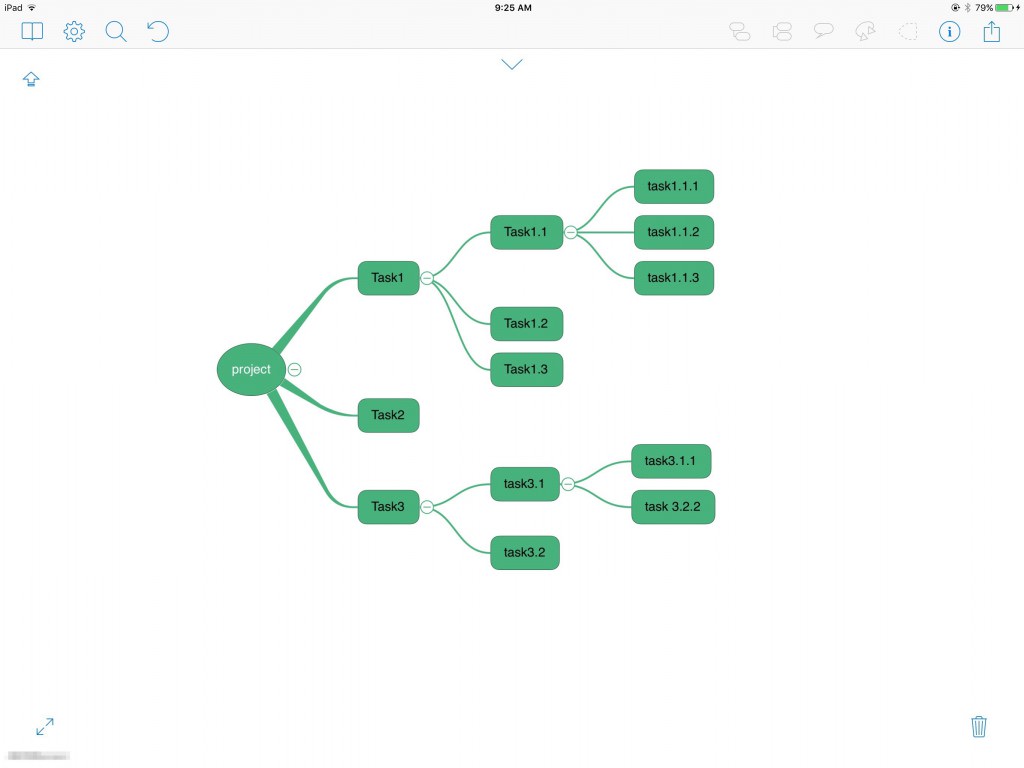
-
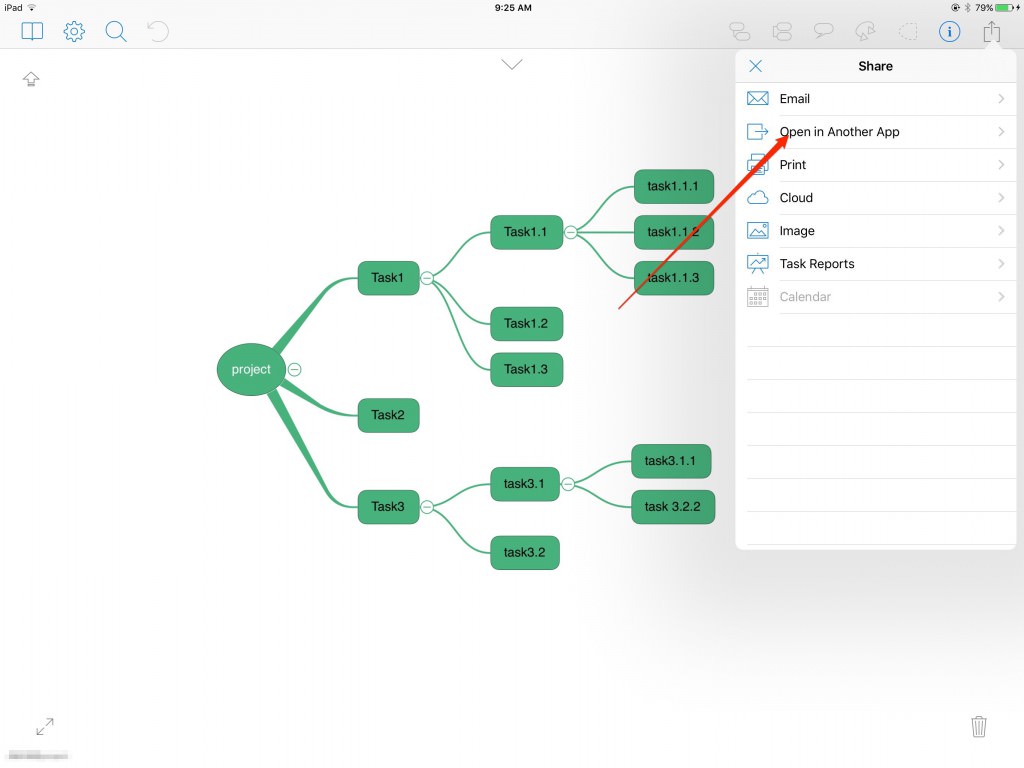
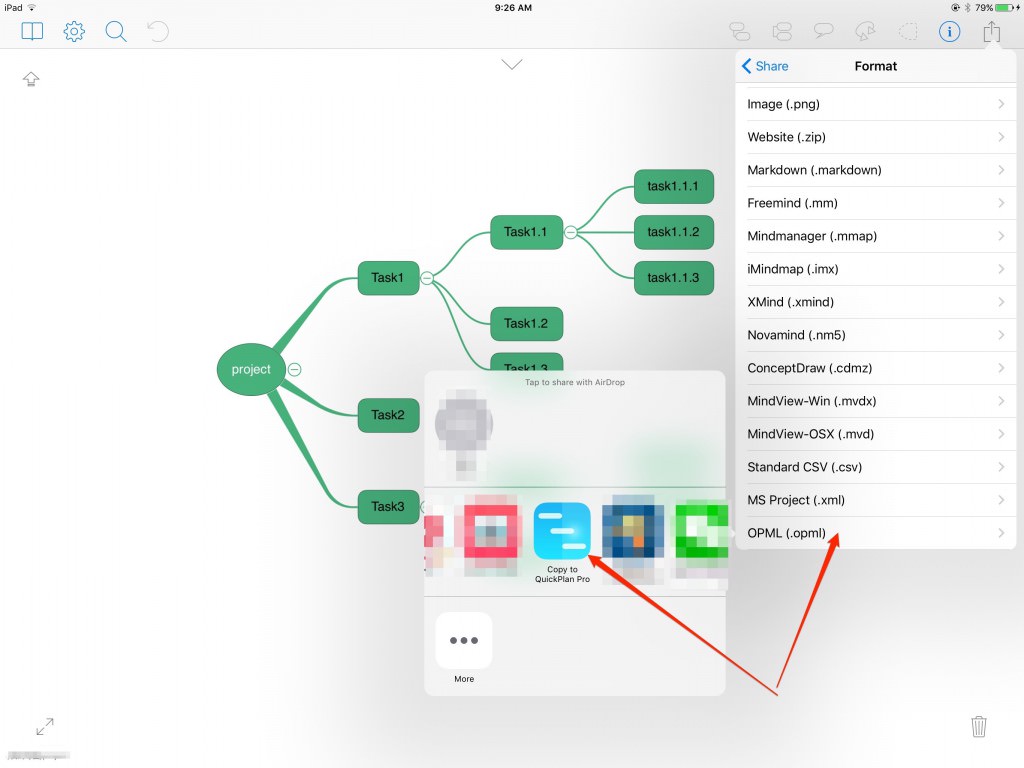
Export to an .opml file and select "Copy to QuickPlan".
-
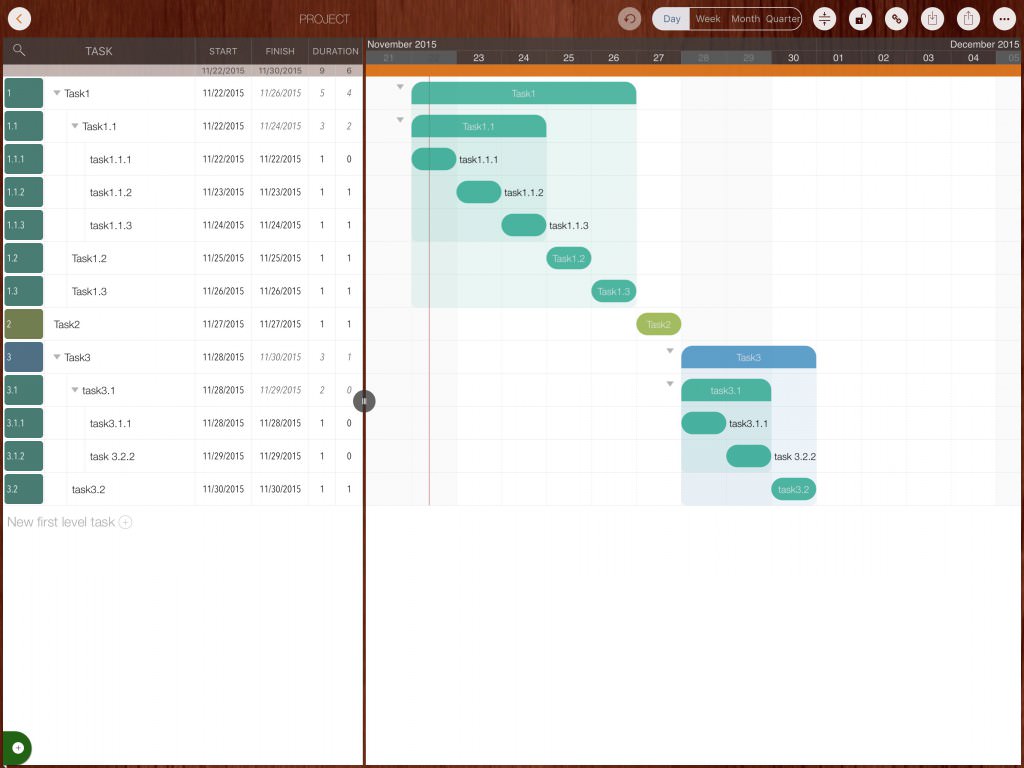
A new project will be created in QuickPlan.
Notes
OPML is a simple protocol containing limited information. The content included in OPML files created by other apps is beyond QuickPlan's control. Information entered in a mind map that is not part of the OPML file will not be included in the QuickPlan project.
It is easier to manage task dates and resources directly in QuickPlan. Avoiding entry of such data in the Mindmap app prevents potential data loss during OPML transfer.
Projects Maintenance
Project Properties
Task Maintenance
Gestures & Keyboard Shortcuts
Customization
Synchronization
Team Collaboration
Project Sharing
- Sharing Project from iPad
- Import Project on iPad
- Sharing Project from iPhone
- Import Project on iPhone
- Sharing Project via AirDrop
- Sharing Project via Email
- Sharing Project via Dropbox
- Sharing Project via Google Drive
- Sharing Project via OneDrive
- Sharing Project via Box Cloud
- Sharing Project via 3rd Apps
Integrations
- MS Project Integration
- MS Excel Integration
- Mindmap (OPML) Integration
- Swift Apps WBS Integration
- Files Integration
Others