
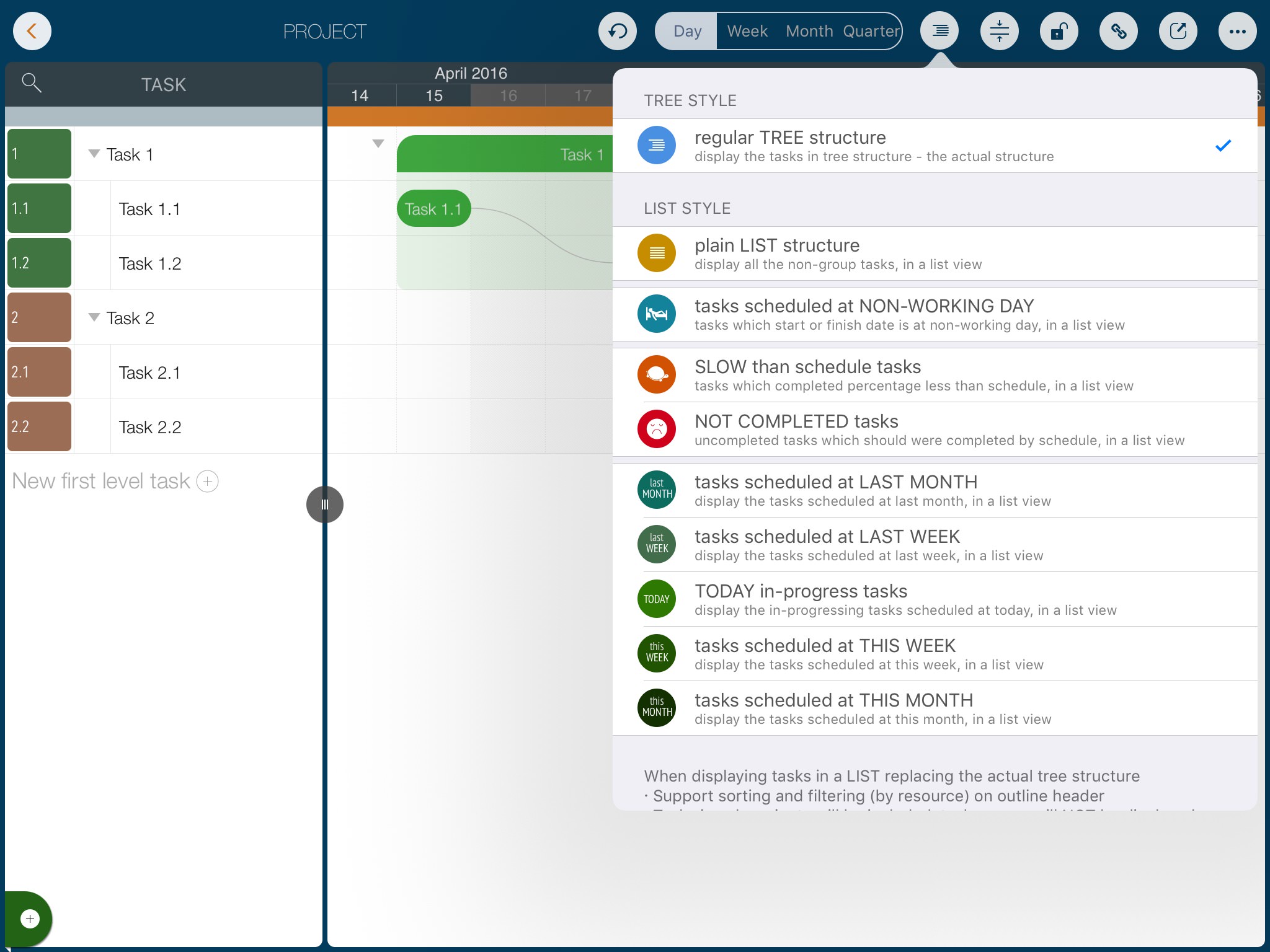
In addition to the standard tree structure, the app also supports displaying all tasks as a list.
- Tasks in sub-projects will also be included in the list.
- Only actual tasks will be displayed; group tasks are excluded.
Several useful pre-defined lists with filtering are available for different project management processes.
Best Practice: Pre-defined lists simplify reviews. For example, in a weekly meeting, you can view "Tasks scheduled for THIS WEEK" or check delayed tasks in the "Tasks slower than schedule" list.
Notes
Note: The undo history will be reset after changing the display style, sorting, or filtering, as the LIST view is not the actual data structure and undo operations could corrupt it.
Projects Maintenance
Project Properties
Task Maintenance
Gestures & Keyboard Shortcuts
Task Display
- Tree, and List with sorting and filtering
- Critical Path
- Task Row Height
Customization
Synchronization
Team Collaboration
Project Sharing
- Sharing Project from iPad
- Import Project on iPad
- Sharing Project from iPhone
- Import Project on iPhone
- Sharing Project via AirDrop
- Sharing Project via Email
- Sharing Project via Dropbox
- Sharing Project via Google Drive
- Sharing Project via OneDrive
- Sharing Project via Box Cloud
- Sharing Project via 3rd Apps
Integrations
Others