
QuickPlan allows you to archive various fields, including task start, finish, workdays, duration, work, labor cost, materials cost, and total cost. You can use these archived fields as a baseline to compare date and duration changes, with differences highlighted in color.
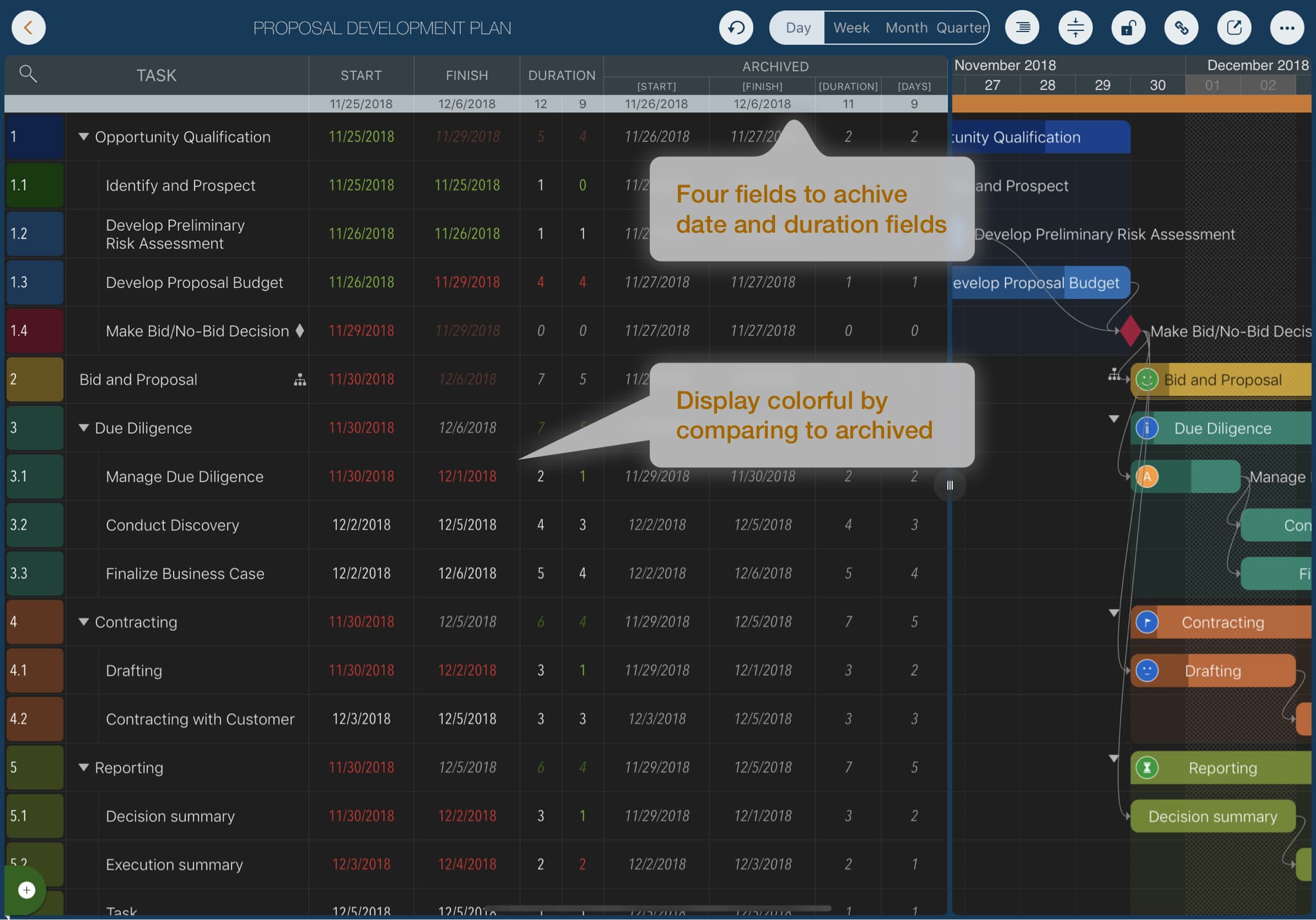
The following animation shows you how to:
- Display the archive fields (hidden by default).
- Archive the active date and duration fields (copying them to the archive fields). QuickPlan allows you to archive all tasks at once; however, archive fields are read-only and cannot be edited directly.
- Change the display options for active date and duration fields to highlight differences from the archived data.
Projects Maintenance
Project Properties
Task Maintenance
Gestures & Keyboard Shortcuts
Customization
Synchronization
Team Collaboration
Project Sharing
- Sharing Project from iPad
- Import Project on iPad
- Sharing Project from iPhone
- Import Project on iPhone
- Sharing Project via AirDrop
- Sharing Project via Email
- Sharing Project via Dropbox
- Sharing Project via Google Drive
- Sharing Project via OneDrive
- Sharing Project via Box Cloud
- Sharing Project via 3rd Apps
Integrations
Others