
Gestures to organize tasks in a tree structure
Indent and outdent tasks to group them; move tasks up or down to adjust the sequence.
-
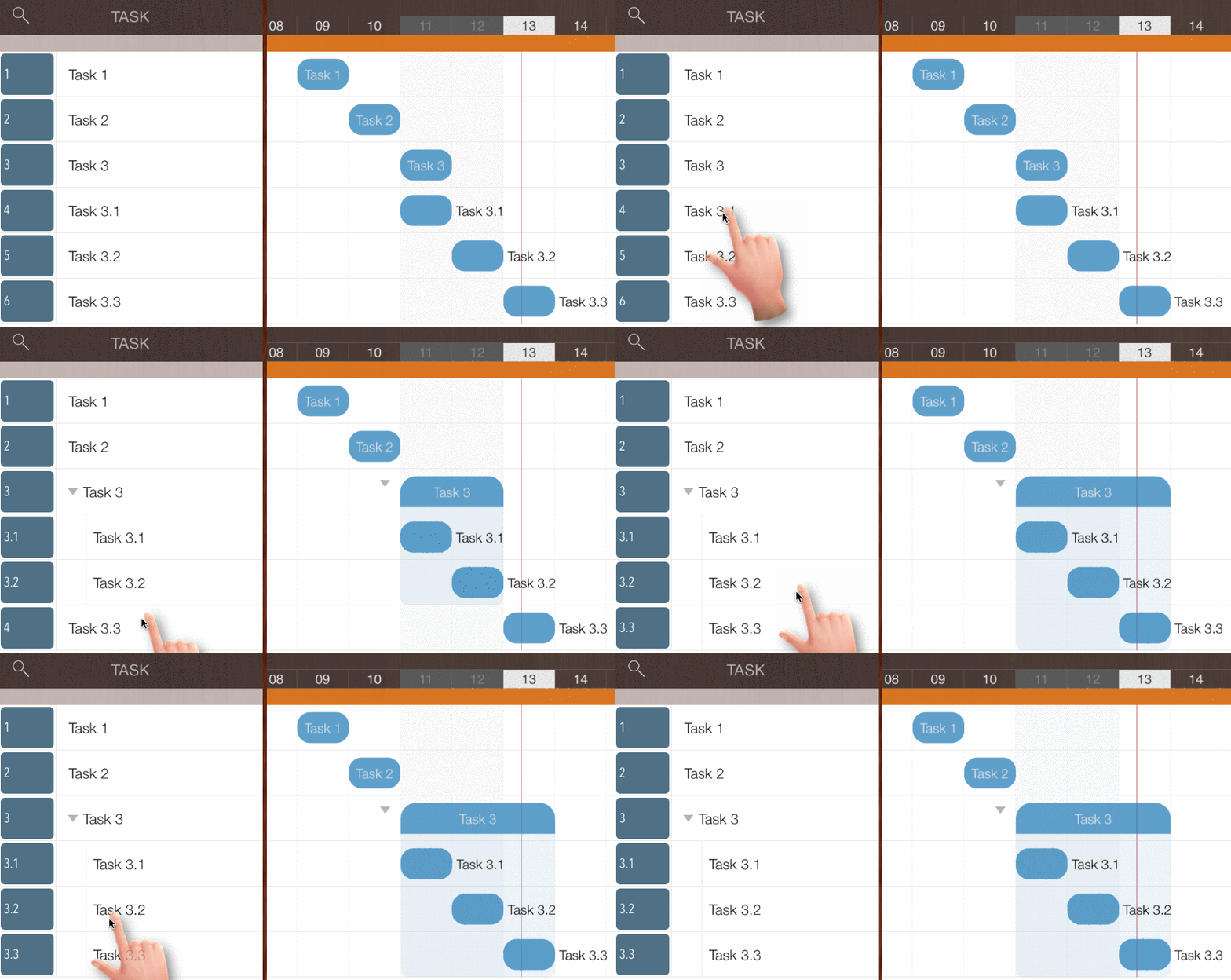
Indent or outdent tasks to change their outline level and organize them into multi-level groups - Swipe left or right on the task name in the Outline View.
-
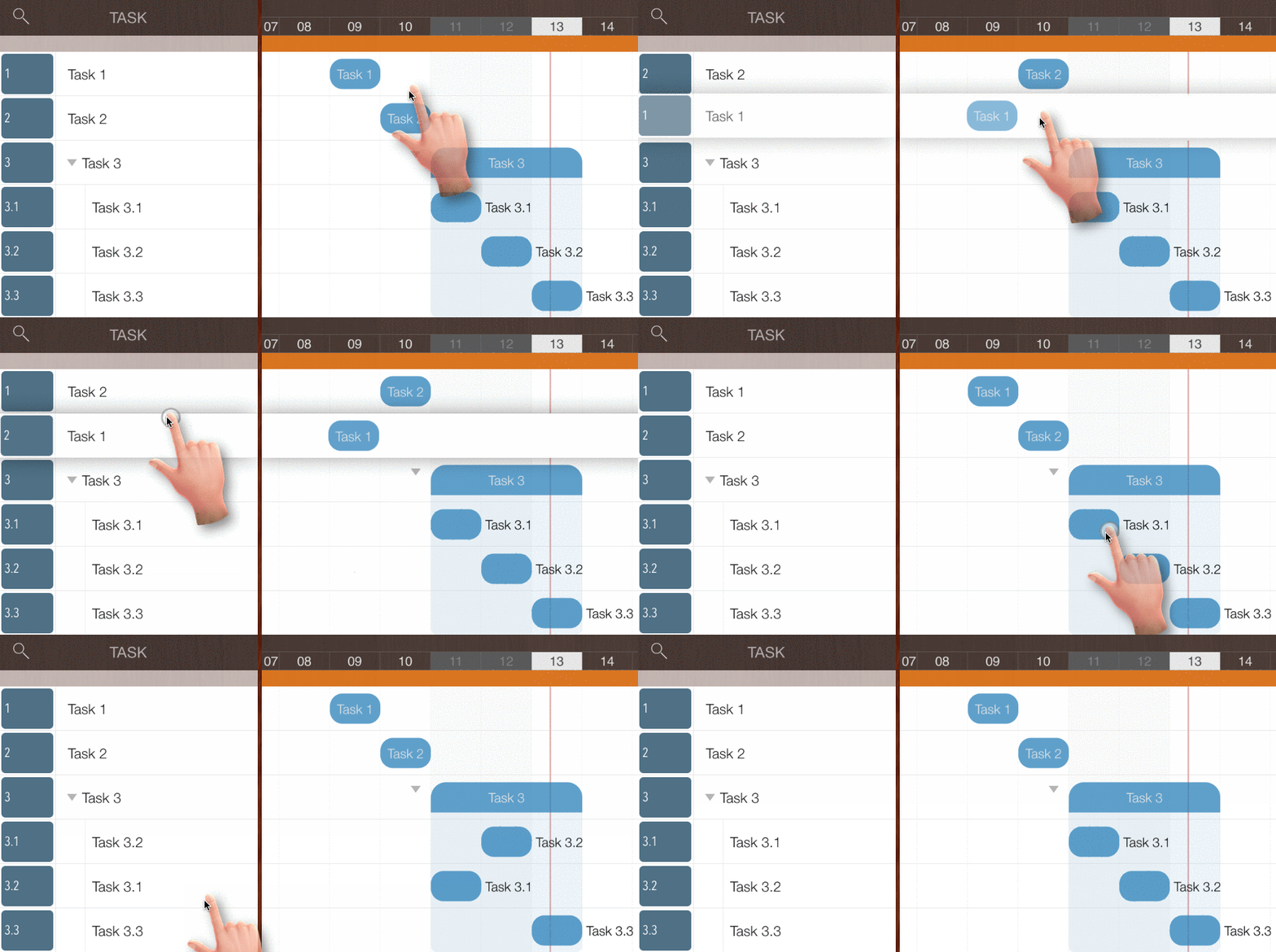
Change task sequence within the same group - Long-press a task row and move it up or down.
-
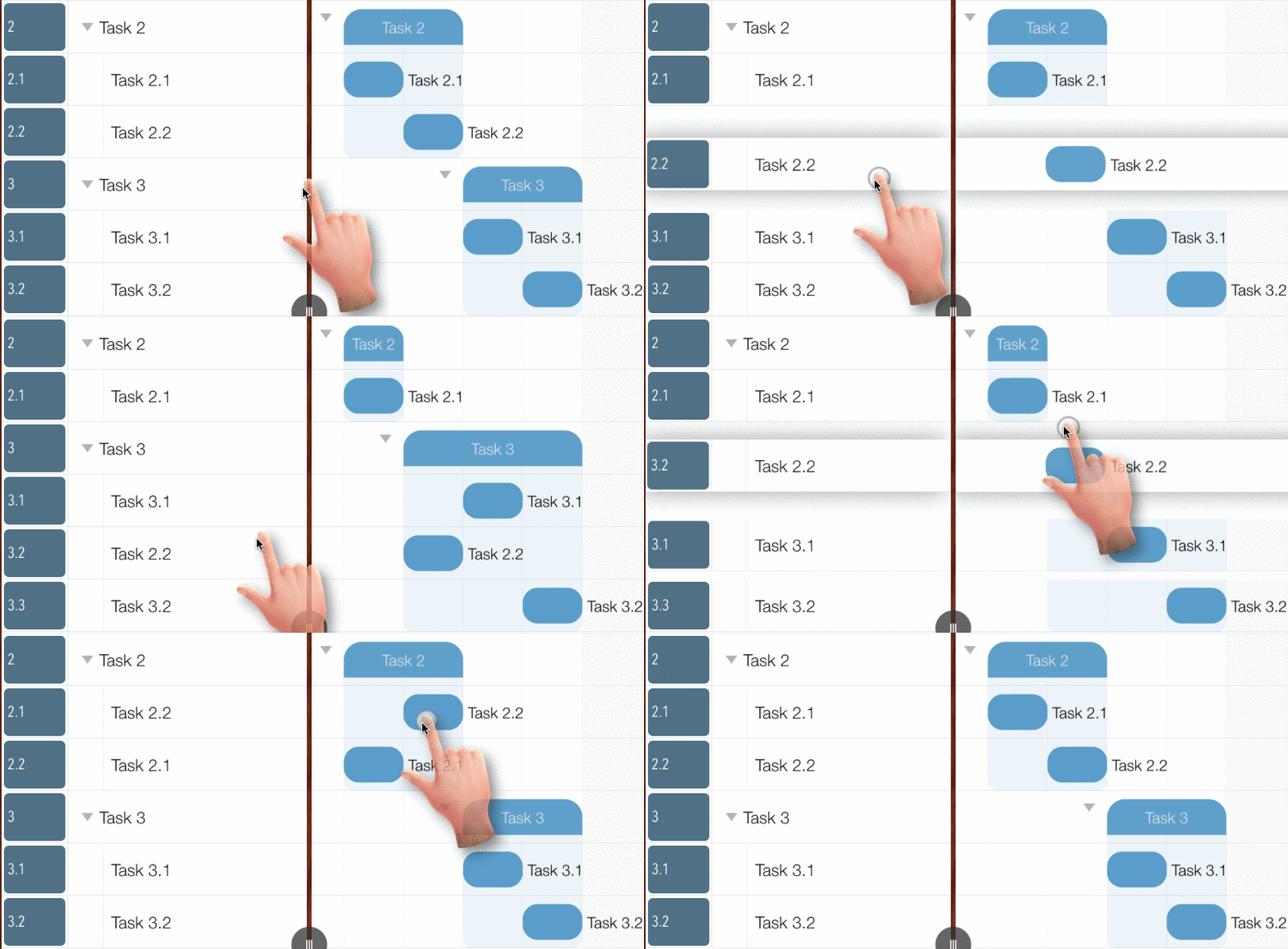
Move tasks between groups - Long-press a task row and drag it up or down to another group.
Gestures to change task date on Gantt Chart
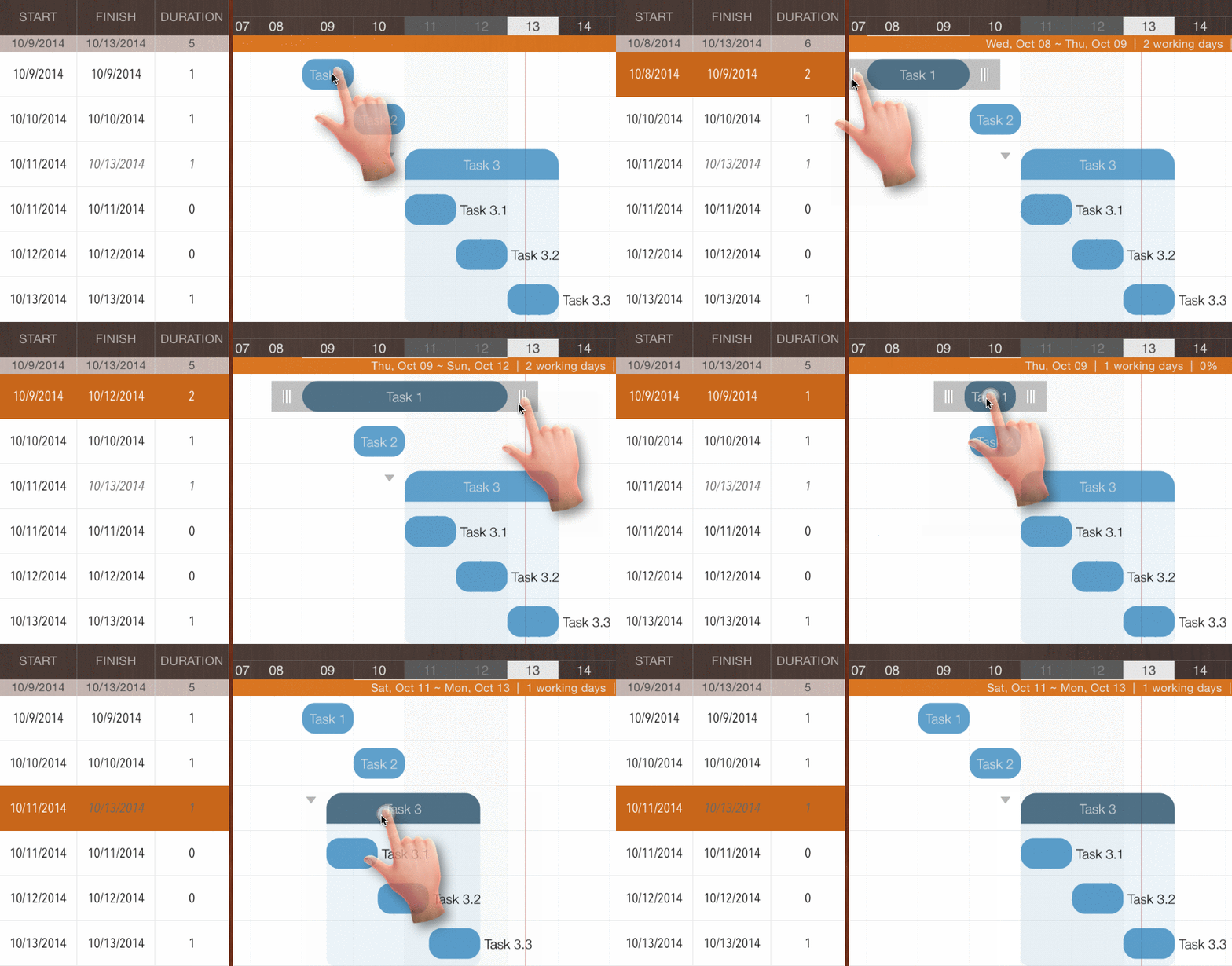
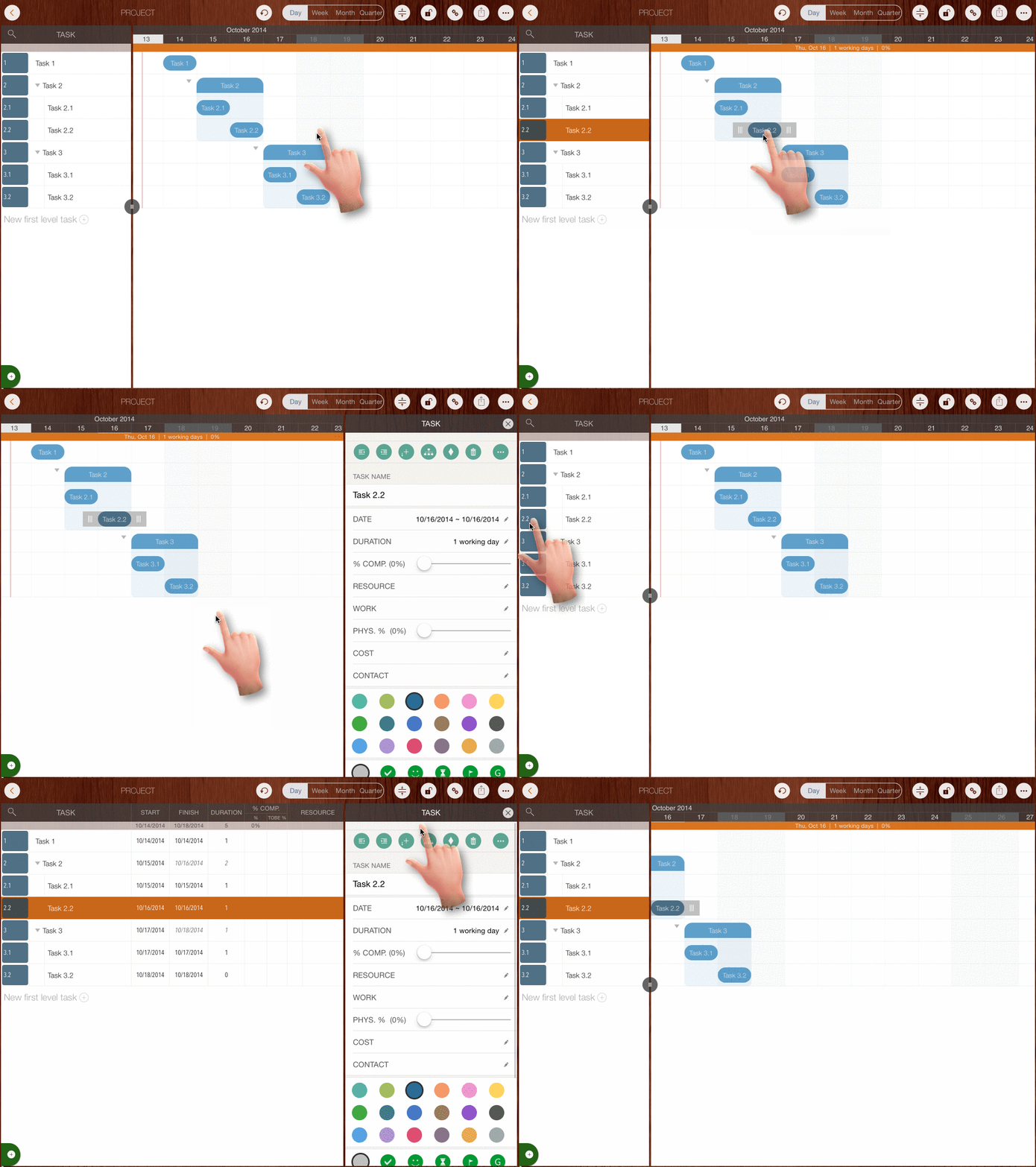
- Pan horizontally on the left part of the selected taskbar to change the task start date
- Pan horizontally on the right part of the selected taskbar to change the task finish date
- Pan horizontally on the center of the selected taskbar to change the task start and finish dates simultaneously.
- Pan horizontally on a selected task group or sub-project to change the dates of all child tasks simultaneously.
Gestures to change task properties
-
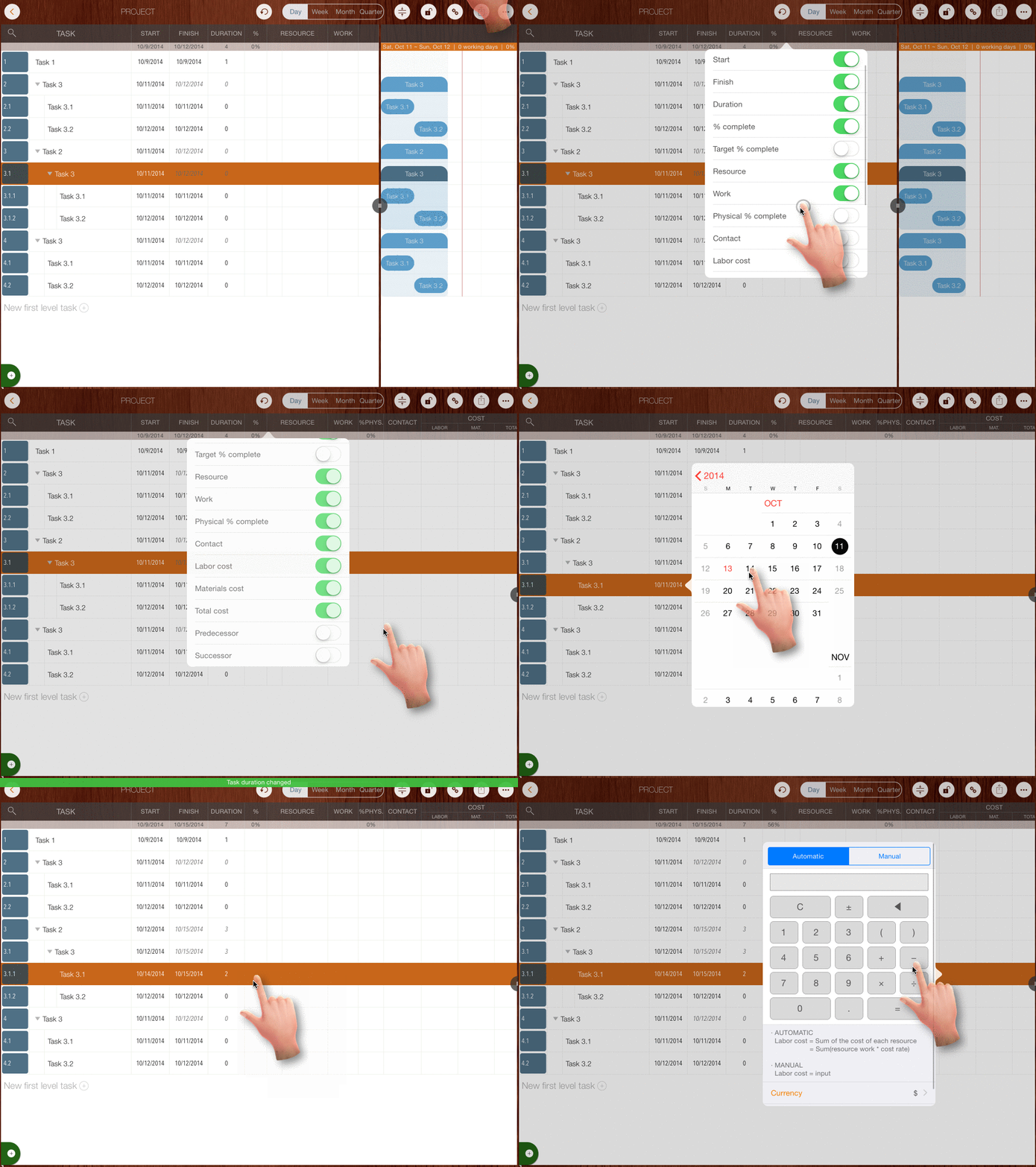
Edit in Outline View by tapping on a task cell
-
Double-tap a taskbar or the task number column to edit the task in the updating panel
Task operation gestures
- Create Task - Tap the bottom of the task list to create a new task directly
-
Collapse and Expand Task Groups
- Tap the triangle icon on the left side of the group taskbar to collapse or expand the group
- Tap with TWO fingers on the Gantt Chart to collapse or expand all tasks simultaneously.
- Tap a taskbar to select it
- Double-tap the empty space of a task row to make the task visible
- Double-tap the toolbar to scroll the Gantt Chart to the top
- Pinch the Gantt Chart to zoom in or out
Project maintenance gestures
- Pan on the timeline to change the project start date
- Long-press on the timeline to configure the project calendar (working days and non-working days)
- Long-press the header of any task column in Outline View to configure column visibility.
- Tap the header of a task column in Outline View to change the column title.
Projects Maintenance
Project Properties
Task Maintenance
Gestures & Keyboard Shortcuts
- Gestures
- Keyboard shortcuts
Customization
Synchronization
Team Collaboration
Project Sharing
- Sharing Project from iPad
- Import Project on iPad
- Sharing Project from iPhone
- Import Project on iPhone
- Sharing Project via AirDrop
- Sharing Project via Email
- Sharing Project via Dropbox
- Sharing Project via Google Drive
- Sharing Project via OneDrive
- Sharing Project via Box Cloud
- Sharing Project via 3rd Apps
Integrations
Others