
Today Widget and Local Notifications
QuickPlan "Today" allows you to track in-progress tasks in the App Welcome View and via daily notifications in the iOS Notification Center.
-
iOS Today Widget.
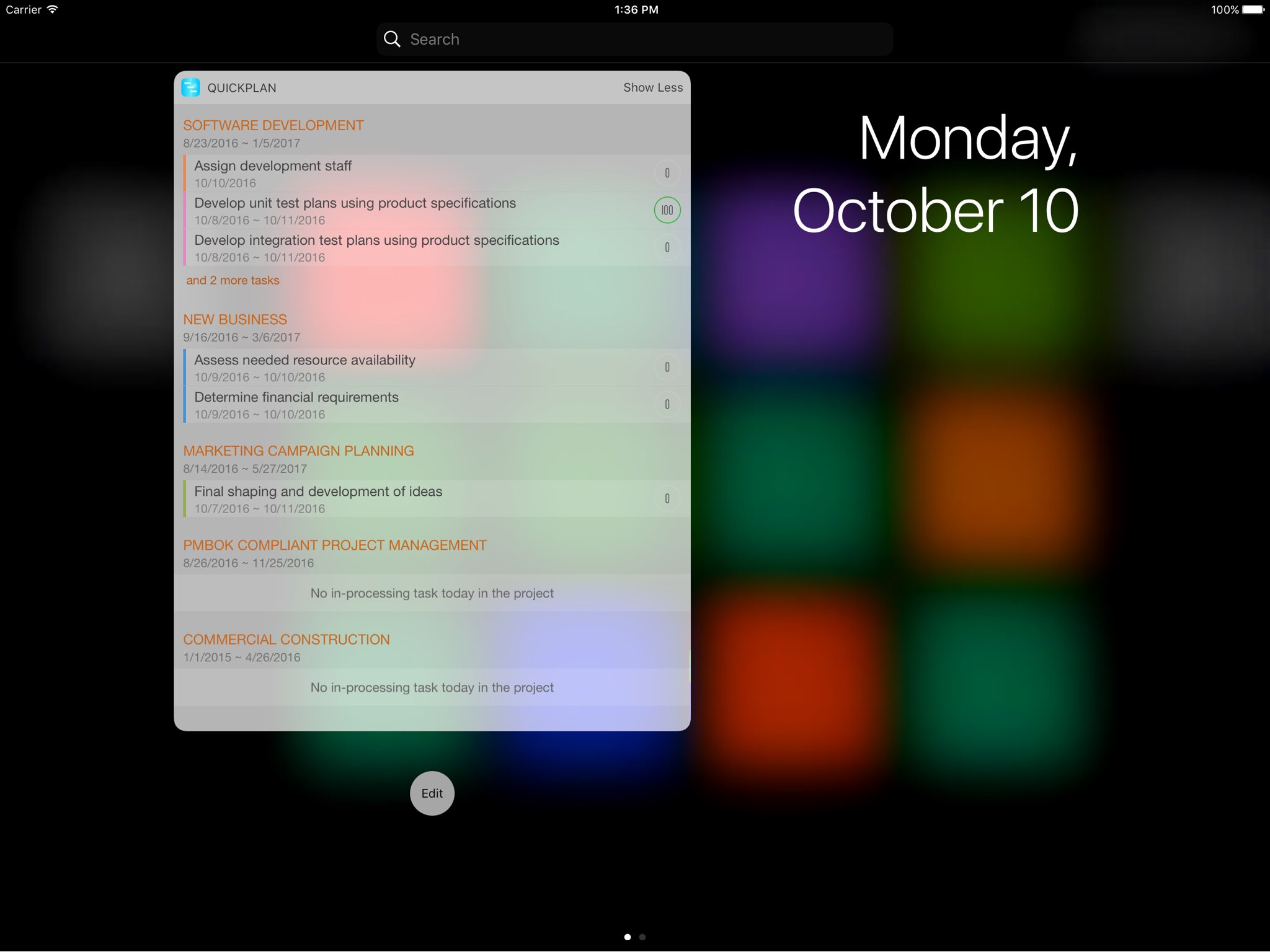
-
iOS Local Notifications.
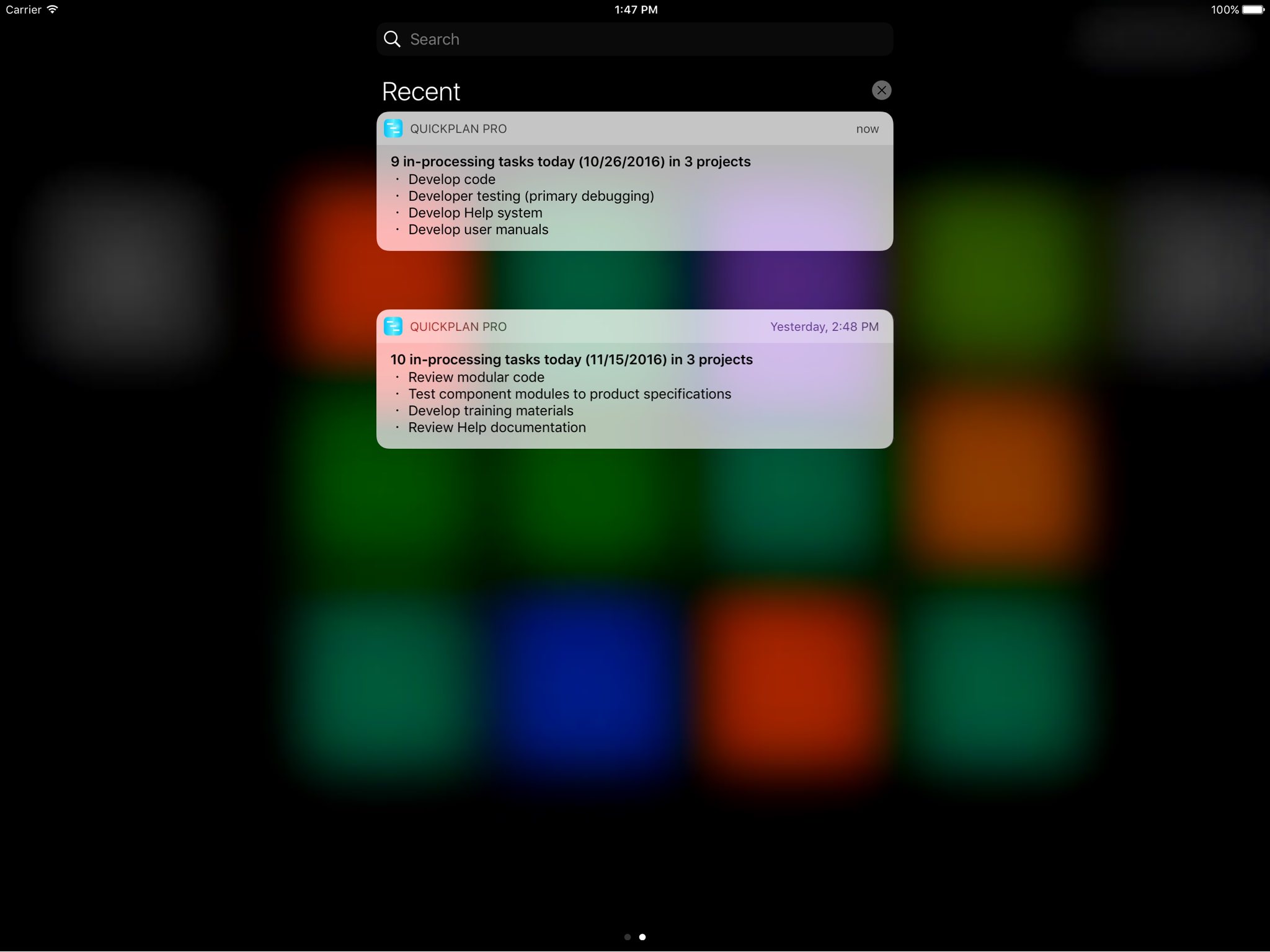
-
In-App Today Task List.
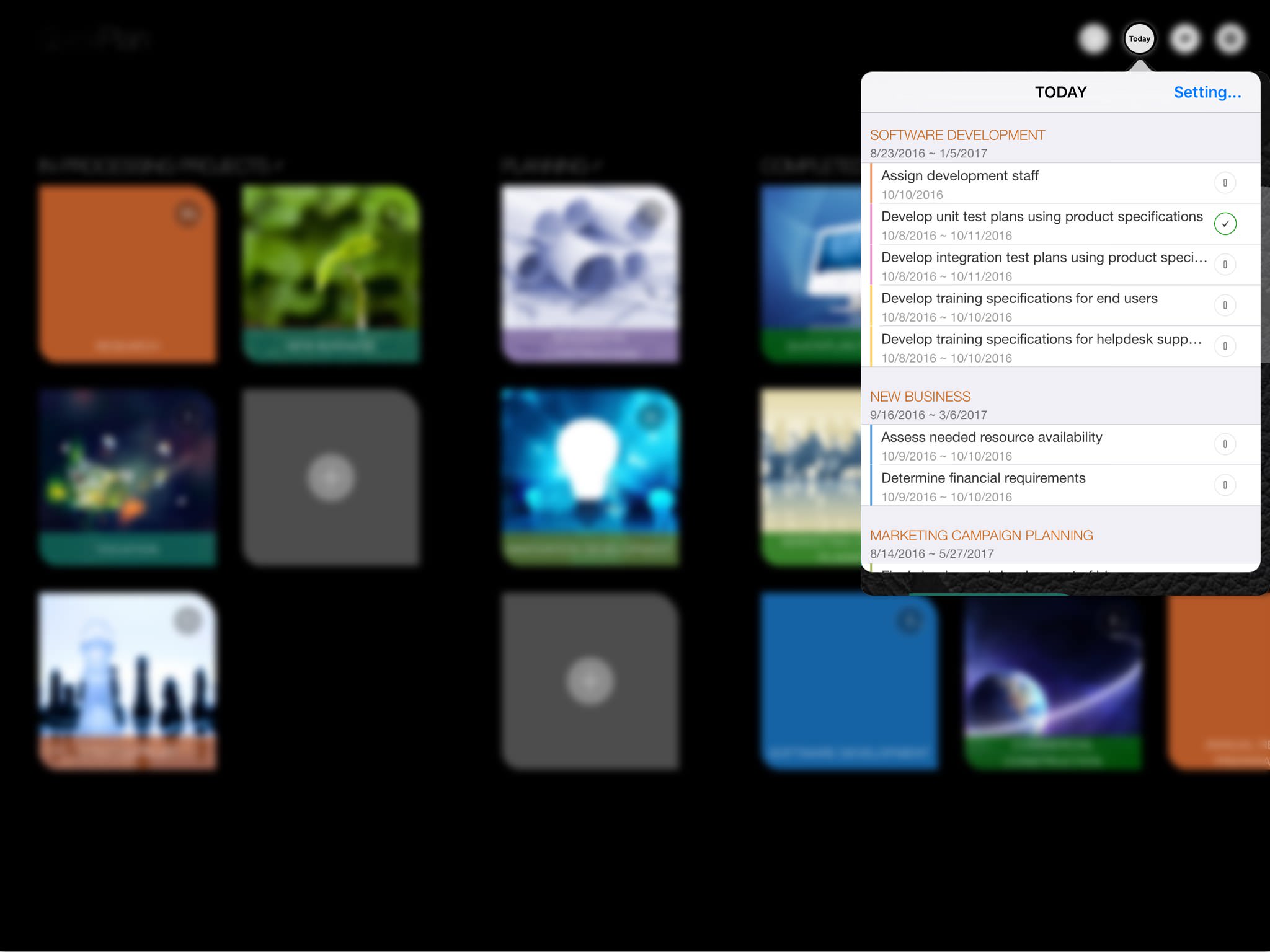
Configure "Today"
Select projects to track in "Today" and enable the Today widget in the Notification Center.
-
Select projects for "Today".
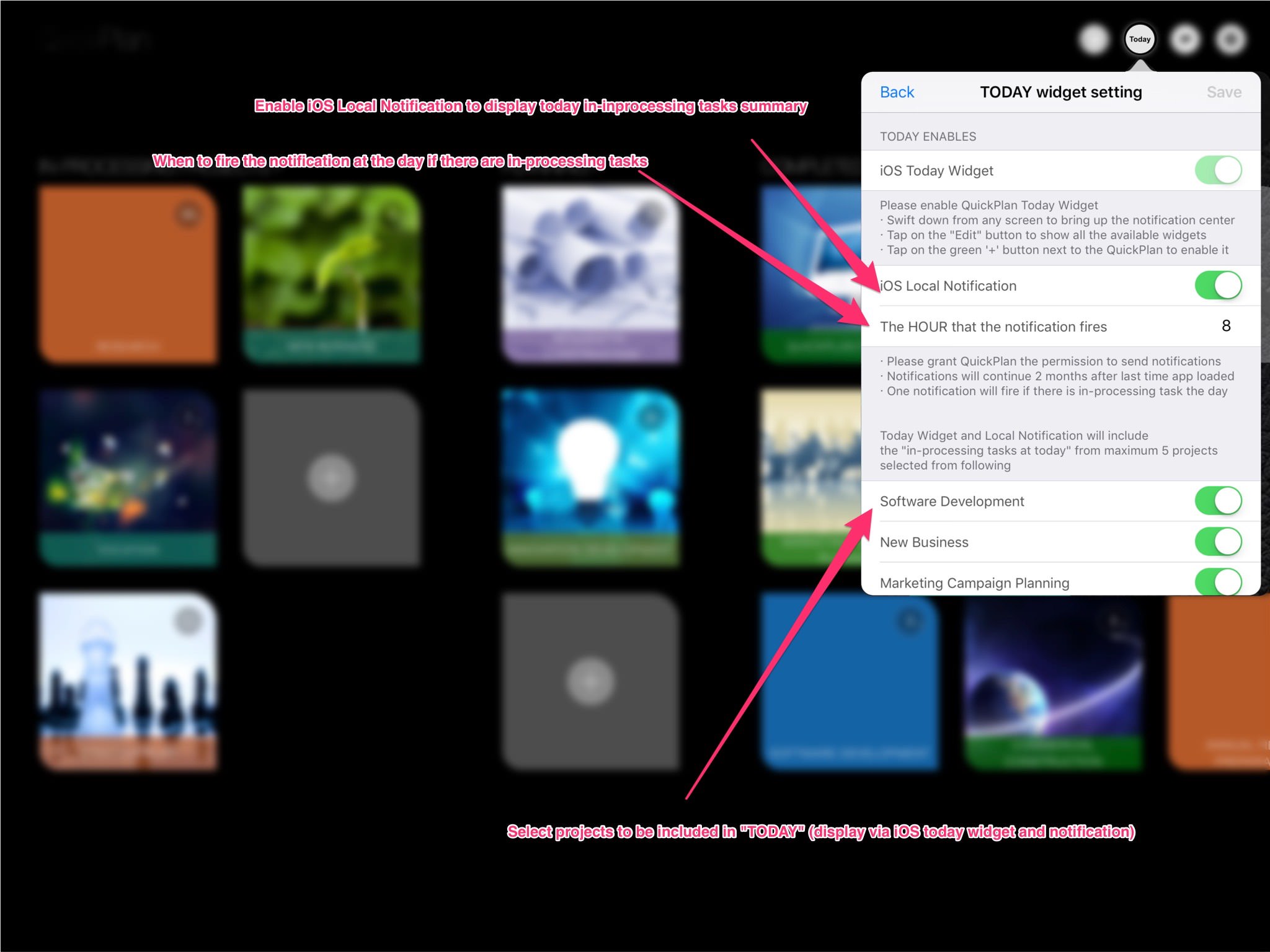
-
Enable the QuickPlan Today widget: Swipe down from any screen to open the Notification Center, then tap "Edit" to view available widgets.

-
Tap the green ‘+’ button next to QuickPlan to enable it.

- By default, the widget height is minimized. Tap "Show More" to expand it.
Local Notification
If enabled, iOS will send a notification summarizing today's tasks at your specified time.
- Sends a maximum of one notification per day summarizing in-progress tasks.
- Notifications will continue for two months after the last time the app was opened.
Projects Maintenance
Project Properties
Task Maintenance
Gestures & Keyboard Shortcuts
Customization
Widget
- Widget on iPhone
- Widget on iPad
- Today Tasks (for ios prior to version 14.0)
Synchronization
Team Collaboration
Project Sharing
- Sharing Project from iPad
- Import Project on iPad
- Sharing Project from iPhone
- Import Project on iPhone
- Sharing Project via AirDrop
- Sharing Project via Email
- Sharing Project via Dropbox
- Sharing Project via Google Drive
- Sharing Project via OneDrive
- Sharing Project via Box Cloud
- Sharing Project via 3rd Apps
Integrations
Others