
QuickPlan organizes multiple projects into Project Groups.
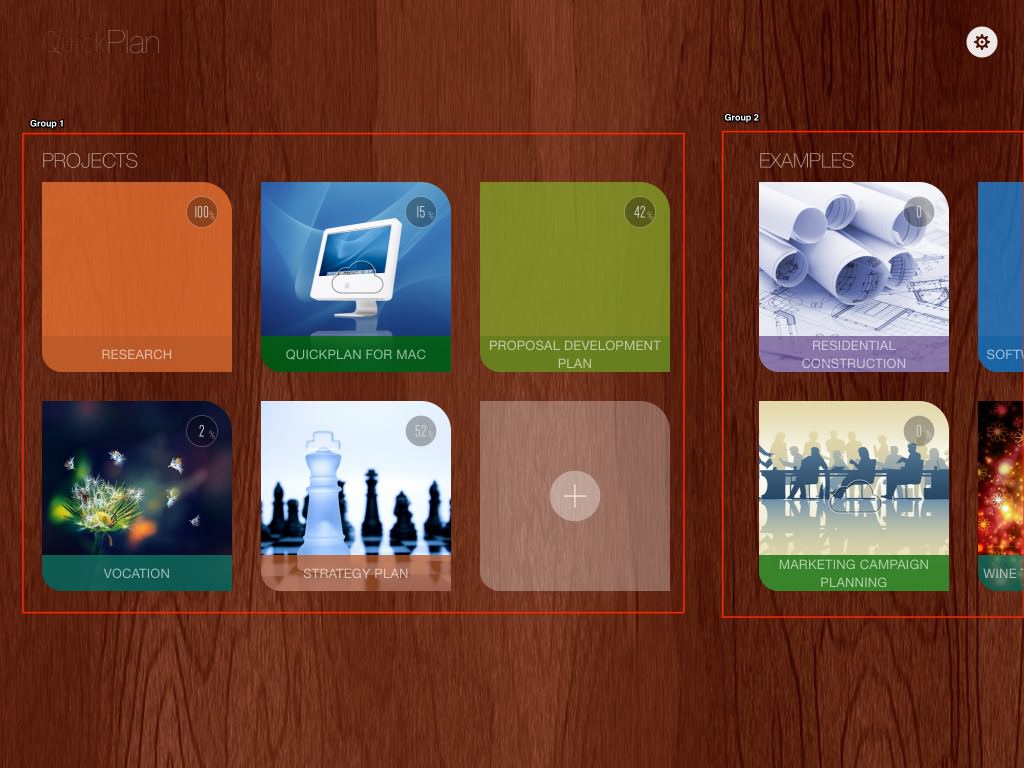
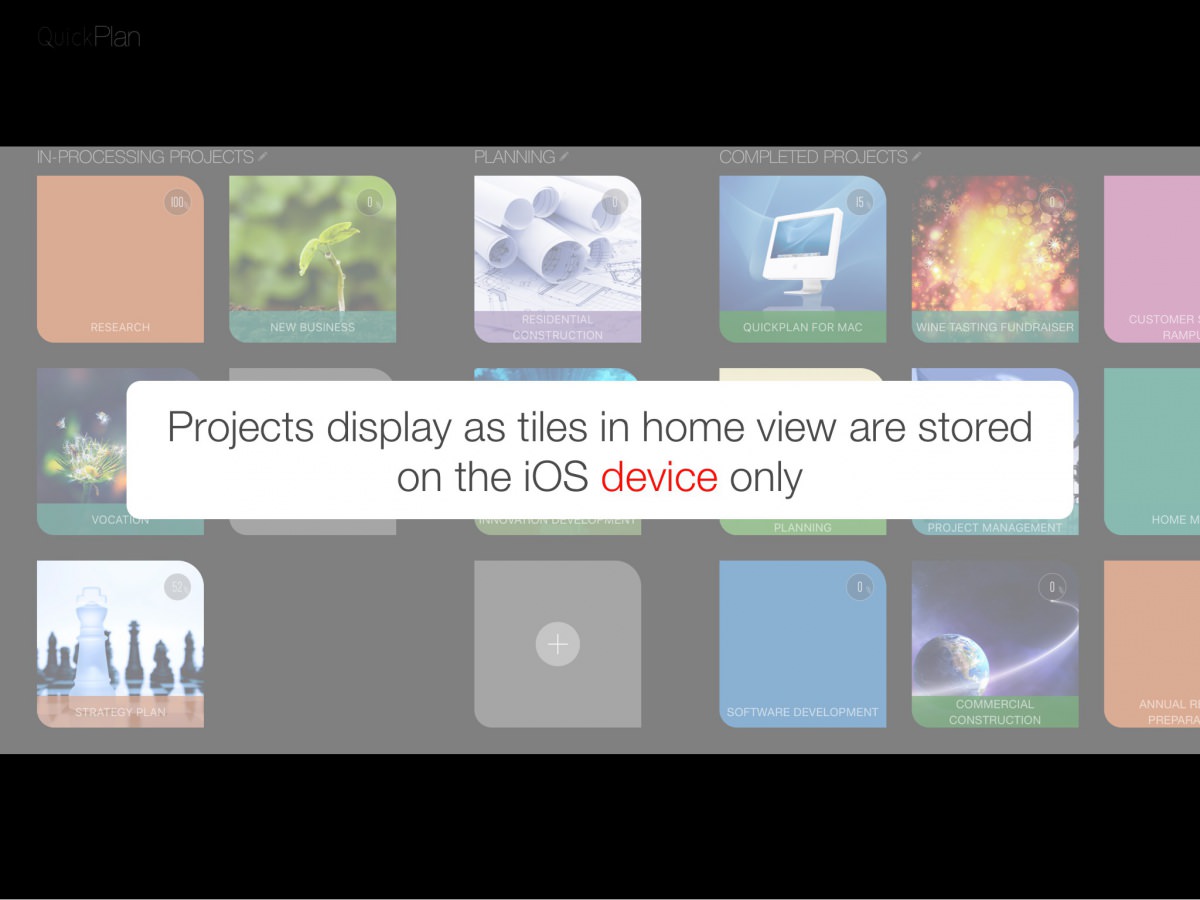
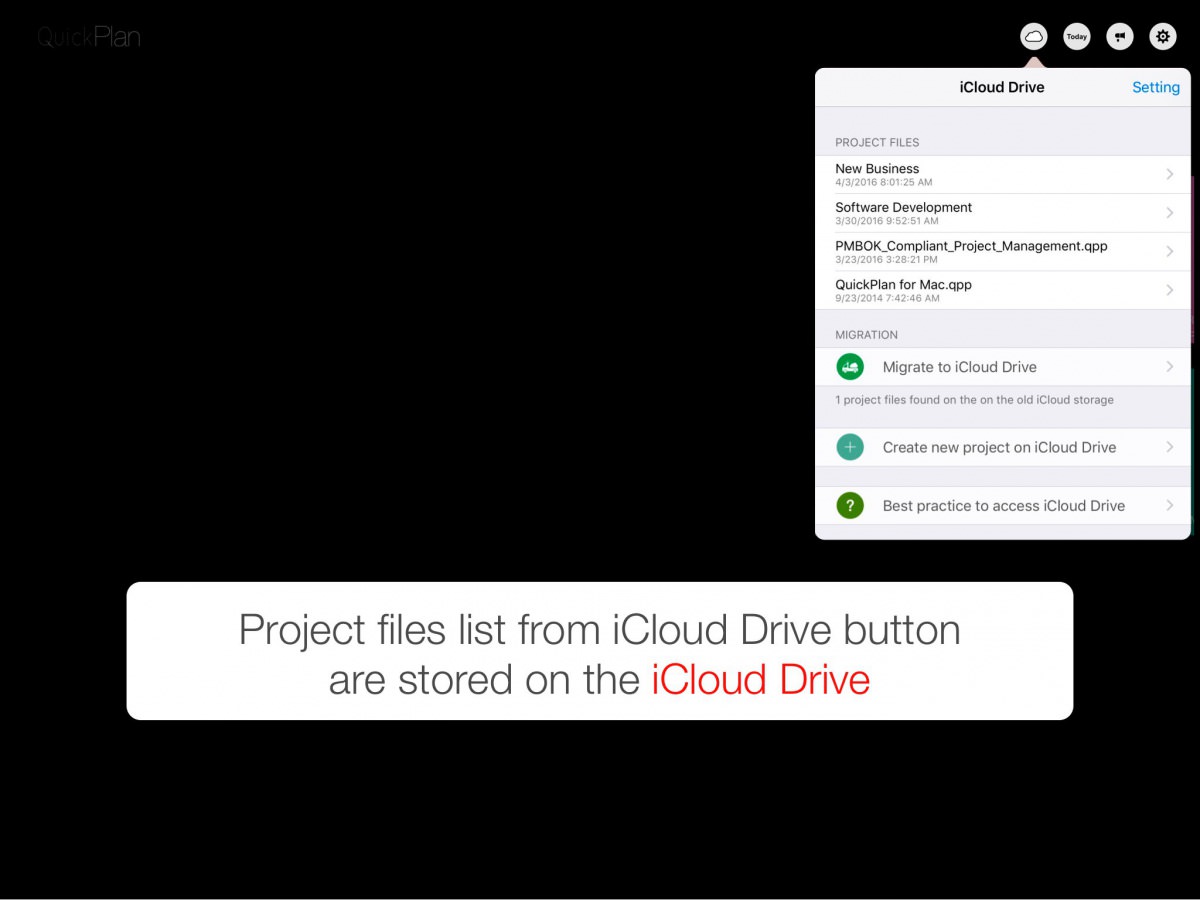
If iCloud Drive is enabled, the "project files stored on the device" and the "project files stored on iCloud Drive" are displayed separately.
Project Groups Maintenance
-
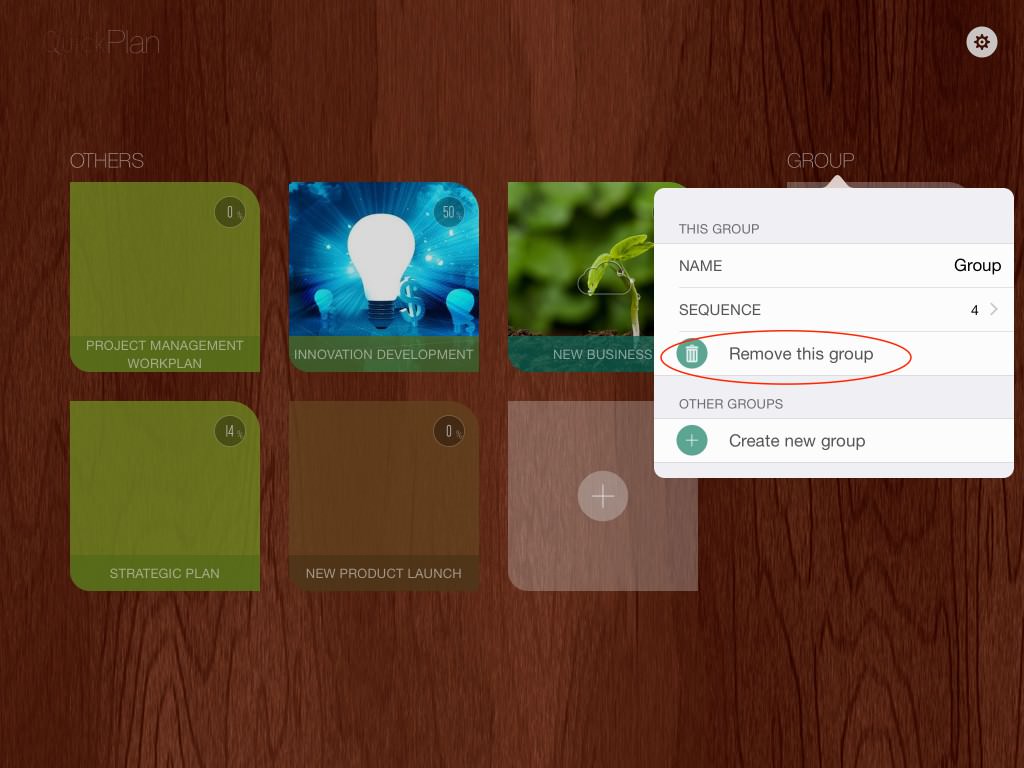
Tap a project group name in the Home View.
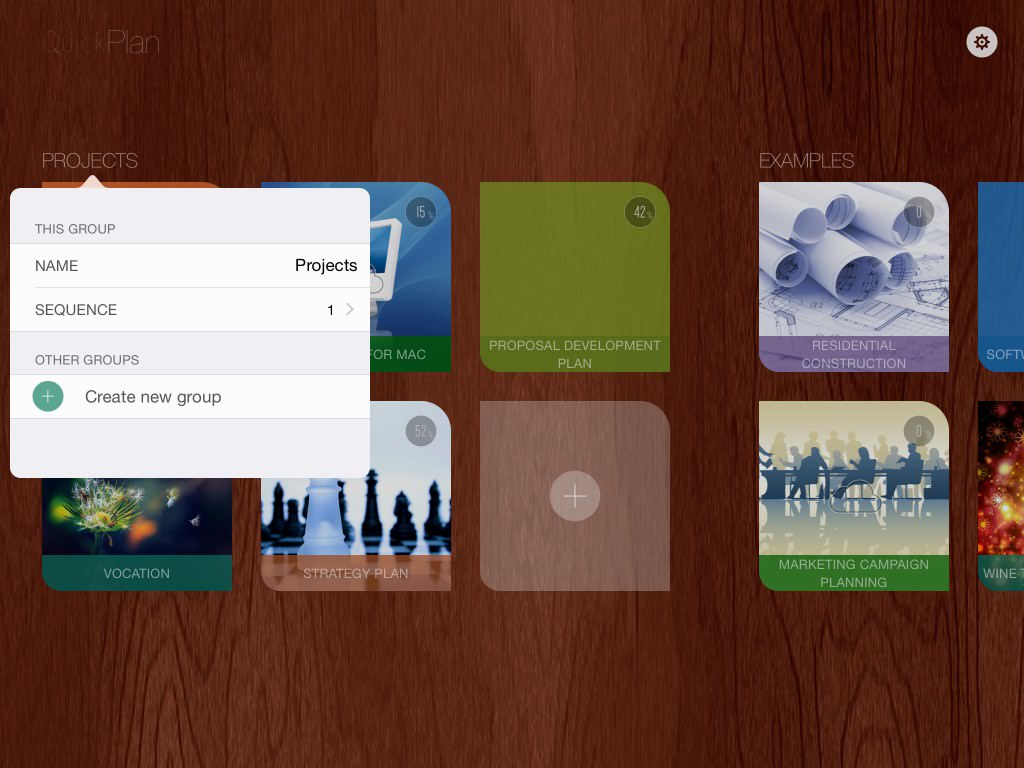
- Tap the "Create New Group" button to create a new project group.
- Tap "Sequence" to change the display order of the selected project group.
- Edit the name of the selected project group.
-
A project group can be removed if it contains no projects.
Create New Project
-
Tap the "+" tile in a project group to create a new project within that group.
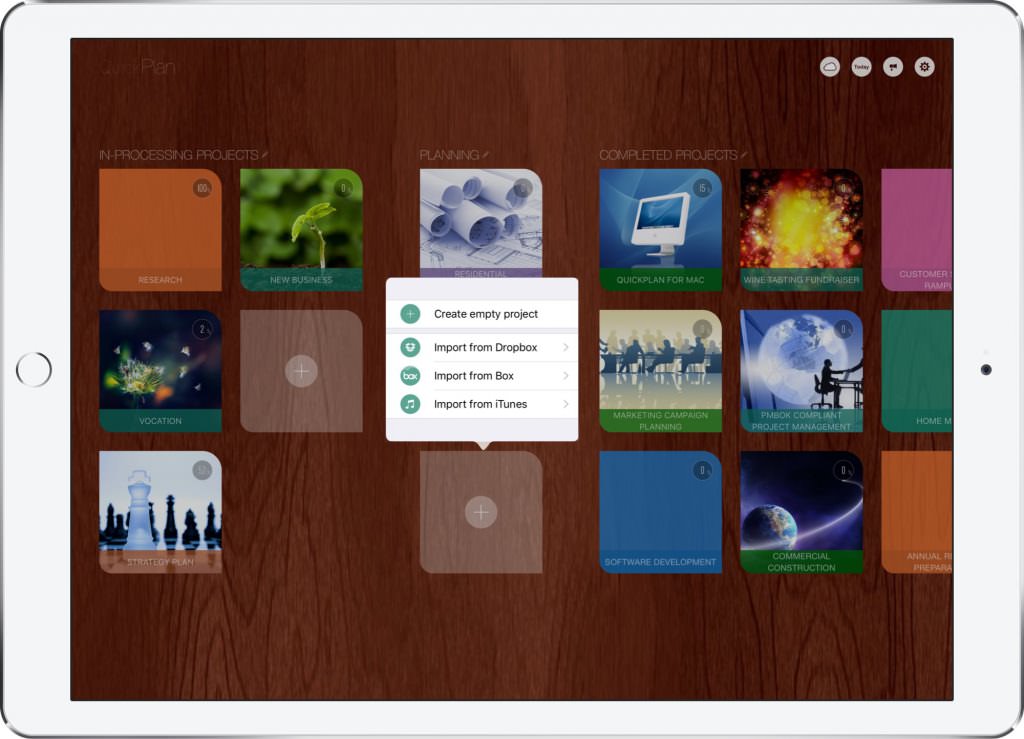
- Tap the "Create Empty Project" menu to create a new empty project in the group on the device.
- Or create a new project by importing from Dropbox, importing from Box, importing from iTunes, and 3rd party apps
- Or create a new project by duplicating an existing project
- Or create a new project by copying a project from iCloud Drive
- QuickPlan supports importing projects from files directly.
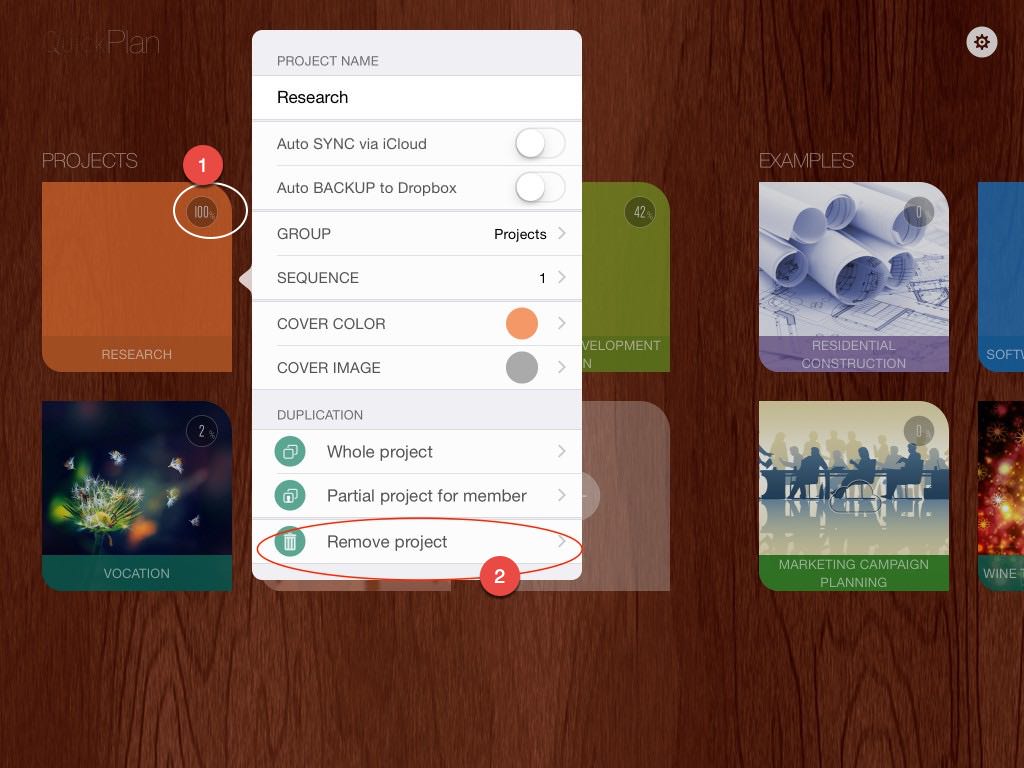
Remove Project
Project Template - Duplicate Project
You can create a new project by duplicating any existing project for the following purposes:
- Project Template - Create a new project by duplicating an entire existing project.
- Team Communication - Create a new project by duplicating only part of a project, including tasks assigned to specific members.
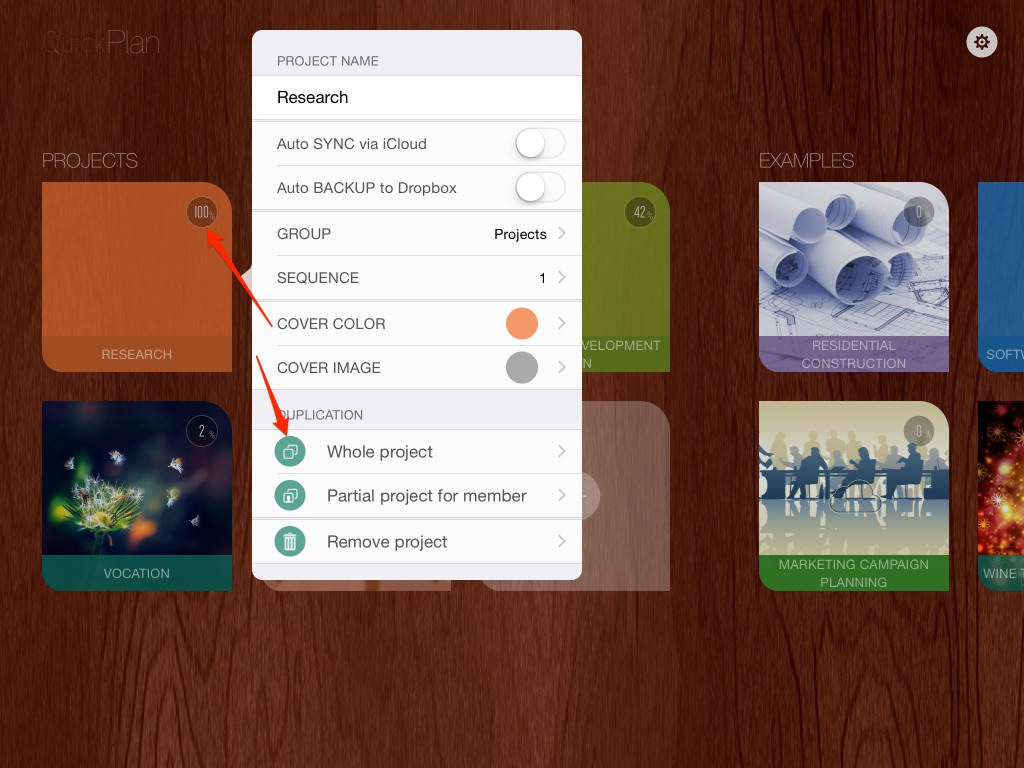
1. Duplicate Whole Project
-
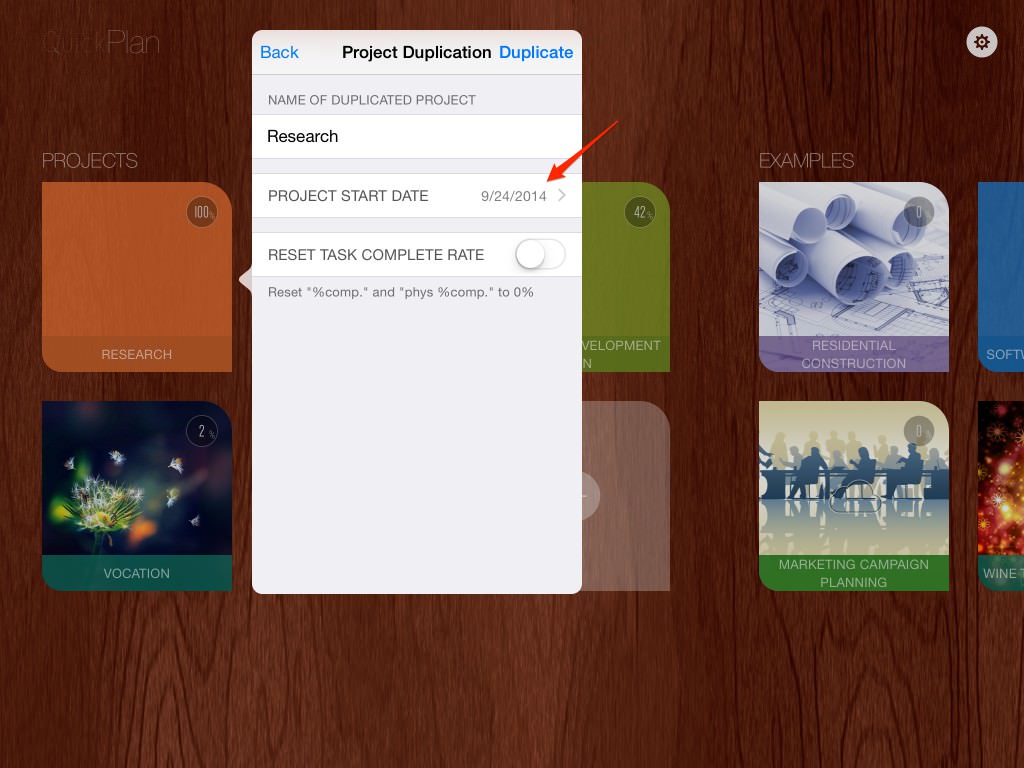
Select "Whole Project" to duplicate.
-
Set the name and start date for the new project.
1. Duplicate Part of the Project
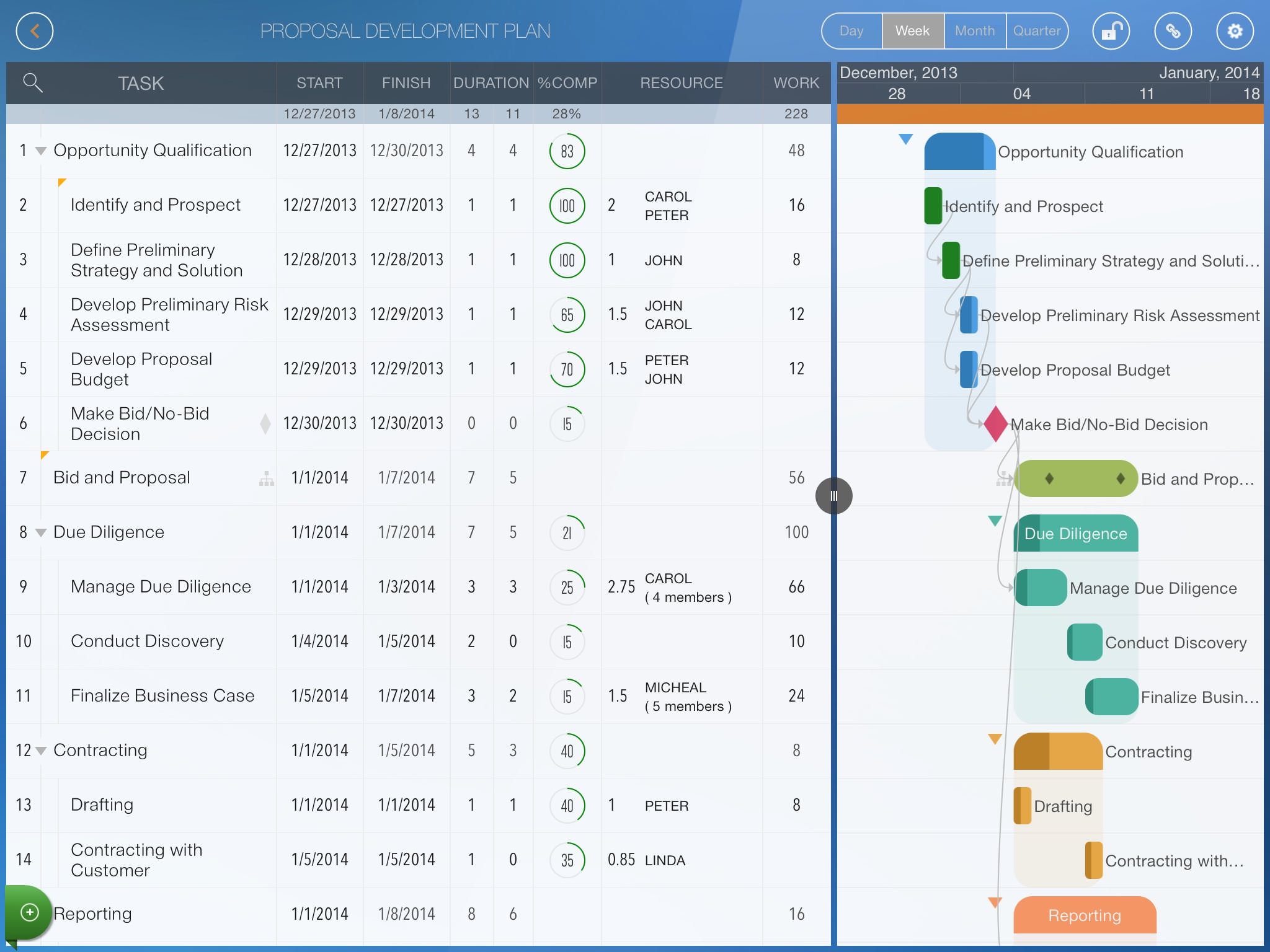
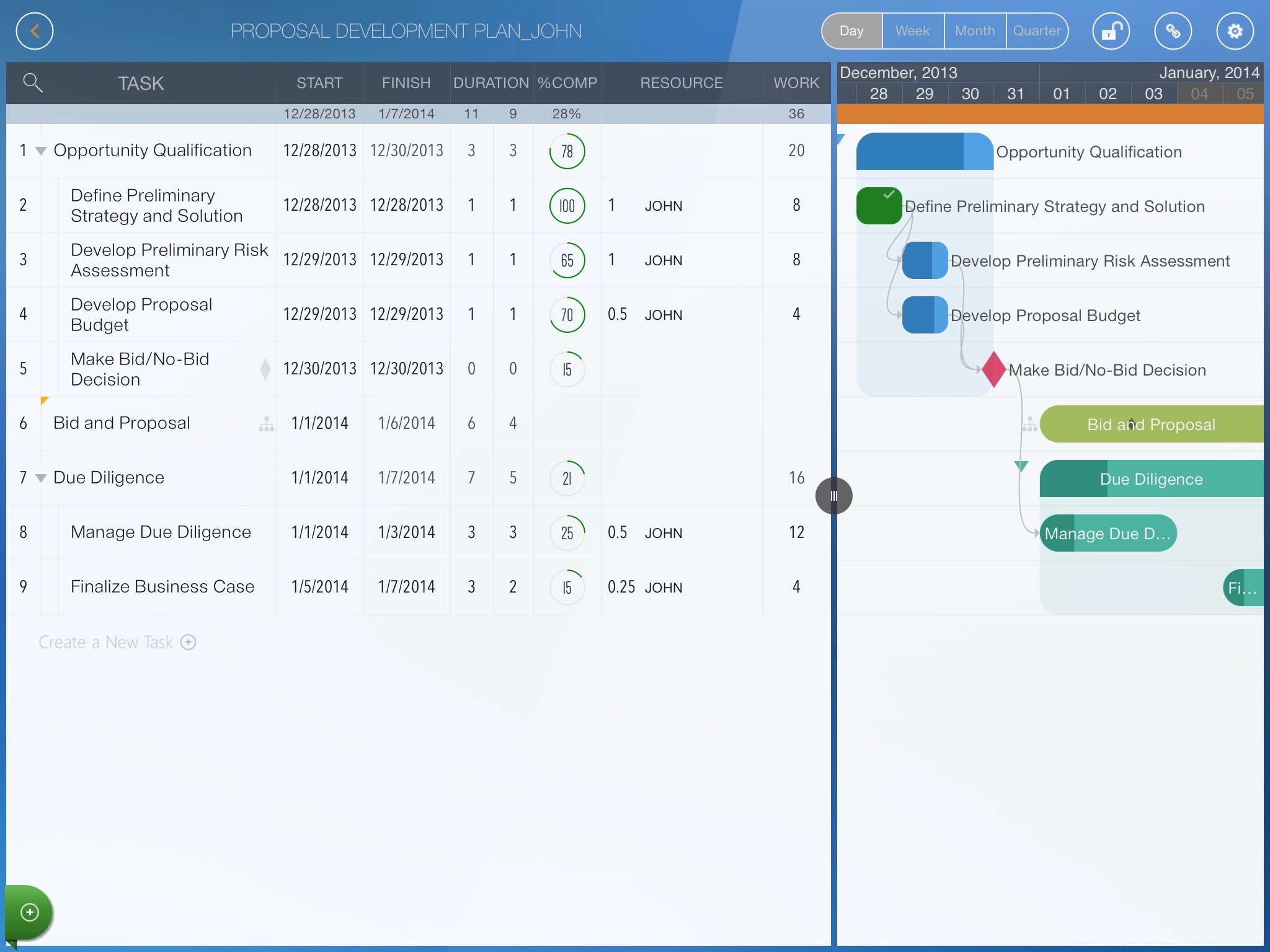
Select the "Partial Project" menu to duplicate. Below is an example:
-
The original project
-
The duplicated project for a specific project member, "John".
Properties for Tile Display
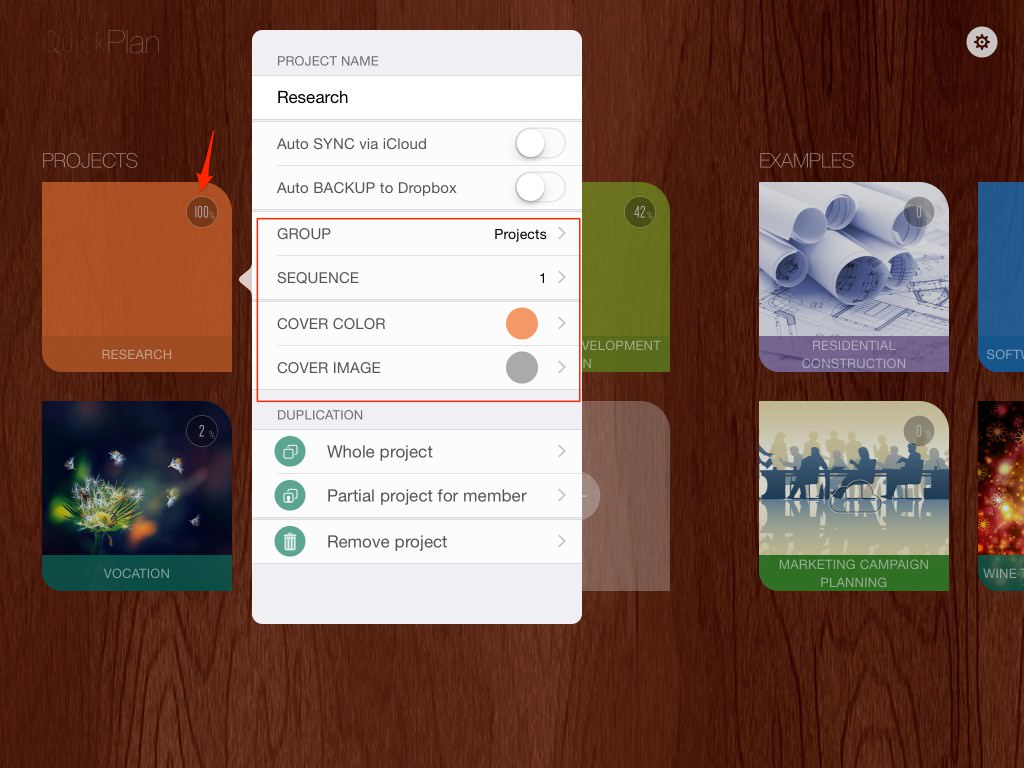
You can change the project tile sequence within a group and move a tile to another group. The project tile cover color and image can also be customized.
Projects Maintenance
- Project Groups
- Create New Project
- Remove Project
- Project Template
- Project Tile Properties
Project Properties
Task Maintenance
Gestures & Keyboard Shortcuts
Customization
Synchronization
Team Collaboration
Project Sharing
- Sharing Project from iPad
- Import Project on iPad
- Sharing Project from iPhone
- Import Project on iPhone
- Sharing Project via AirDrop
- Sharing Project via Email
- Sharing Project via Dropbox
- Sharing Project via Google Drive
- Sharing Project via OneDrive
- Sharing Project via Box Cloud
- Sharing Project via 3rd Apps
Integrations
Others